When a power recliner stops working, start with the external power path and a record of which functions stopped. A loose wall connection, an unavailable outlet, a damaged cable, and a chair-side fault can all produce an unresponsive control. Check only what the exact owner’s manual permits, and stop for visible damage, burning odor, fluid entry, uncontrolled movement, or an unstable chair.
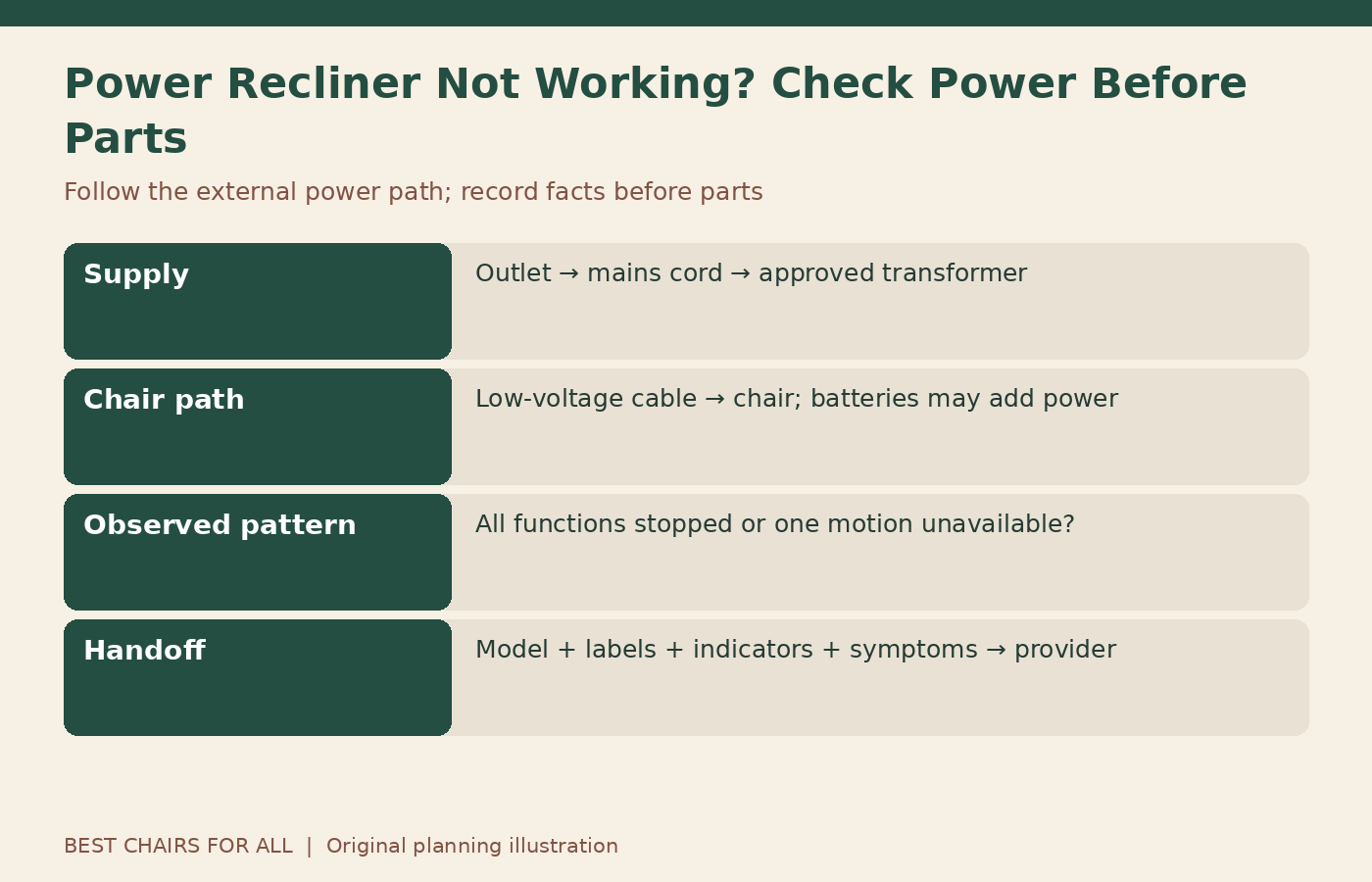
Do not order a motor simply because nothing moves. Do not open a power supply or probe a live connector. This guide uses a power-path worksheet to separate observations from diagnoses and to make an authorized service call more productive. If a seated person needs help leaving the chair, arrange appropriate assistance before troubleshooting around the furniture.
Establish whether the problem affects everything
Write down the functions available on the chair: footrest, back, headrest, lumbar, lift if present, heat, vibration, lights, and charging ports. Then note what responded during normal use. Avoid repeatedly testing a fault once the pattern is clear. All functions stopped is different evidence from headrest works, footrest does not, even though both may be described as the recliner is dead.
A glowing USB port or hand-control light is an observation, not proof that the movement system has suitable power. Likewise, a dark light does not by itself identify the failed part. Keep each fact separate. A provider can use the pattern to choose the next test without you having to diagnose internal electronics.
Identify the model and correct instructions
Find the chair model, serial or product ID, and manual revision using accessible records or labels. The retailer may be able to retrieve these from the original order. A collection name can include several power systems, so obtain the complete item code. Record whether the chair uses a wired control, wireless control, battery pack, or any optional power accessories.
La-Z-Boy’s manual index includes different guides for product families and shipment periods. Select the matching guide before following reset or connection instructions. A universal online reset sequence can be irrelevant to your chair and can obscure the original fault if it changes memory or control settings.
Draw the external power path
On paper, draw Outlet → mains cord → external power supply or transformer → low-voltage cable → chair. Add the approved battery arrangement if one exists. Mark which components are accessible without entering the mechanism and which have indicator lights described by the manual. This diagram is a reference for observations, not permission to dismantle each section.
Some chairs use different layouts or integrated components, so match the drawing to the actual manual. Label unknown sections unknown. The useful distinction is between the home’s electrical supply, accessible external chair equipment, and components that require service. Do not treat every connector as a user-serviceable plug or pull cables to discover where they lead.
Check the outlet without handling damaged equipment
If the outlet, plug, and surrounding area appear normal, the manual may direct you to confirm that the supply is working. Note whether the outlet is controlled by a wall switch. A household lamp can sometimes help establish whether an otherwise normal outlet is providing power, but do not use a visibly damaged, hot, wet, sparking, or loose outlet for testing.
If an electrical protective device has tripped, do not repeatedly reset it while the recliner remains suspect. Follow the relevant electrical instructions and involve a qualified electrician where needed. The chair’s service provider can assess furniture-side faults; building wiring is a different responsibility. Record whether other items or a wider household power interruption were involved.
Inspect the accessible cord route visually
Look for a plug that has been pulled loose, a cord trapped beneath a table leg, or a cable routed through the chair’s moving path. Keep the chair stationary and follow the manual’s isolation steps before any permitted handling. Remember that a battery pack can leave some systems powered after the wall plug is removed. Stay out of linkage and scissor areas regardless.
The Pride lift-chair owner manual includes external power and cable checks for its covered equipment. It also identifies moving mechanisms as hazards. Use only the checks relevant to your model. Frayed insulation, crushed sections, damaged plugs, or fluid exposure require service rather than a tape repair or another operating attempt.
Interpret indicator lights cautiously
A manual may describe a green transformer light or illuminated hand-control buttons. Record whether the expected light is on, off, blinking, or different from normal. Do not invent meanings for an unlabeled light or assume every brand uses the same color convention. Photograph the indicator and label from a safe position if support requests it.
An indicator can help locate the investigation stage but rarely proves the entire system is healthy. A supply may show an input light while another part of the circuit is unavailable. Conversely, a failed indicator may not explain the original movement problem. Give the provider the observation exactly as seen and let them determine what it establishes.
Follow connector instructions only where permitted
If the owner’s manual explicitly directs the user to check an accessible connector, follow the stated isolation and reconnection method. Grip the connector as instructed rather than pulling the cable. Do not force mismatched plugs, alter a locking tab, or route a cable through the mechanism to make it reach. If access requires lifting upholstery panels or reaching under moving structures, ask the provider for assistance.
Best Home Furnishings’ care library distinguishes customer troubleshooting from dealer resources. Use the customer guidance that matches your model. The existence of a technical repair video on a manufacturer site does not make every internal repair an appropriate home check, especially when the chair or power system has not been positively identified.
Consider a protection shutdown only when documented
Some powered chairs specify limits on continuous operation and include thermal protection. If a chair stopped after repeated cycling, check its own duty-cycle and cooling instructions. A documented cooling period belongs to that particular system. Do not apply a generic timed reset to every chair, and do not keep cycling it to see whether it overheats again.
For the models covered by Pride’s cited manual, thermal shutdown is discussed in the troubleshooting section. Frequent recurrence calls for authorized-provider attention. Record what the chair was doing before it stopped, how long it had been operating, and whether it later resumed under the permitted instructions. That history helps distinguish a one-time event from a repeated underlying problem.
Keep control issues separate from supply issues
Check whether an object is holding a button down or whether the remote is trapped. Do not open the remote, spray cleaner into it, or bridge its contacts. A sticking button, damaged cable, or unintended movement requires stopping use and contacting the provider. For wireless controls, follow the exact battery or pairing instructions; wired controls do not necessarily use the same approach.
If one motion works in one direction but not the other, report that specific pattern. It does not prove the motor, remote, or controller is the culprit. Avoid swapping hand controls from another chair unless the manufacturer specifically approves it for the exact configuration. Similar button layouts and matching connector shapes are insufficient evidence of compatibility.
Do not substitute a lookalike power adapter
A replacement supply must meet the manufacturer’s exact compatibility requirements. Voltage, current capacity, polarity, connector arrangement, control communication, and approval for the chair can matter. A marketplace description that lists several recliner brands is not a substitute for the furniture manufacturer’s confirmation. Do not splice cables or combine adapters to make an uncertain part connect.
Keep the original accessible supply label in your service packet, but distinguish it from the chair’s model label. The component supplier’s number may help the provider identify an approved replacement. Ask for the confirmed part number, any required companion parts, and installation instructions or service arrangements before ordering. Confirm return terms for electrical parts as well.
Use a fault-path worksheet
Create four rows: home supply, accessible external equipment, control observations, and chair functions. In each row, list Checked under manual, Observation, and Next owner. Next owner means household user, electrician, retailer, or authorized technician, depending on the unresolved issue. This prevents every problem from being treated as a furniture motor fault.
An illustrative record might say: outlet powers a lamp; transformer indicator absent; mains cord visually intact; all chair motions unresponsive; provider contacted with model and supply label. Another could say: headrest works, footrest does not; no visible obstruction; chair-side service needed. These examples are reporting patterns, not diagnostic conclusions or instructions to replace a particular component.
Arrange service with the original evidence intact
Send the model and serial information, receipt, function record, power-path notes, and relevant photographs. Tell the provider about recent moving, spills, outages, or cable damage. Ask whether the chair should remain unplugged or unused and how to handle its current position. Do not drag it by the footrest or remove motor pins to make transport easier.
If the chair is essential to someone’s daily routine, explain that practical need when arranging the appointment. Ask about in-home service, lead times, and any approved temporary arrangement. Warranty coverage may differ for parts, labor, travel, and transport, so request the terms in writing. Preserve the original labels and components unless the provider directs otherwise.
Confirm the result after the approved fix
After a permitted external correction or professional repair, run only the normal operating check recommended by the manual or technician. Keep everyone clear and confirm the cable route through the allowed movement. Record what changed and whether all intended functions now work. Report recurring stoppage rather than restarting a cycle of unplugging and reconnecting indefinitely.
Update the power-path drawing if an approved battery or replacement supply changes the arrangement. Keep the manual and service information with the chair records. A good troubleshooting outcome is a verified external correction or a well-informed service handoff, with no guesswork inside powered mechanisms and no unnecessary replacement part ordered merely because the chair stopped moving.
Something unclear or out of date? Send a correction with this article’s title and the detail to check.
Sources, research & corrections policy ↗