An office chair is ergonomic for you when its size, support, controls, and movement work with your body, workstation, and tasks. The word on a sales page does not establish that relationship. To evaluate the claim, translate each advertised feature into a function you can verify, a range that covers your needs, and an occupied result at your desk. A feature that exists but cannot reach a useful position has not solved the problem.
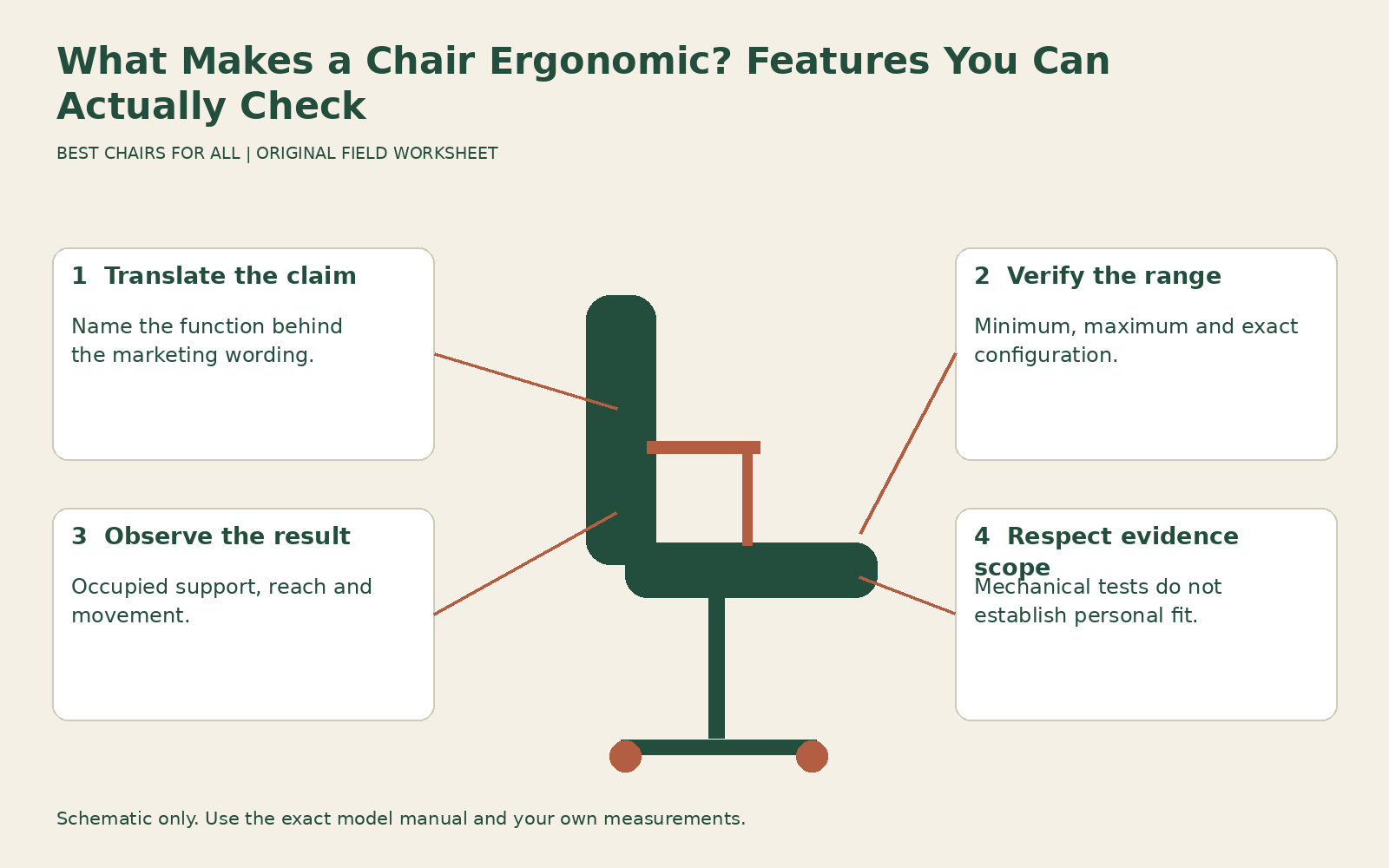
This is a claims audit for shoppers and purchasers, rather than another general adjustment sequence. It helps distinguish useful evidence from broad language such as anatomical, orthopedic, active, and professional. For fitting a chair you already own, use our repeatable adjustment guide. Here the output is a short verification sheet you can use to question a listing or compare a quote.
Start with the person-workstation-task relationship
CCOHS ergonomic chair selection explicitly explains that a chair marketed as ergonomic may not suit an individual and that suitability depends on body dimensions, work arrangement, and task. This is the foundation of the audit. A chair can work well for a colleague and still be too deep for you, while an expensive range of adjustments may never reach the position you need.
Write three things before opening product pages: the person-related fit requirements you know, the desk constraints, and the main tasks. Examples include a need for short usable depth, a fixed keyboard height with a center drawer, and frequent mouse work. If those details are unknown, mark them unknown. A product’s ergonomic label cannot supply missing measurements of your workstation.
Keep requirements distinct from preferences. A particular color, visual style, or cushion feel can reasonably influence a purchase, but it should not masquerade as a verified support function. Conversely, a requirement such as enough arm clearance is not optional merely because a candidate looks attractive. The audit should make those tradeoffs explicit instead of blending them into one vague impression of quality.
Translate adjustment count into useful functions
A listing may count every pad movement, lever, and backrest response as another adjustment. The count says little unless you know what moves and how far. Group the functions by the relationship they change: vertical seat position, usable thigh support, back contact, arm support, and movement. Then ask whether each function is manual, automatic, fixed, or optional.
For a seat slide, request the shortest and longest useful depth, not merely the amount of travel. Two seats can both slide three inches while starting at very different depths. For arms, ask about height, spacing, fore-and-aft reach, and rotation separately. A four-dimensional label is not a substitute for the actual range or proof that the pads can reach your elbows.
For an automatic mechanism, ask what it adjusts and what still requires a user setting. Automatic tension does not necessarily change seat depth, lumbar location, or desk clearance. The useful evidence is a description of the mechanism and a successful occupied trial. Do not assume fewer manual knobs mean less support, or that more knobs mean better accommodation.
Verify fit ranges against actual needs
A useful range includes the position you need with room for normal variation, not simply an impressive maximum. Minimum seat height and minimum depth can be decisive for a shorter user. Higher arm support or greater depth can matter for a long torso or thighs. Body proportions differ, so a recommended standing-height band is a screening guide rather than a personalized fit result.
Record how dimensions were measured. Overall depth, usable seat depth, backrest height above the seat, and overall floor-to-top height describe different things. A retailer may copy the wrong field into a comparison table. Ask for a manufacturer drawing or product sheet if the value seems inconsistent. An unresolved specification should remain unresolved instead of being guessed from a photograph.
Also verify the configuration. A chair family may offer several cylinders, sizes, back-support options, and arms. The published full range may span configurations that are not all included in the version you order. Ask the seller to state the options on the quote. A review of a fully equipped demonstration chair cannot establish the features of the least expensive configuration.
Test support as an occupied result
Support needs to be usable at the chosen work position. Check whether you can reach the backrest without crowding your knees, whether the lumbar contour contacts comfortably, and whether the feet are supported at the height required by the keyboard. These relationships are more informative than counting pads or interpreting a stylized spine graphic on the product page.
Use the OSHA computer workstation evaluation checklist to review the complete workstation. Its practical questions extend beyond the chair to input reach, leg clearance, and screen arrangement. For this audit, cite a failed relationship directly: “arm pads prevent close approach” or “foot support missing at working height.” A checklist response is a prompt to investigate, not a personal medical diagnosis or a guarantee that every passing station prevents symptoms.
Judge whether you can change position comfortably. A chair that feels supportive only while you hold one precise pose may not suit varied work. At the same time, movement needs to remain controlled and compatible with the task. More rocking, greater recline, or a moving seat is not inherently a better ergonomic result. Ask what useful task behavior the feature enables.
Separate certification claims from personal fit
A named test or program can provide evidence about a defined aspect of product performance. Identify the program, standard, product listing, and configuration involved. The BIFMA Compliant program scope and verification describes a program covering specified mechanical standards for furniture categories. That evidence has a scope; it does not establish that the chair fits your thighs or that a particular lumbar pad will feel comfortable.
Avoid treating every logo as an ergonomic certification. Mechanical strength, emissions, recycled content, and personal workstation fit are different subjects. A legitimate claim about one does not answer the others. Ask the seller to link the relevant listing or document and explain what the claim measures. If only a decorative icon is supplied, record the underlying evidence as unresolved.
Weight capacity is another separate specification. Verify the exact model’s documented maximum user weight and intended usage. Do not infer capacity from a broad seat, heavy base, or a cylinder component label. Likewise, a chair within its stated capacity can remain too narrow or deep. Our capacity verification guide addresses that distinction in more detail.
Verify that you can use the controls
A suitable range is more useful when you can reach and operate it reliably. During the trial, locate the relevant controls yourself after a demonstration and repeat a normal change of task. Note any function that requires excessive twisting, unclear force, or assistance you will not ordinarily have. If visual, tactile, or access features matter for your use, check those directly on the supplied version. A diagram on a website does not establish whether a control is usable from your actual seated position.
Audit health and productivity language
Claims that a chair fixes posture, prevents pain, or increases productivity need relevant evidence beyond a comfortable shape. Ask which outcome was measured, in whom, compared with what, and under which work conditions. A product demonstration or short satisfaction survey should not be treated as proof of a clinical result. Research about a task intervention may also involve training and workstation changes beyond the seat.
You do not need to adjudicate every scientific claim to make a sensible purchase. You can prioritize documented function and a suitable trial while declining to pay extra for a promise the supplied evidence does not establish. Write the practical benefit you actually observe, such as easier keyboard access or useful back contact, without extending it to an untested health conclusion.
If you have persistent symptoms or a specific condition, seek appropriate individual advice. A generic ergonomic label does not identify the cause of discomfort or prescribe treatment. The chair audit can make your fitting observations clearer for a workplace assessor or clinician, but it is not a replacement for their assessment of a problem that extends beyond ordinary setup.
Build a feature verification sheet
Use five columns: advertised wording; concrete function; evidence; required range or relationship; and result. Enter one claim per row. For “adjustable lumbar,” distinguish height from pressure. For “fully adjustable arms,” list the available movements. For “fits most users,” ask which dimensions and configurations support that statement. Mark the result verified, unresolved, or fails your requirement.
An illustrative row could read: “Three-inch seat travel; useful depth changes; manufacturer sheet and showroom trial; shortest setting must allow back contact without knee pressure; fails because minimum remains too long.” That is more useful than assigning the chair a low ergonomic score. Another row could read: “Weight-responsive recline; resistance adapts; demonstrated on exact model; controlled movement during reading; verified for this trial.”
Add the tested desk, shoes, accessories, and configuration above the table. Without that context, someone reviewing your sheet may assume a result applies to a different station or chair version. Keep observed fit separate from seller evidence: a manufacturer document can verify a range, while your trial verifies whether that range gives you a useful position.
Decide what the label has earned
Review the sheet for essential failures first. A chair with many verified features can still fail a non-negotiable depth or access requirement. Resolve missing information before buying where possible, and preserve a useful return opportunity for questions that need real work. Do not let a large feature count hide the one relationship that prevents comfortable use.
The most defensible conclusion is specific: this configuration provides the required ranges, works at this desk, supports these tasks, and has these remaining limits. It is reasonable to call that an ergonomic match for the intended use. The sales label becomes useful only after those relationships have been checked; the verification sheet shows what you actually know.
Something unclear or out of date? Send a correction with this article’s title and the detail to check.
Sources, research & corrections policy ↗