Fitting an office chair for a shorter person means finding a combination of seat height, usable depth, back support, arm position, and desk height that works together. A low minimum seat height helps, but it cannot compensate for a seat that is too deep or arm pads that remain too far apart. The most useful buying brief describes those five relationships rather than giving only your standing height.
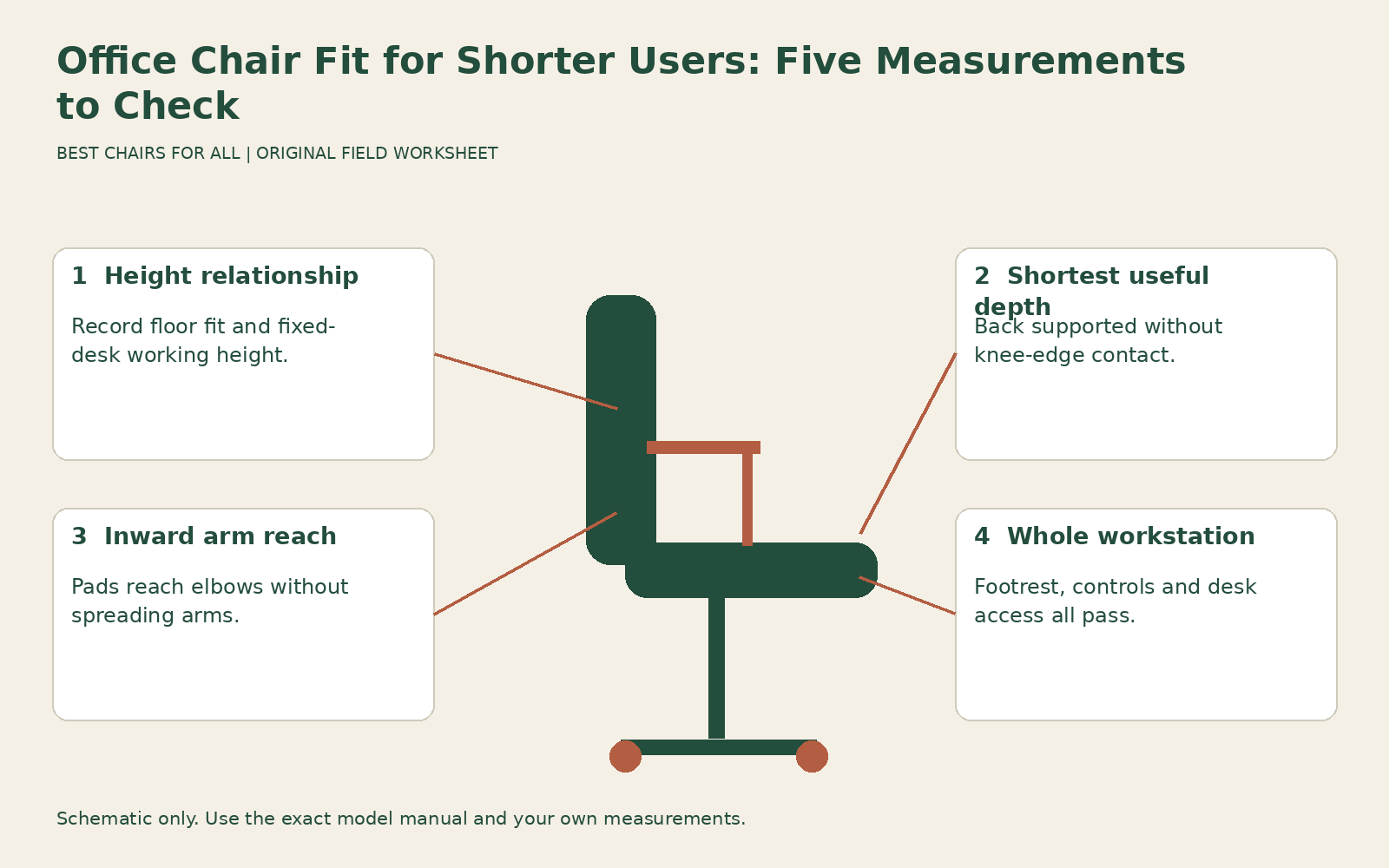
This worksheet is for diagnosing the limits that shorter users often encounter after an ordinary chair adjustment. For the basic measuring method, use our body measurement guide. Here the objective is to identify which dimension is preventing a workable setup and determine whether a chair adjustment, a workstation change, or a different chair would address it.
Start with the desk decision
Work out whether the keyboard surface can move downward. A height adjustable desk may allow the chair to sit at a comfortable floor-supported height. A fixed desk may require the seat to be raised to put the keyboard within reach of relaxed arms. In that situation, a footrest can complete the setup. Lowering the chair solely to touch the floor may leave the desk too high for your arms.
The distinction matters before shopping. A chair that reaches an unusually low setting can still be the wrong purchase if you must use it several inches higher at your actual desk. CCOHS office chair adjustment describes raising the chair to a high fixed work surface and adding foot support when needed. It also cautions that inadequate leg space under a low workstation cannot be solved through normal seated adjustment.
Write one of three statements at the top of your sheet: “desk can lower,” “desk is fixed but has clear space for a footrest,” or “desk clearance unresolved.” If the third applies, investigate the underside, drawers, and supports before committing to a chair. A very large footrest pushed between a pedestal and a crossbar is not useful if both feet cannot reach it in a normal working position.
Measurement one: effective seat height
Record the seat height at which your feet rest comfortably on the intended support, in the shoes you normally wear. Measure the top of the occupied cushion as consistently as practical; a published unloaded height can differ from the surface you actually sit on. Do not press a tape into the foam or compare the front edge of one chair with the middle of another without noting the method.
Now raise the chair to the position required by your keyboard if the desk is fixed. Record the difference between that position and your floor-supported reference. This difference helps estimate a foot support requirement, but it is not an instruction to buy a block of exactly that height. Footrest angle, footwear, cushion compression, and leg movement still need an occupied trial. Record both heights so a seller understands the problem.
For example, imagine a comfortable occupied reference around sixteen inches and a working seat position around eighteen inches. The two-inch difference signals the need to test foot support. It does not prove the chair should be permanently set to sixteen inches or that any two-inch platform will be suitable. These are illustrative worksheet numbers, not recommended dimensions for every shorter adult.
Measurement two: usable seat depth
Sit back normally and check whether the front of the seat contacts the backs of your knees. You need support under the thighs while retaining comfortable clearance. Moving forward until your knees clear the edge can hide the depth problem by sacrificing access to the backrest. Have an observer check the relationship if it is difficult to see without changing your position.
For an adjustable seat, move it to its shortest approved setting and repeat the check. Measure from the area where your pelvis actually rests against the back support to the front contact edge. Upholstery contours and projecting lumbar pads can make usable depth different from a simple exterior dimension. Record whether the depth specification is adjustable travel, overall chair depth, or the usable seating measurement you need.
The Steelcase Leap manufacturer brochure provides a useful example of why the distinction matters: its standard chair lists seat depth adjustment separately from overall depth. A listing that copies the larger overall dimension into a “seat depth” box may reject a chair unnecessarily or cause confusion. Confirm the exact model, upholstery, and configuration rather than borrowing a number from a similar-looking product or a regional retailer listing.
If you need a large back cushion simply to reach the backrest, record that as a change to the effective depth, lumbar contact, and arm position. It may be a workable temporary adaptation, but it is not evidence that the original chair fits. A cushion can also move your hips forward relative to the arm pads, making desk access harder even as knee clearance improves.
Measurement three: width and arm reach
Seat width and arm spacing are different measurements. A generous seat might provide comfortable room while the arm pads sit too far from your elbows. Conversely, inward sliding pads may reach your arms while fixed posts crowd the seat or collide with the desk. Measure usable sitting width between the nearest obstructions and the distance between the support areas of the pads separately.
With your shoulders relaxed and upper arms near your sides, bend your elbows and notice where they naturally fall. Bring the pads underneath that position if the chair allows it. You should not need to spread your elbows widely or lean to one side to use an armrest. An impressive height adjustment range does not solve excessive spacing if the pads have no useful inward movement.
For a shorter user with a narrow torso, write “inward arm reach verified” as a separate pass or fail item. Ask the seller to show the closest usable pad position while someone is seated. Marketing photographs often show the pads at their widest setting, and product tables may quote overall width rather than arm spacing. Never infer one measurement from the other.
Measurement four: back support location
Check where the backrest meets your lower back when you are sitting against it with the seat depth resolved. Some chairs allow the lumbar pad to move down; others move the entire backrest or adjust pressure only. A knob that makes the support stronger does not necessarily change its height. Ask which movement the control actually provides, and test its lowest useful position.
A support that presses into the wrong area is not improved simply by increasing pressure. Record whether you can achieve broad comfortable contact without being pushed to the front of the seat. Also check the top of the backrest: a pronounced shoulder curve or fixed head support can meet a shorter torso in an awkward place. Overall chair height cannot reveal this relationship.
OSHA computer workstation chairs emphasizes fitting seat depth to permit backrest use without knee contact. In this worksheet, that gives you a sensible diagnostic order: resolve the fore-and-aft fit before judging lumbar support. Otherwise, a too-deep seat can make a correctly positioned backrest seem unreachable, and a projecting cushion can make a reasonable seat appear too short.
Measurement five: desk and control access
Bring the occupied chair to the real work surface or a showroom substitute of the same height. Check whether the arm pads pass underneath or stop the chair too far away. Then place the keyboard and mouse where you will use them. A small chair that stores neatly under the desk may still fail when its armrests prevent you from working close enough.
Try each adjustment from the seated position when its instructions permit. Can you reach the height paddle without twisting excessively? Can you operate the seat slide while keeping a stable position? A technically suitable range is of limited practical use if you cannot reliably change it. Ask for a demonstration rather than accepting a salesperson’s assurance that an unfamiliar control will become obvious later.
Record footrest position relative to the chair base and desk supports. Move between typing, mousing, and reaching for a nearby notebook. If the footrest drifts out of reach or forces your knees against the underside, the workstation needs another adjustment. Do not count a brief motionless pose as a completed fit test.
Build a rejection-first shortlist
Use five rows headed height, depth, arm reach, back support, and desk access. Under each candidate, enter “verified,” “unresolved,” or “fails,” with a short observation. “Shortest depth still touches knees” is more useful than a low comfort score because it tells you exactly why the chair should leave the shortlist. An unresolved specification should lead to a question or a trial, rather than an invented pass.
Consider an example with two chairs. One reaches a lower minimum height but its seat cannot shorten enough. The other has a slightly higher minimum, a suitable short depth, and arm pads that reach inward; with the fixed desk, both require foot support anyway. The second chair may offer a more coherent setup. The purpose of the worksheet is to reveal that relationship without assuming the smallest advertised chair wins.
For shared offices, retain the measurements privately if you prefer and label your record with a workstation code. A colleague’s height does not establish your seat depth or arm requirements. If the chair cannot cover both users, a separate smaller seat or dedicated alternative may be more effective than resetting a badly matched chair every morning.
Confirm the delivered configuration
Before paying, save the exact order specification, return terms, and any agreed measurements. Ask whether the minimum height depends on a low cylinder, particular casters, or a cushion option. Different components can alter the occupied working height. A showroom result only transfers to the delivered chair if the relevant configuration matches.
During the trial period, repeat the five checks with your normal clothes, footwear, keyboard, and foot support. Keep the chair only if the complete arrangement works across actual tasks. If persistent discomfort or access limitations remain after ordinary fitting, seek workplace assessment or appropriate professional advice. The objective is a chair you can use comfortably and adjust easily, without relying on your standing height as a substitute for fit.
Something unclear or out of date? Send a correction with this article’s title and the detail to check.
Sources, research & corrections policy ↗