As an Amazon Associate, we earn from qualifying purchases. Read our affiliate disclosure.
A gaming chair with speakers is only useful if your audio can reach it. Before comparing padding or bass claims, identify the output on your PC, television, or console setup and the input accepted by the exact chair. Our researched US shortlist covers GTRACING GT890M, GT890MF, and the GT Lynck System Pro GT890MF Edition. The last is a package in the GT890MF family, not an unrelated third chair design; compare its included equipment before paying extra.
Availability is a material limitation. On November 6, 2026, the official GT890M purple and GT890MF red pages displayed out-of-stock notices alongside product information. We therefore treat these as models to compare with an exact, currently available seller listing, not guaranteed in-stock purchases. We checked manufacturer specifications online rather than testing the speakers, measuring latency, or evaluating bass. If none can be obtained with clear returns, a suitable ordinary chair plus separate speakers is a sensible alternative.
Three buying options, with the family relationship made clear
| Product | Verified distinction | Consider for | Unresolved check |
|---|---|---|---|
| GTRACING GT890M | Two Bluetooth speakers; adjustable seat and arms | Desk use without a footrest priority | Selected-color stock and audio adapter |
| GTRACING GT890MF | Two speakers plus a footrest; 90–155° backrest range | Controller play and reclined breaks | Exact fit dimensions and stock |
| GT Lynck System Pro GT890MF Edition | GT890MF-family system package | Buyers comparing included connection equipment | Written package contents and compatibility |
GT890M: the speaker chair for a desk-first comparison
The GT890M manufacturer page identifies two Bluetooth speakers, height-adjustable seat and arms, a manufacturer-stated 300-pound capacity, and a 90–170-degree tilt range. The sampled purple listing showed $89.99 with an out-of-stock notice. That is a dated display price, not a promise that the chair can currently be purchased for that amount or that every color shares it.
The model is worth comparing when the primary goal is sound near the shoulders while remaining in a rolling desk-chair format. It avoids making the footrest the central reason to buy. Adjustable arms may be relevant for bringing a keyboard and mouse close while keeping elbows supported. Verify the actual adjustment range, because the presence of an arm-height control does not establish that the arms clear your desk apron.
Its official description says that console connection can require a dedicated USB Bluetooth transmitter sold separately. Treat that as a compatibility question for the exact console and transmitter, not blanket permission to insert any USB dongle into any console. The brand’s description also includes claims about sound quality and runtime that we have not tested. We would not choose this model based on unverified battery endurance or assumed low delay.
A buyer should request the current seat measurements and confirm whether the speakers need charging, a cable, or both during the intended use. A wireless audio link does not necessarily mean no power lead near the chair. Check what happens when you rotate or move away from the desk. A good connection on a phone is useful for diagnosis but does not prove that a television or console can send the same signal.
Check matching GTRACING GT890M Bluetooth speakers listings on Amazon (paid link) (search results; verify the exact model and seller).
GT890MF: speakers plus a retracting leg support
The GT890MF official product page specifies two Bluetooth speakers, a footrest, seat-height adjustment, and a 90–155-degree backrest range. It describes a cold polyurethane foam seat. The red page showed $99.99 but also an out-of-stock message at the research check. Verify the selected color, model suffix, delivery date, and seller before treating any matching search result as the same chair.
Choose this version over GT890M only when the footrest changes how you plan to use the chair. For a controller session away from the desk, a supported reclined break may be useful. For competitive keyboard play, the retractable pad may stay tucked away most of the time. In that case, do not let it distract from seat fit, arm geometry, or a reliable audio connection. Extra mechanisms should earn their place in your room.
The speaker specification does not establish that this is a home-theater surround system. Two speakers positioned in a chair are a different arrangement from separately placed room speakers. We did not establish decoded surround formats, measured frequency response, or gaming latency, so we do not assign an audio-quality score. Listen at a sensible level during a returnable trial and assess whether the actual experience adds enough value for you.
The listing says a Bluetooth adapter may be required and is not included in the basic description. Add the cost of the correct adapter, power arrangement, and any required cables to the chair price. Ask about compatibility in writing using the exact TV or PC model and connection plan. A seller’s generic console-logo graphic is less informative than a clear answer about the output you actually have.
Check matching GTRACING GT890MF footrest speakers listings on Amazon (paid link) (search results; verify the exact model and seller).
GT Lynck System Pro GT890MF Edition: compare the package, not a new silhouette
The GT Lynck System Pro GT890MF Edition listing describes a two-Bluetooth-speaker chair in the GT890MF family, a footrest, and a 90–155-degree backrest range. This package should be compared against the basic GT890MF by its current included equipment. Do not assume that a “System Pro” name means a different frame size, a higher load rating, or a particular transmitter in the carton without a written contents list.
The useful buyer is someone who would otherwise purchase a chair and connection accessories separately. A clearly specified bundle can simplify ordering if it includes exactly the transmitter and cables your system needs. It can also be poor value if its accessory is redundant or incompatible. Put the basic chair and each separately needed accessory on one side of a worksheet, and the complete bundle total on the other.
Confirm whether the seller’s package includes a transmitter, whether it accepts your source output, what powers it, and whether it supports the intended audio mode. Product pages and regional redirects can change, so save the selected product title and contents at checkout. We do not transfer specifications from a different GT Lynck transmitter simply because the names are similar. The chair’s core family relationship remains the reason not to treat the bundle as an independent comfort upgrade.
Check matching GT Lynck System Pro GT890MF Edition listings on Amazon (paid link) (search results; verify the exact model and seller).
Draw your audio chain before buying
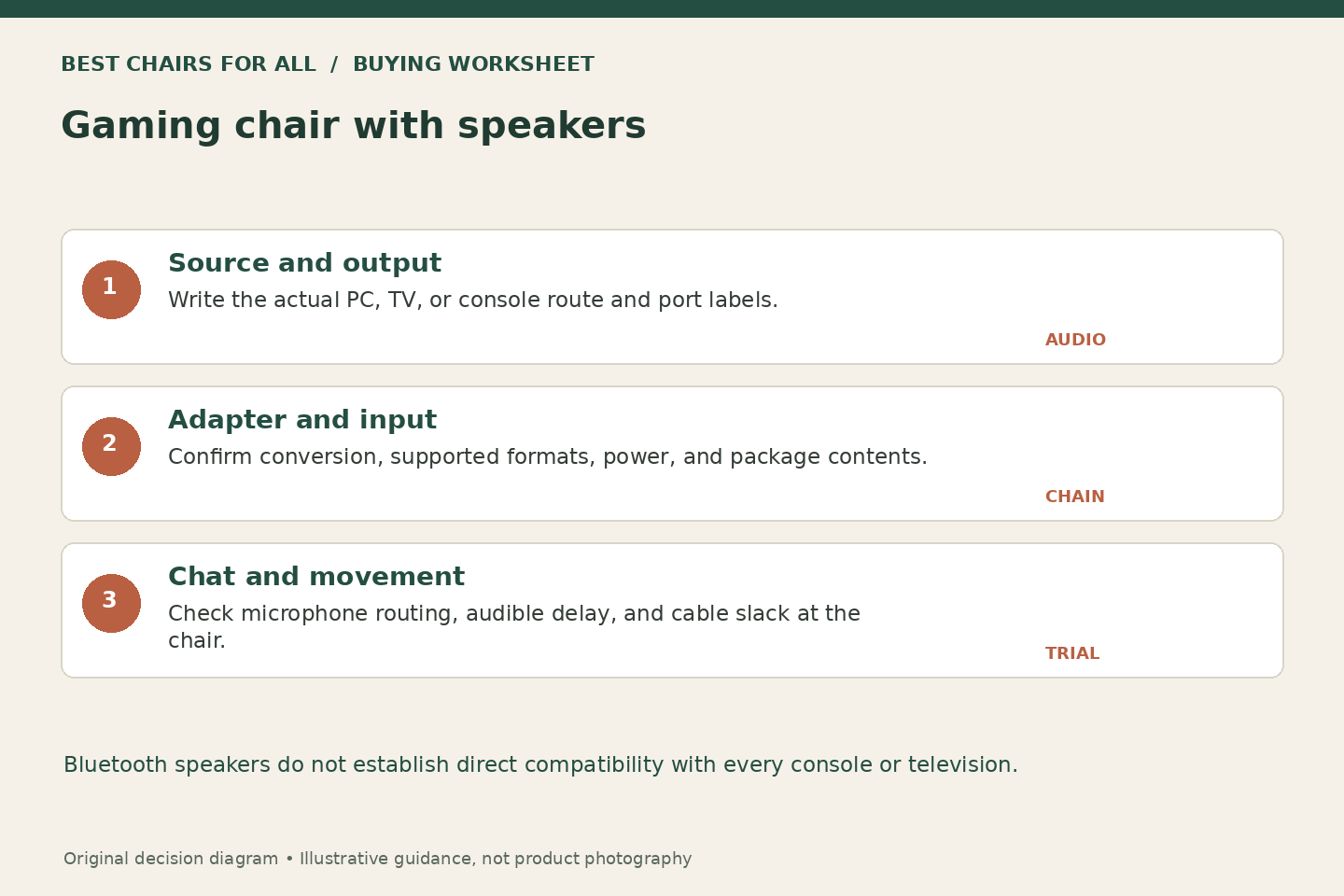
Write four boxes: source, available output, adapter if required, and chair input. A PC example might begin with a computer that can transmit Bluetooth audio to the chair, subject to its operating-system and device support. A television example might start with a headphone or optical output, but those require different paths. Write the actual port labels from your equipment rather than copying a connection diagram for a different model.
For a worked example, suppose your TV has optical output but the chosen chair’s documented input is analog. A passive cable with different-shaped plugs does not by itself convert a digital signal into analog audio. You would need a compatible powered converter or another manufacturer-supported route, with the required format settings checked. This is a conceptual example, not a recommendation for a specific adapter; establish the complete supported chain before spending money.
X Rocker’s official audio compatibility FAQ explains the important general distinction that its chairs are designed to receive audio through a television or monitor and that Bluetooth audio mode is not a universal direct-console route. That source concerns X Rocker products, not certification of a GTRACING adapter. It reinforces why a console compatibility logo should lead you to a connection check rather than an assumption of direct pairing.
Verify gaming chair speaker compatibility with the exact console, television, and audio outputs before paying extra for built-in sound.
Separate game sound, chat, and microphone needs
A chair playing game sound does not automatically provide a microphone or carry party chat in both directions. Write down where your voice enters the system and where other players’ voices will play. If you normally use a headset microphone, confirm whether your chosen platform can route game audio to the chair while keeping the microphone active. That behavior depends on the platform and settings, so verify it against your equipment instructions.
Open speakers can also feed sound back into a nearby microphone. You may need to reduce speaker volume, reposition the microphone, or use the platform’s supported settings. We have not measured echo cancellation for these chairs. For a room shared with another player, chair speakers are audible to the room; they are not a private-audio alternative to headphones. Consider whether family members will appreciate hearing every effect before paying for built-in sound.
A return-window connection test
Start by pairing or connecting a simple supported audio source according to the chair’s manual. Confirm both channels work, then connect your intended gaming source through the documented route. Use a familiar video or game event to notice obvious sound-picture delay, but do not call this a measured latency test. If delay is unacceptable, ask the manufacturer about supported alternatives rather than buying random transmitters in a chain.
Next test the setup with the chair in the location and orientation where you will actually play. Check for cable tension during swivel and normal movement, and keep leads out of casters, footrests, and doorways. Confirm charging or power requirements for a normal evening. If the connection only works with equipment balanced precariously on an armrest, the layout needs revision before the product can be considered practical.
Label the adapters you keep. A USB socket may supply power, carry supported USB audio, or perform a different function depending on the device; its shape alone does not identify the signal path. Keep the chair manual and adapter instructions together so a later console or TV replacement does not turn the original working arrangement into guesswork. When asking support for help, describe the complete chain in order and identify which connection has already been tested successfully with a simpler source.
Speaker repairability and chair fit still matter
Ask whether audio components have separate warranty terms, whether replacement power supplies are available, and whether the chair remains usable if the electronics fail. Built-in sound ties furniture and electronics together, even though their replacement cycles may differ. Keep model labels and supplied cables identifiable. Use only the power supply specified by the manufacturer; a plug that physically fits does not establish electrical compatibility.
Finally, check seat height, usable depth, arm clearance, and body-size limits with the same care you would apply to a silent chair. Speakers cannot compensate for a cushion that is too long or arms that block the keyboard. Choose GT890M for a desk-first speaker option if a current exact listing exists, GT890MF for the added footrest, or the Lynck package only when its documented contents improve your connection plan. Buy only after the audio chain and the chair fit both make sense.
Something unclear or out of date? Send a correction with this article’s title and the detail to check.
Sources, research & corrections policy ↗