As an Amazon Associate, we earn from qualifying purchases. Read our affiliate disclosure.
The best flight simulator chair depends on where the controls need to sit. A center stick, side stick, yoke, throttle quadrant, and rudder pedals each create a different seating problem. Our shortlist is Next Level Racing Flight Simulator Lite for a folding occasional cockpit, Flight Simulator Boeing Military Edition for a dedicated cockpit with a center-stick-friendly seat, and Flight Simulator Pro for a modular stand-and-seat system. They are distinct layouts from one manufacturer, chosen for their mounting roles rather than a brand ranking.
We researched official product information online on November 6, 2026. This is not hands-on testing, flight training advice, or a claim that consumer furniture is approved for professional pilot qualification. Cockpit licensing and realistic appearance do not establish training certification. The aim is a repeatable home-simulator position that lets you use the full control travel and reach the everyday computer functions without climbing out of the seat.
Start with the control layout
| Model | Relevant layout | Documented distinction | Main limitation |
|---|---|---|---|
| Flight Simulator Lite | Occasional fold-away flight setup | Folding design; height, tilt, and distance adjustment | Confirm current availability and loaded storage size |
| Boeing Military Edition | Dedicated center-stick or mixed cockpit | Seat cut-out and center HOTAS mounting | Large permanent configuration |
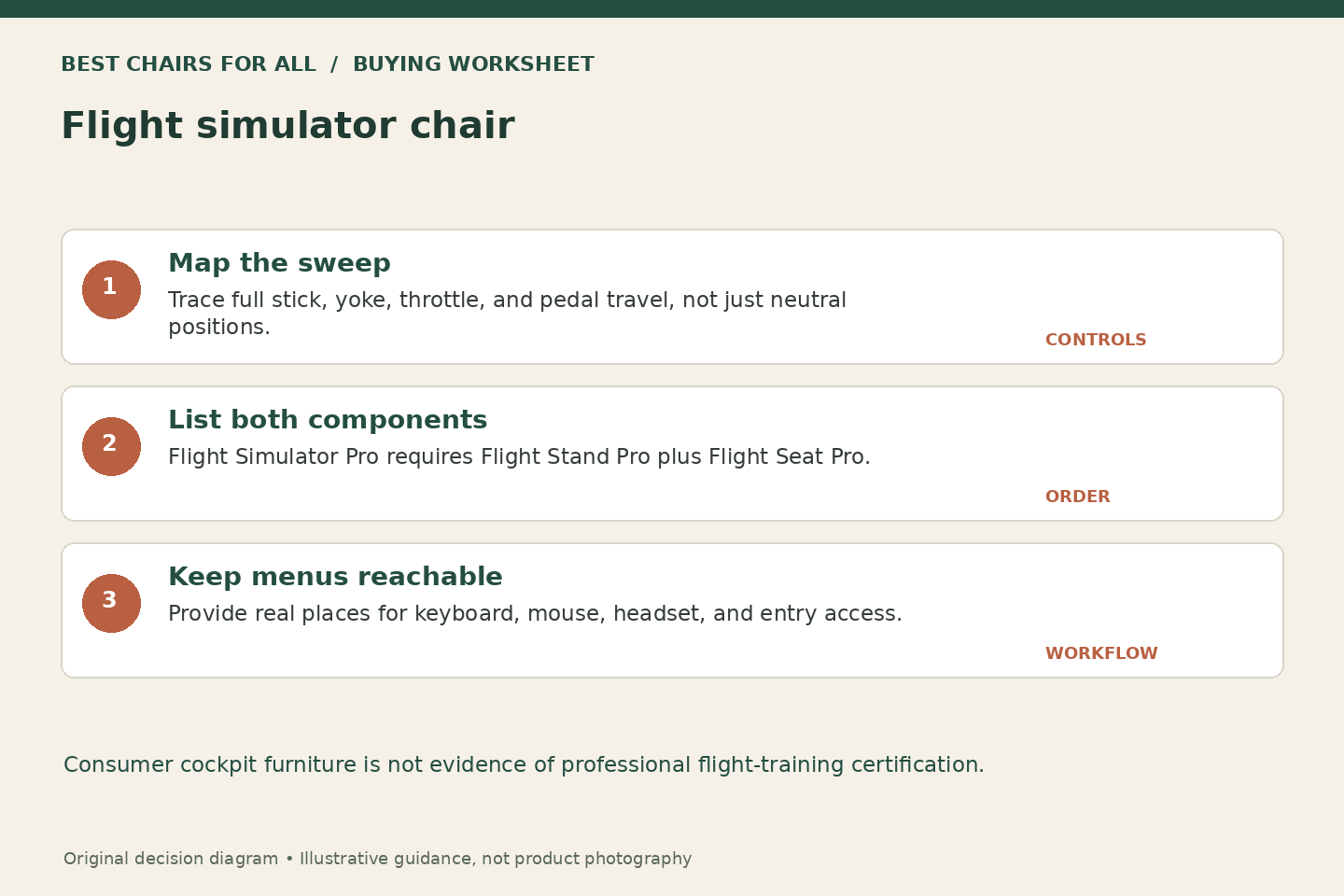
| Flight Simulator Pro | Modular cockpit assembled from two units | Flight Stand Pro plus Flight Seat Pro | Both components must be priced and ordered |
Flight Simulator Lite: for the occasional pilot with a shared room
Next Level Racing’s official Flight Simulator Lite announcement describes a compact folding cockpit with height, tilt, and distance adjustment, plus keyboard and mouse support. The Microsoft Flight Simulator partner overview independently identifies it as the folding option in the lineup. The manufacturer’s main product URL was unavailable during our check, so confirm current US stock and obtain the matching manual and specifications before ordering.
Its role is a room where a cockpit cannot remain installed all week. Bringing the seat and control supports into one folding arrangement can preserve more of your chosen geometry than repeatedly clamping everything to an unrelated desk and moving chair. The keyboard-and-mouse provision is especially useful in flight software, where menus, aircraft setup, and non-flight controls may remain necessary even after the primary hardware is installed.
The compromise is that flight controls can be awkward shapes to fold around. A tall stick, wide throttle base, or rigid rudder-pedal unit may change the stored footprint and weight. Do not assume a manufacturer photo showing an empty folded frame represents your completed setup. Ask how the exact controls should be positioned or removed for storage, and check cable slack through each moving joint.
Choose Lite when folding is essential and its current model documentation supports your equipment. Pass if you need a heavily accessorized permanent cockpit or if the only seller cannot identify the exact model and return terms. We do not use an old launch price as a current offer. Its place in the shortlist is a useful design role, with a clear requirement to verify availability before purchase.
Check matching Next Level Racing Flight Simulator Lite listings on Amazon (paid link) (search results; verify the exact model and seller).
Boeing Military Edition: for a center stick and a dedicated seat
The Flight Simulator Boeing Military Edition manufacturer page describes a seat cut-out for a center HOTAS stick, a middle mounting plate, and adapter plates for several control configurations. It specifically identifies compatibility with the Thrustmaster TCA Yoke Pack Boeing Edition in a directly mounted arrangement. The cockpit’s military-inspired green canvas and licensed Boeing branding are appearance and product-collaboration details, separate from the mounting functions.
This is the first candidate to investigate when a center-mounted stick is the non-negotiable part of your setup. An ordinary office chair’s front seat cushion and armrests can interfere with stick travel or put the base in the wrong place. A purpose-designed cut-out addresses the physical layout more directly. You still need to verify the stick’s baseplate, extension height, full movement, and clearance with your legs.
Its broader configuration options make it relevant for someone who alternates between combat, space, and civil flying. However, reconfiguring hardware is not necessarily instantaneous. Work out which brackets remain installed, where unused components go, and whether switching from a center stick to a yoke requires tools. A product that supports both arrangements may still be inconvenient if you expect to alternate several times each evening.
The official page displayed USD $799 at our check, excluding the pictured electronics and accessories. Treat that as a dated cockpit price, not the cost of a complete flight station. Add a display solution, input hardware, keyboard placement, and any exact-model adapters needed. Choose it for a dedicated physical control layout, not because a licensed military appearance implies greater realism in every aircraft you fly.
Check matching Next Level Racing Flight Simulator Boeing Military Edition listings on Amazon (paid link) (search results; verify the exact model and seller).
Flight Simulator Pro: a combination, not one chair in one carton
The Flight Simulator Pro official page explains that the system combines Flight Stand Pro and Flight Seat Pro, which are purchased separately. It describes a center HOTAS mounting pole, a wide frame, adjustable rudder-pedal plate, and caster-equipped stand. The manufacturer displayed USD $1,198 for the combined concept during research. Confirm both current component prices and contents; buying the seat alone does not produce the complete pictured cockpit.
Its useful role is a modular cockpit that can grow around a serious home-simulator arrangement. The stand and seat division may let you stage the purchase or retain a suitable existing part, provided the manufacturer explicitly supports the intended combination. The wide frame and pedal plate also deserve consideration when a large rudder system needs more room than a narrow racing-oriented tray provides.
The manufacturer describes compatibility with particular motion-platform arrangements, but motion equipment is an additional system with its own instructions and costs. Do not treat the basic Pro combination as including motion or assume every platform attaches in every position. For an ordinary home buyer, the first question is whether the static seat-and-controls arrangement works. Motion capability should be evaluated only if it is part of a deliberate, supported future plan.
Choose Pro when modularity and room for controls solve a specific problem. Pass if you need the smallest possible folding object or a simple one-box chair purchase. The separate-component structure requires careful ordering: list each included mount, any optional keyboard or monitor support, and the precise connection between stand and seat. Product photographs are not a bill of materials.
Check matching Next Level Racing Flight Simulator Pro listings on Amazon (paid link) (search results; verify the exact model and seller).
Create a control-travel map
Draw a seated outline viewed from above. Mark the centerline of the seat, the intended stick or yoke position, the throttle location, and each pedal. Around every control, draw the area swept during full normal movement. A stick’s handle position at rest is only one point; its maximum forward, backward, and sideways positions determine whether it hits your legs, armrests, keyboard tray, or another control.
For a worked example, imagine a stick base installed eight inches forward of your seated reference point and a handle that moves several inches in each direction. A keyboard tray that clears the stick at rest can still block forward travel. Move or select the tray based on the whole sweep, not the neutral photograph. The numbers are illustrative, not specifications for a particular controller, and you should use your hardware’s actual dimensions and manual.
Repeat the map vertically. A stick extension changes handle height and may need the base lower between the legs. A yoke’s shaft and handle travel occupy space in front of the torso. A throttle quadrant may need enough side clearance for every lever and detent. The chair should support the control geometry you want without making you hold an elbow high or repeatedly reach away from the backrest.
Rudder pedals create their own chair requirement
Place pedals so you can use the intended rudder and toe-brake movements while staying supported in the seat. Check full travel wearing your usual footwear. Large pedal bases and heel rests can need more clearance than a simple width measurement suggests. A rolling office chair moving backward under pedal pressure is one reason to consider an integrated cockpit, but do not improvise a restraint system without manufacturer guidance.
Check the attachment method and floor interaction as well as reach. Some pedals mount through a baseplate; others have particular support requirements. Obtain the exact hole pattern or supported adapter information before purchase. Do not drill through the cockpit or pedal base merely because the dimensions nearly match. A properly documented mounting solution is preferable to a forced fit that changes the structure or interferes with moving parts.
Keep the ordinary computer tasks reachable
Flight simulation involves more than holding the main controls. You may need a mouse for menus, a keyboard for aircraft functions, a checklist, a headset, or a virtual-reality controller. Make a short list of the actions you perform before takeoff and after landing, then identify where each device rests. A beautiful cockpit can become frustrating if the mouse must balance on a knee or the keyboard blocks stick movement.
For VR, plan a stable place to put the headset before standing and a cable route outside the pedals and entry path. We do not claim that any of these chairs prevents VR discomfort or provides a particular tracking result. The furniture decision is about access and equipment placement. Follow the headset and cockpit instructions, and check the intended motion area before using any moving platform or accessory.
Choose a repeatable reference position
Once the layout is assembled, record seat position, pedal distance, and control height using the manufacturer’s normal adjustment system. Change one relationship at a time during early sessions. If the throttle feels too far away, investigate its mount rather than sliding the seat and accidentally changing rudder reach. A position card is especially useful when another household member shares the cockpit or when a folding rig is reset each week.
During an initial trial, include entry and exit with all controls installed. A center-stick cut-out can make one control placement practical while still requiring a planned path into the seat. Keep loose cables and power supplies outside that path, and follow the hardware torque and fastening guidance. Stop using a mount that slips or binds, and ask the manufacturer for the correct remedy rather than adding an improvised support.
The flight-chair buying decision
Choose Flight Simulator Lite when documented fold-away storage is the essential requirement, after confirming current supply. Choose Boeing Military Edition when the center-stick seat and dedicated cockpit layout fit your controls. Choose Flight Simulator Pro when the separate stand-and-seat architecture supports a planned modular setup. Keep your control-travel map and complete component list beside the order. The right chair makes the hardware arrangement repeatable and reachable; a licensed name alone cannot do that work.
Something unclear or out of date? Send a correction with this article’s title and the detail to check.
Sources, research & corrections policy ↗