A tall person’s office chair needs enough useful seat height and depth, but also back support in the right place, arm pads that reach the working elbows, and clearance under the desk. Raising an ordinary chair to its maximum does not establish that it fits. A taller user can solve dangling support under the thighs only to discover that the desk now traps the knees or the lumbar pad sits too low.
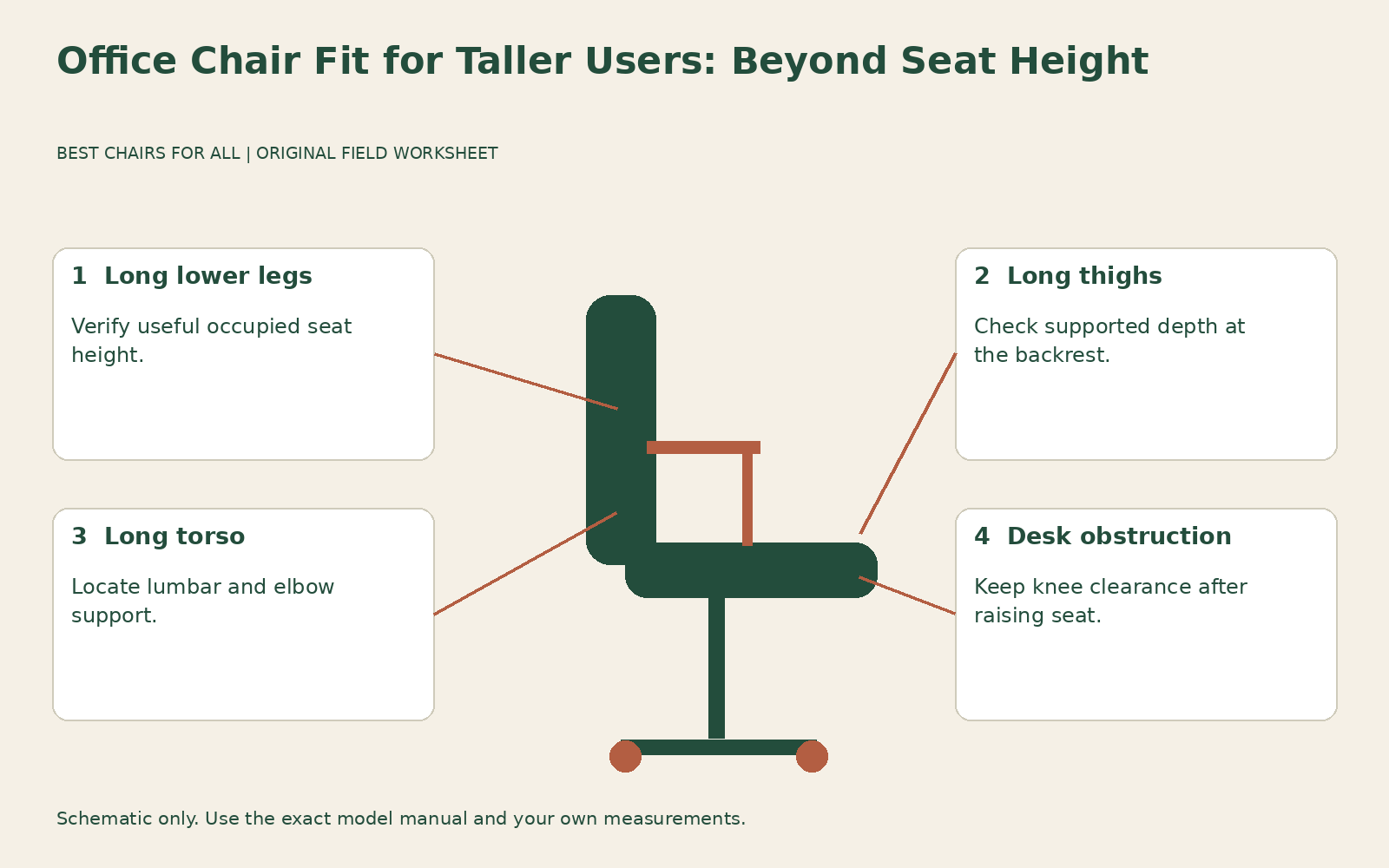
This guide uses a mismatch map: identify whether the missing room is above the seat, beneath the desk, or along the thigh. The aim is to separate a chair limitation from a workstation limitation before replacing either. For a complete general measurement method, see our office chair measurement guide; the checks below focus on situations where a standard setup reaches its limits.
Separate long legs from a long torso
People of the same standing height can need different chairs. Someone with long lower legs may need a higher seat, while someone with a long torso may need higher back support and armrest reach at a fairly ordinary seat height. Long thighs create a different requirement again: useful seat depth. Do not use height alone to decide that every dimension should be larger.
Create three entries on your sheet: lower-leg support, thigh support, and torso support. Under each, describe what happens in your present chair. Examples include “knees rise well above the seat at maximum height,” “most of the front thigh is unsupported,” and “lumbar curve remains below my lower back.” These are diagnostic observations, not proof of a particular medical effect or a prescribed replacement size.
Also record your working shoes. A measurement taken barefoot at home is a poor comparison for an office where you wear substantial soles. Cushion compression matters too. Measure the occupied surface consistently and use manufacturer dimensions to screen candidates, then confirm them by sitting. The goal is a repeatable comparison, not a falsely precise calculation from a standing-height chart.
Find the height range that actually supports your legs
Move away from the desk and set the seat so your feet rest comfortably and your legs have a relaxed working position. Test whether the chair reaches that position within its approved range. If you are already at maximum and feel folded up, note “height exhausted” rather than trying to compensate by extending the seat depth. Those adjustments address different relationships.
Do not replace a cylinder with a taller generic part based only on shaft diameter. Cylinder compatibility, control actuation, base clearance, and stability belong to the complete chair design. Ask the manufacturer or authorized service provider whether an approved tall configuration exists. A drafting stool is also a separate product configuration; its higher seat and foot support do not automatically make it a suitable tall-person desk chair.
For context, Steelcase Leap manufacturer brochure distinguishes the standard Leap chair, stool, and Leap Plus rather than presenting one universal height range. Its standard chair brochure lists a seat height range of 15.5 to 20.5 inches and a separate depth range. These figures illustrate how to read a specification, not a promise that this chair will fit every tall person or that all versions share the same cylinder.
Check what raising the seat does to desk clearance
With the seat at the useful leg height, roll toward the desk slowly. Check thighs, knees, arm pads, and the underside of the surface. A drawer or apron can become the limiting point before the tabletop itself appears too low. Measure the lowest obstruction across the actual working area rather than measuring one unobstructed corner and assuming it represents the whole desk.
OSHA workstation desks discusses both leg space and the relationship between desk height and comfortable work. For this worksheet, mark the obstruction on a simple top-down sketch. A center drawer, diagonal brace, computer holder, or pedestal may require a layout change. Lowering the chair until your thighs fit can recreate the folded-leg position you were trying to solve.
Consider an illustrative situation: the chair fits your legs at a twenty-one-inch occupied height, but your desk only allows comfortable thigh movement when the chair is lower. Buying a taller chair does not fix that desk conflict. You need to explore an appropriate work surface height or a different underside arrangement. The example numbers are hypothetical; measure your actual furniture before choosing a modification.
Assess usable depth with your back supported
Sit against the backrest and inspect how much of the thigh the seat supports. A seat that feels shallow can be uncomfortable even if the chair is high enough. If depth is adjustable, slide it forward within the approved range and check the resulting gap at the back. Some designs leave a noticeable space as the pan extends; judge the occupied support rather than the mechanism travel alone.
A longer seat is not automatically better. You still need clearance behind the knees and the ability to change leg position. OSHA computer workstation chairs specifically distinguishes too-short seats for taller users from too-long seats for shorter users. That is a reason to test useful support rather than chase the largest number in a product table. Overall chair depth includes structures that may contribute nothing to thigh support.
Record three observations: supported against the backrest, supported during keyboard work, and supported during a comfortable recline. A seat can seem adequate when you perch forward and inadequate once you return to the backrest. Conversely, an extended pan may feel good upright but contact the knee area during movement. All three observations help you choose a useful setting without maximizing depth by default.
Locate the back support rather than counting back height
Backrest height is a rough screening number. What matters is where the contours, lumbar element, and upper edge meet your torso. A tall decorative back may provide less useful adjustment than a shorter back with suitable lumbar travel. Likewise, a fixed headrest can push at the shoulders instead of supporting the head of a long-torsoed user.
Sit in the resolved height and depth settings before moving the lumbar support. Find whether the support can meet the lower back without an exaggerated bulge. If its highest position is still too low, record the range limitation. Increasing pressure is not equivalent to raising the contact point. If the entire backrest moves, confirm that it locks securely in the intended position according to the manual.
Test reaching for the mouse and turning slightly toward a colleague. A wider or taller back is only useful if it allows the movements you need. Do not infer suitability from labels such as high back, executive, or big and tall. Those labels do not specify lumbar location, shoulder room, or usable seat depth, and different manufacturers use them differently.
Verify arm height and distance from the desk
With upper arms relaxed, bend your elbows as you would to type. Bring the pads to that position if you use armrests. A taller torso may require greater arm-pad height above the seat, while broad shoulders may need more spacing. Neither requirement follows automatically from long legs. Measure each relationship separately rather than selecting the widest chair as a shortcut.
Then bring the chair to the keyboard. Higher pads may collide with the desk even though they correctly support your arms away from it. Pads that move backward or shorter arms may help, but check the exact chair. Do not remove a structural arm assembly unless the manufacturer explicitly provides for that configuration. Ask whether an armless version is available if desk access remains the problem.
Check reach during mousing as well as typing. If the pad supports only your elbow while the mouse remains far away, reorganize the input surface before deciding that the arm needs to be longer. A large desk can tempt you to spread equipment beyond a comfortable reach zone. Chair size cannot correct every placement decision on the work surface.
Use a three-zone mismatch map
Draw a seated figure and label three zones: floor to seat, seat to knee edge, and seat to back and elbow contact. Beside it, sketch the desk underside. Under each zone, write a current observation, an available adjustment, and the result after adjustment. This creates a practical record to take to a showroom rather than relying on a sales label.
For example: floor to seat, “chair maximum too low; no approved higher option; reject.” Seat to knee edge, “adequate after depth adjustment; verify during recline.” Back and elbow contact, “lumbar reaches correctly but arms too low; ask about configuration.” Desk underside, “drawer obstructs right knee; resolve workstation.” A candidate with one non-negotiable failed zone should not win because it has an attractive extra feature elsewhere.
Keep capacity verification separate. A tall person may be light, and a shorter person may need a higher weight rating. Check the exact chair’s documented maximum user weight and intended usage without assuming that a taller cylinder, large seat, or heavy-looking base increases capacity. If the documentation is unclear, obtain confirmation from the manufacturer before use.
Trial the complete working position
A showroom chair at a convenient high desk may feel excellent while your home desk remains the limiting factor. Bring your measurements and ask for a comparable work surface, then repeat typing, reading, and normal transitions. Note the exact seat and cylinder configuration used in the demonstration. Regional models and different production versions can have different published ranges.
During a home trial, check that the settings remain stable and that you can change position without repeated desk contact. Save a concise record of what works and what reaches its limit. If a chair can support your legs, thighs, torso, and tasks within its normal adjustments, you have useful evidence of fit. If it cannot, stop treating maximum height as the deciding specification and replace the component that the mismatch map identifies.
Something unclear or out of date? Send a correction with this article’s title and the detail to check.
Sources, research & corrections policy ↗