Lumbar support may feel uncomfortable because it meets the wrong part of your back, projects too far forward, or interacts with a seat and desk setup that prevents you sitting naturally. More pressure is not automatically better support. Begin by identifying the type of discomfort and the available adjustments, then change one relevant setting at a time. Do not try to endure pain as proof that a chair is correcting your posture.
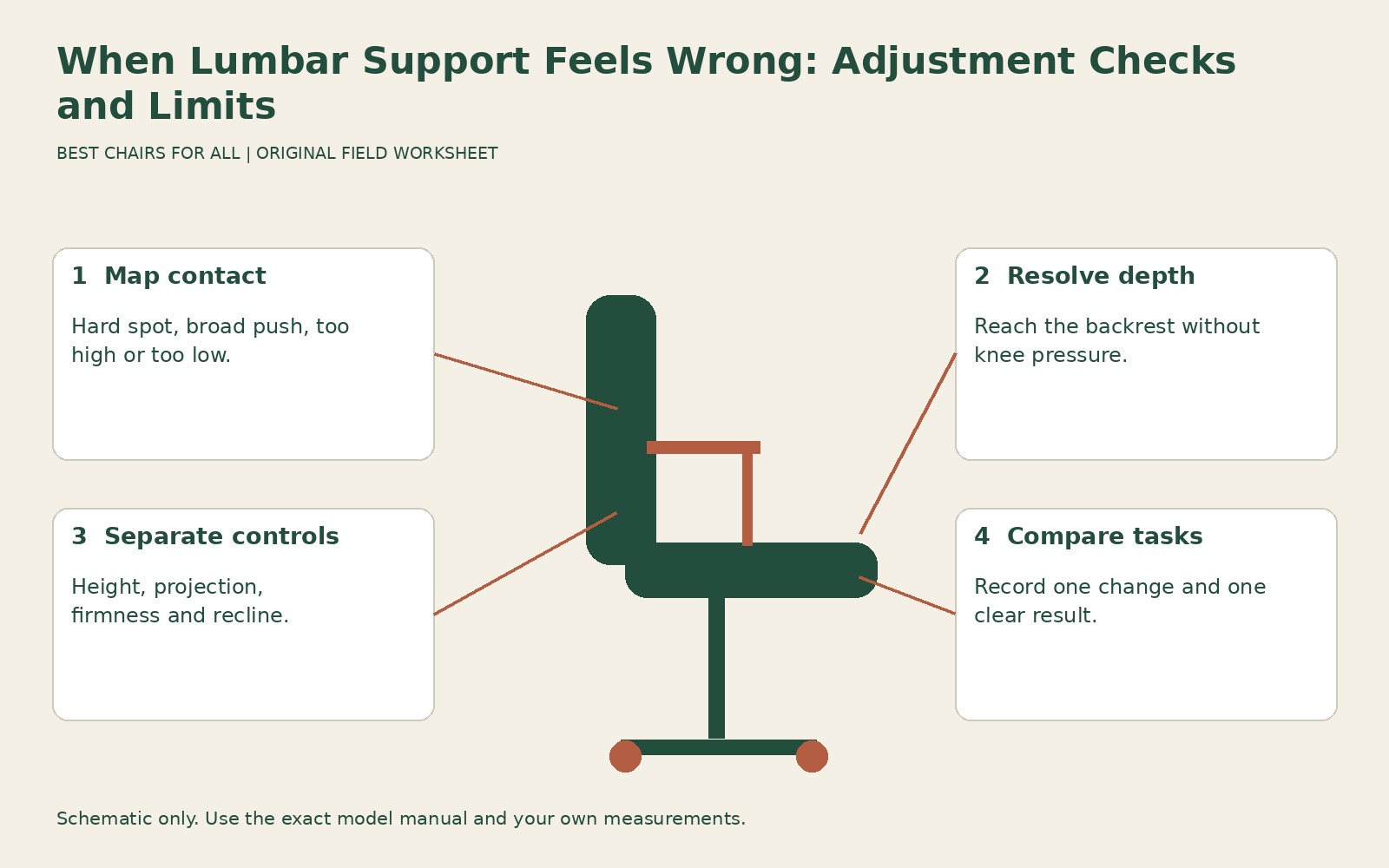
This guide is a fitting check for an office chair, not a diagnosis of back pain. Stop if an experiment causes pain, numbness, or other concerning symptoms, and seek appropriate professional advice for persistent or significant symptoms. A chair adjustment cannot determine their cause. The practical worksheet below helps you describe where contact feels wrong and distinguish a range limitation from a setup problem.
Describe the contact before changing it
Write whether the sensation is a small hard spot, a broad push forward, contact too high, contact too low, or an uneven feeling from side to side. Note whether it happens immediately or after a particular task. “Broad pressure while leaning back to read” points to a different comparison from “hard edge on one side while using the mouse.” Neither description proves a defect, but both are useful observations.
Record the position involved: upright keyboard work, ordinary recline, or leaning forward over paper. Include any added cushion, coat, wallet, or object between you and the backrest. A bulky seam or item in a back pocket can change contact and make a symmetrical support feel uneven. Remove ordinary movable obstructions before interpreting the chair’s shape, while preserving any adaptation you need for another reason.
If the problem began suddenly after the chair had worked well, inspect for an obviously displaced pad, broken attachment, or changed setting. If a component is loose, cracked, or no longer behaves as instructed, stop and arrange service. A new structural problem should not be treated as a preference that can be solved by adding more pressure on the other side.
Identify which adjustment actually exists
A chair may offer lumbar height, lumbar projection, lower-back firmness, whole-backrest height, or no separate control at all. These are different functions. Height moves contact up or down. Projection changes how far a support extends toward you. Firmness can alter resistance without moving the contact area very much. Whole-backrest adjustment also changes the position of upper contours and edges.
For a documented example, Steelcase Leap support and adjustment features describes Leap’s height-adjustable lumbar support separately from its lower-back firmness dial and recline adjustments. This distinction matters when a user turns the easiest knob and concludes that the lumbar area cannot be adjusted. Identify the exact model and manual before applying directions, especially with secondhand chairs where optional components may be absent.
Do not assume an exposed plastic bar is meant to be removed because an online discussion describes that modification. Only detach a component when the manufacturer identifies it as user removable and supplies the method. An intact fitting trial within the intended adjustments is more informative than dismantling the chair before you know which relationship is wrong.
Resolve seat depth before judging the lumbar pad
Sit against the backrest and check whether the seat front crowds the backs of your knees. If it does, you may be moving forward to create knee clearance and then reaching backward for support. A lumbar pad can feel like an intrusive bump when your pelvis is not in the position the seat allows. Shorten the seat within its approved range if that function is available.
Conversely, a very shallow effective seat can leave you feeling perched near the front, especially after adding a thick back cushion. Record usable depth with the accessory in place rather than relying on the original specification. OSHA computer workstation chairs treats access to the backrest and clearance behind the knees as linked fit requirements. That relationship is more useful here than searching for one universal lumbar-pad height.
If no depth setting permits both back contact and knee clearance, mark the chair as a size mismatch. Do not keep increasing lumbar projection to bridge a gap caused by excessive depth. That can move you farther forward and reduce the remaining sitting area. A smaller seat or a different back geometry may be the relevant alternative.
Check height with light pressure
When the chair permits separate height and pressure changes, begin with a modest comfortable pressure and explore the available height range. Move gradually and notice where the support meets the lower back. You are looking for comfortable distributed contact, not a pronounced arch or a rigid pose. Follow the model’s instructions about whether to unload the backrest during movement.
Write down the useful region rather than measuring a body landmark you cannot locate reliably while seated. A description such as “middle of travel, broad contact, no hard upper edge” is a valid personal reference. If the entire range remains too high or too low, the chair’s adjustment limits are the result. Standing height alone cannot predict that outcome because torso proportions differ.
Retest during the work you actually do. A support that feels acceptable while you lean back with hands in your lap may feel different with arms reaching toward the keyboard. If moving the keyboard nearer makes back contact easier, record a workstation contribution instead of attributing the improvement solely to the pad. Keep the task and other settings consistent while comparing height positions.
Then compare pressure or firmness
Once contact is in a useful location, compare a little less and a little more pressure within the normal adjustment range. Stronger support should earn its place through a clear improvement in your experience, not through a belief that maximum resistance is more ergonomic. You should still be able to change position and return to the backrest without feeling forced toward the front.
If the lowest setting is already intrusive, check whether an optional cushion is adding pressure on top of the built-in contour. If the chair has no separate lumbar element, the backrest shape itself may be the limiting factor. A different contour can be more appropriate than trying to defeat the shape with multiple layers of padding. Each added layer changes depth, height, and surface contact.
Recline tension is a separate comparison. A forceful whole-back return can feel like lumbar pressure when you are trying to remain partly reclined. Check the lock or limiter and recline setting using the exact manual. Do not loosen an unrelated fastener or assume a universal knob direction. If a control reaches its permitted limit without giving a useful result, stop adjusting that control.
Check the desk relationship
Bring the chair to the desk after resolving the basic seat and support settings. If the arms hit a drawer or the keyboard is too far away, you may leave the backrest whenever you work. The lumbar pad then alternates between no contact and abrupt contact as you move. That pattern can make a suitable support seem unpleasant because the workstation keeps pulling you away from it.
CCOHS office chair adjustment describes the relationship between seat, work surface, and foot support. At a fixed high desk, lowering the chair may relieve one sensation while making the arms reach upward. Raising the chair without foot support can create another problem. Write down the complete arrangement that accompanies the comfortable lumbar setting so you can reproduce it rather than keeping one isolated knob position.
Check your usual secondary task too. Reading a paper at the far end of the desk, looking toward a second monitor, or holding a phone can produce a very different contact pattern. Rearrange frequently used items where practical. If the task requires an occasional different position, you do not need to maintain continuous identical lumbar contact through every movement.
Use a contact-map worksheet
Draw a simple backrest outline and mark the area that feels intrusive with words rather than a diagnostic label. Create columns for task, seat depth, lumbar height, pressure, and result. Keep the results concrete: “hard spot remains,” “broad contact improves,” “slides forward,” or “no useful contact.” Date the sheet and note shoes or accessories if they changed.
An illustrative sequence might read: “Typing, seat shortened one approved step, lumbar unchanged: can now sit back; pressure still high. Same task, lumbar pressure reduced: broad contact comfortable. Reading reclined, same support: acceptable.” This identifies two separate useful changes. It does not establish that either change treats an underlying condition or will suit a colleague using the same chair.
A second sequence might show every height setting producing pressure above the intended area while depth and desk access are acceptable. That is evidence to investigate a different support geometry. Take the sheet to the retailer or workplace assessor; it communicates the failure more clearly than asking for a chair with “better lumbar support,” which could simply produce a larger version of the same unwanted contour.
Decide whether the chair has reached its limit
A reasonable adjustment attempt should produce a coherent working arrangement, not an endless cycle of compensations. If relief requires sliding forward, raising shoulders, losing foot support, or avoiding all back contact, another relationship remains unresolved. Restore the best ordinary setup and seek fitting help or a different chair rather than adding increasingly complicated accessories.
For a new purchase, keep the return deadline visible and document the exact chair configuration. Discomfort is not proof of a defect, while a broken adjustment is a service issue. Explain which applies and provide the contact map and observations without claiming a medical conclusion. For ongoing symptoms, professional advice should guide further steps. The fitting goal is comfortable support you can use and leave voluntarily, with enough adjustment to suit your body and actual work.
Something unclear or out of date? Send a correction with this article’s title and the detail to check.
Sources, research & corrections policy ↗