Place a gaming chair neck pillow where it supports the transition between your upper back and head without tipping your chin forward. There is no universal height measured from the chair seat: torso length, backrest angle, pillow thickness, and the chair’s mounting zone all affect the fit. Begin with the pillow loosely positioned, settle into your usual supported posture, and make small changes while checking the view of your screen.
A pillow is an optional furniture accessory, not a treatment. If it creates discomfort or you cannot find a tolerable position, remove it when the chair’s instructions permit. Persistent neck symptoms belong with a qualified clinician. The aim here is a repeatable fit check that helps you decide whether the supplied accessory belongs in your setup at all.
Start with the mounting system
A strap pillow and a magnetic pillow have different adjustment limits. Secretlab’s official TITAN Evo usage demonstration includes a section on the magnetic memory-foam head pillow. The magnetic attachment lets the pillow move within the compatible headrest area; it does not mean that every part of the backrest is a secure mounting point. Use the supported region and attachment instructions for your own generation of chair.
Razer’s Iskur V2 assembly transcript describes placing the cushion at the top of the backrest with its strap secured behind it. That is an attachment instruction, not proof that the factory position fits every user. First confirm that the strap is routed as intended and the cushion stays in place when you sit normally. Do not run straps through moving recline parts, cut extra slots in the backrest, or glue a magnetic accessory onto an incompatible chair.
Write down the adjustment limits before judging the pillow: how high and low can its center move while remaining securely attached? Can the strap length change? Does the pillow rotate or slide during normal use? Distinguish a small repositioning issue from a mounting mismatch. An unsecured pillow that keeps dropping can distract you from evaluating its shape, and it should not be propped into place with an improvised attachment near moving hardware.
Position the rest of the setup first
Set seat height and foot support, then choose the backrest position you actually use for the task. Sit with your pelvis toward the back and your upper back supported rather than scooting forward until the pillow seems comfortable. If the seat is too deep to sit back without pressure behind your knees, address that fit issue first. The pillow cannot correct a seat that positions your torso far away from the backrest.
Bring the screen and controls into a workable relationship with that position. A pillow may feel wrong because you crane forward to read small text, or because the screen is high enough that you tilt your head back. Make the display readable through its normal adjustments before asking a cushion to hold you in a different pose. Record the chosen screen position so a later comparison uses the same conditions.
The Razer Iskur posture illustration depicts the head supported without forward or backward neck bending. Treat that as a broad visual reference rather than a demand for one exact angle or a guarantee about health. A side-view photograph can help you notice a large change in head position when you add the pillow. It is not a medical assessment and does not need lines, angles, or an app assigning you a posture score.
Use the supported-contact test
First compare the chair without the pillow, if the manual allows removal. Settle against the backrest and look naturally at the display. Notice the space behind your neck and where the chair’s own headrest touches. Then add the pillow at a position that fills some of that space rather than contacting only the back of the skull. Move it slightly lower or higher and observe whether your head is pushed away from the backrest.
If the cushion lands high behind your skull, it may push your head forward. If it sits on the upper shoulders, it may feel like a wedge beneath the neck or prevent the shoulders from settling against the chair. A useful position has tolerable, broad contact without demanding an exaggerated chin tuck or an upward gaze. The important comparison is how the whole head-and-screen relationship changes, not whether the pillow’s logo is centered in a particular opening.
Thickness matters as much as height. A pillow can be perfectly centered vertically yet still project too far forward. Tightening a strap may change how firmly the cushion is held but may not meaningfully reduce its thickness. Avoid assuming that prolonged use will necessarily compress an unsuitable pillow into a suitable one. If you need a thinner compatible accessory, verify dimensions and return conditions before buying another cushion rather than judging by similar-looking listing photographs.
A six-box placement worksheet
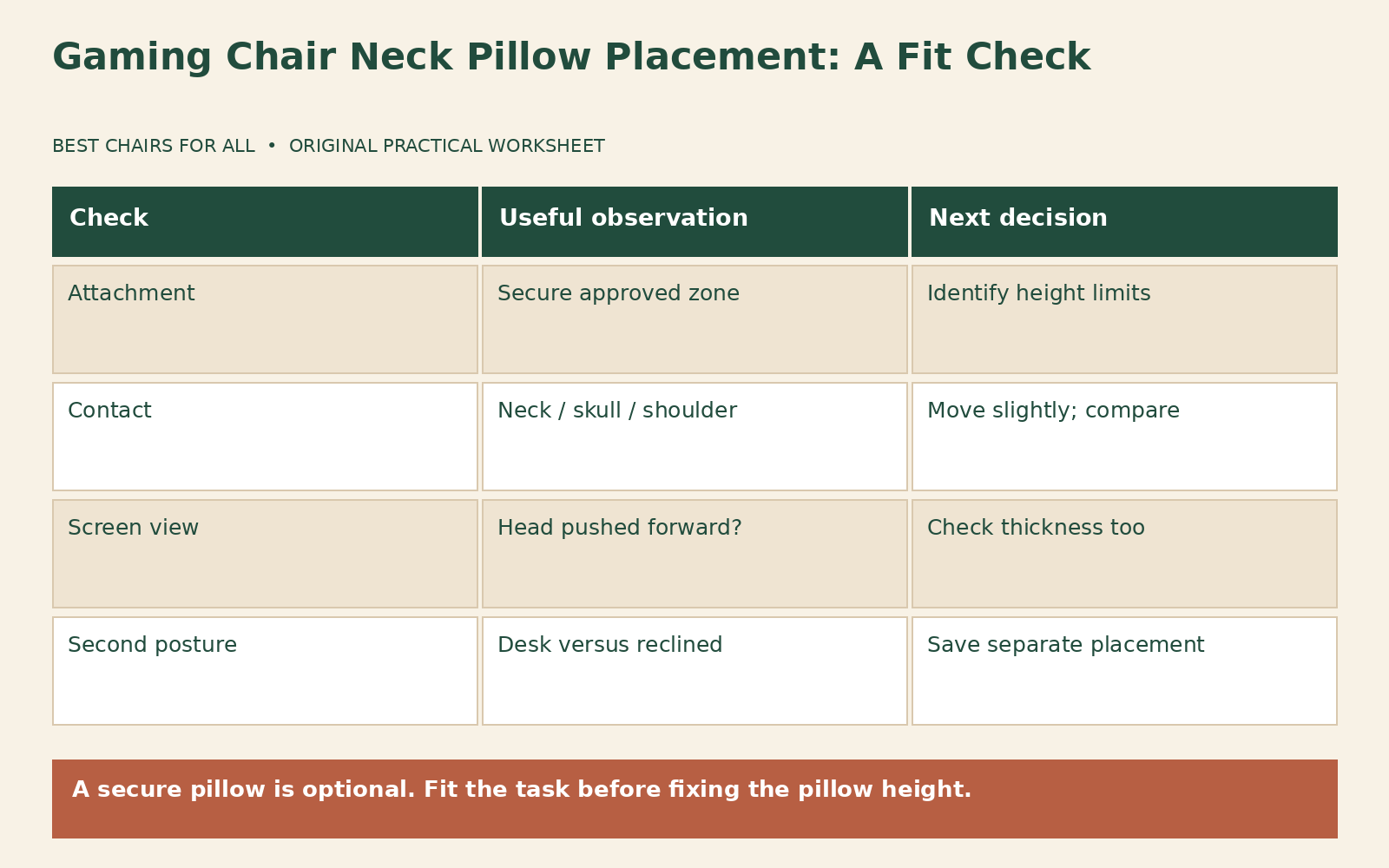
Create two columns labeled “usual desk posture” and “controller or reclined posture.” Under each, leave three boxes: contact location, view of screen, and mounting stability. In contact location, write “upper neck,” “base of skull,” “shoulders,” or a more accurate description. In view of screen, record whether the pillow makes you look down, up, or straight toward the same display. In stability, record whether it stays attached during ordinary changes of position.
Use the same short task in each comparison. For desk use, read a paragraph and reach the controls as you normally would. For controller use, hold the controller and look at the television from the intended distance. Do not deliberately stretch into the pillow to create contact. If your normal activity brings you away from it, write that down. A pillow need not remain loaded every second to be a useful occasional support, but it should not dictate an awkward task position.
Here is an illustrative completed worksheet. A user finds that the pillow contacts the skull high up in an upright position and pushes the view downward. Lowering it within the approved mounting zone improves the view, but it still feels thick. Without it, the user can sit comfortably at the desk. In a slightly reclined controller position, however, the same pillow makes comfortable contact and stays secure. The practical result is to use it for that position only, not to label either configuration universally correct.
A second user has the opposite result: the pillow sits on the shoulders even at the top of its secure range. That suggests a height mismatch between the backrest, the accessory, and the user’s proportions. Sliding the seat height upward does not change the relationship between the seated torso and the chair’s own headrest. It changes the relationship to the floor and desk. This is why adjusting unrelated controls to rescue pillow placement often creates a new problem.
Recheck after changing recline
When the backrest angle changes, the points where your upper back and head meet the chair change too. Reassess the pillow after moving between typing and reclined play rather than leaving it in an old location by habit. Check the cable route for a wired headset at the same time. A cushion can press a bulky cable connector against the headrest or catch a headset band when you turn, even when the pillow itself is otherwise acceptable.
Check clothing and accessories that change the contact surface. A hood bunched behind the neck can add considerable thickness, and a bulky hair arrangement may change skull contact. Compare under ordinary conditions and record the difference rather than adding padding to compensate for an occasional item. If several household members use the chair, put a small note with each person’s settings near the setup instead of assuming the tallest user’s pillow position suits everyone.
Avoid using the neck pillow as a lumbar cushion unless the manufacturer explicitly describes that use. Shapes, straps, and attachment zones are not interchangeable simply because the foam is soft. A loose cushion placed behind the lower back also changes seat depth and may interfere with the intended lumbar system. Keep the experiment limited to the accessory’s designed location so you can evaluate one fit question clearly.
Decide whether to keep, replace, or remove it
Keep the supplied pillow when it has a secure mounting position and makes ordinary use more comfortable. Reposition it between tasks if that is what your worksheet supports. Consider a compatible alternative only when you can name the missing feature, such as less thickness or a different secure height range. “Premium” or “orthopedic” in a product title does not establish compatibility with your chair or a better fit for your body.
Remove it, where allowed, when the chair feels better without it or when no stable placement works. Ask manufacturer support about a slipping attachment, damaged strap, or unclear mounting instructions. If the underlying chair is too tall, too short, or too deep for you, include those observations in a return decision while the deadline remains open. The useful endpoint is a position that lets you see and control the game comfortably, not a photograph that matches the manufacturer’s advertising exactly.
Check the pillow purchase separately
If you replace the supplied cushion, compare its dimensions with the original on paper before ordering. Record overall height, width, and the thickest projection, along with the attachment method. Ask whether those dimensions describe the foam itself or the complete cover, and whether the replacement is approved for your chair. A longer strap does not establish that a pillow can sit safely below the intended headrest region.
Keep the packaging and any removable hygiene cover until you understand the seller’s trial rules. Do not cut the strap or modify the foam to create a better fit during a return evaluation. When two pillows feel similar, choose based on a repeatable supported position and secure attachment rather than how much pressure the cushion creates. Photograph the successful placement on the empty chair, and note which posture it serves. That reference is especially helpful after cleaning, moving the chair, or sharing it with someone whose torso length differs from yours.
Something unclear or out of date? Send a correction with this article’s title and the detail to check.
Sources, research & corrections policy ↗