Forward tilt changes the resting angle of an office chair seat so its front is lower than its rear. It can make a slightly forward working position feel more natural, particularly for close desk tasks, but it is useful only if your feet remain supported and you do not have to brace yourself to stay on the seat. Treat it as an optional working position to compare, rather than a setting everyone should activate.
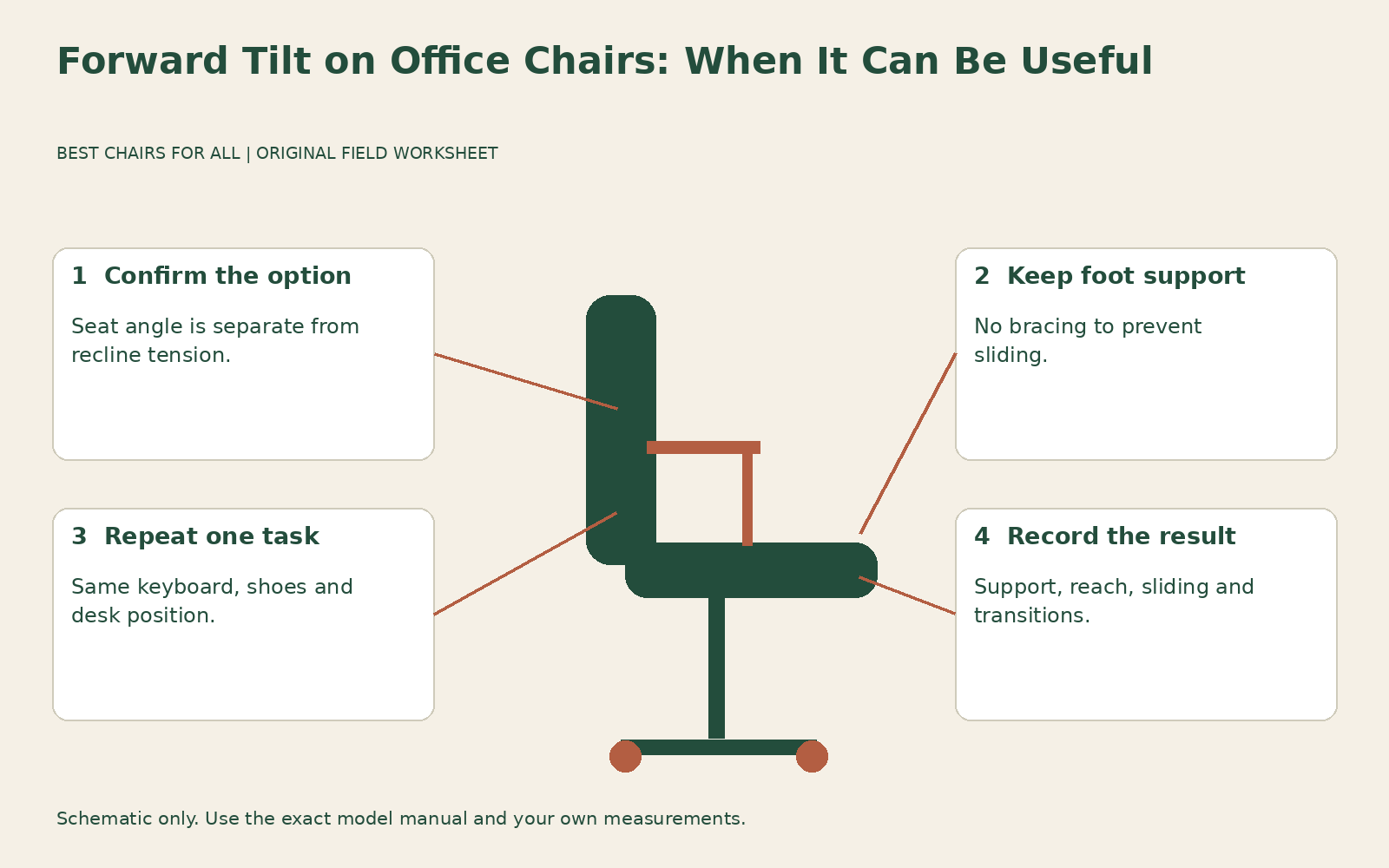
This guide focuses on deciding whether that position helps a particular task. It does not cover the complete family of reclining mechanisms. If your main question is what moves when you lean back, read our chair tilt mechanism guide first. Here, the practical goal is a small controlled experiment: compare the same task with forward tilt off and on, record what changes, and keep the setting only if it improves the working arrangement.
Identify the feature before touching the control
Manufacturers use several similar terms. Seat angle adjustment may include a forward position, whereas a tilt limiter generally restricts how far the chair reclines. Recline tension changes the effort needed to lean back. Seat depth slides the sitting surface toward or away from the backrest. None of those labels alone proves that the seat can slope forward. Look for a drawing or demonstration of the exact control in the manual for your chair generation.
For a concrete example, Herman Miller Aeron buying and adjustment guide describes a seat angle option that changes the Aeron seat from horizontal to five degrees forward. That is a model-specific specification, not the normal range of every office chair. An Aeron with basic tilt does not acquire a seat angle function merely because its tension knob turns. Used examples, different generations, and different regional configurations can have different controls, so confirm the installed option rather than relying on the model name.
A forward seat angle also differs from bending forward at the waist while remaining on a level seat. The first changes the surface beneath you; the second changes your relationship to the backrest without necessarily changing the chair. A product photograph of someone leaning toward a desk cannot establish which function the chair provides. Ask the seller to demonstrate the seat itself moving and show how it returns to its ordinary position.
First decide what you are trying to improve
Choose one task that actually involves working near the desk edge. Examples include annotating a paper document, drawing on a tablet resting on the surface, or alternating between a keyboard and small objects. Write down the task and the problem in one sentence: “When marking drawings, I leave the backrest and press my forearms against the desk.” This is more useful than deciding you need a vaguely more active posture.
Forward tilt cannot bring a distant keyboard closer, lower a high desk, or remove a drawer that blocks your knees. If you need to reach because the mouse is beyond a stack of papers, rearranging the surface is the relevant experiment. Likewise, a laptop that forces you to look down creates a screen and input arrangement problem that a sloped seat cannot independently solve. Keep the proposed setting tied to a specific observation.
Some tasks offer little reason to use forward tilt. You may prefer a supported reclined position while reading long documents or attending a call. A chair that allows both positions can be useful precisely because you can change between them. There is no need to choose one permanent angle for typing, reading, conversation, and close manual work simply because a lever is available.
Establish a level reference position
Before comparing angles, set up the chair in its ordinary position. Your feet should be supported, the seat should allow access to the backrest without crowding the backs of your knees, and the arm pads should not lift your shoulders. These are fitting checks, not a demand to hold a rigid pose. OSHA computer workstation chairs recommends coordinating the chair with the desk and computer components rather than treating the chair as a separate purchase.
Record whether your feet rest on the floor or a footrest. Note your shoes, seat height, seat depth setting, keyboard position, and any cushion. If a footrest is involved, make sure it is stable and supports both feet at the working position. Do not compare one angle in flat shoes with the other in thick soles and then attribute the entire difference to the seat mechanism.
Check that the chair rolls and swivels normally on suitable flooring. A floor slope, a rug edge, or an unstable mat can make a position feel as though it is pushing you forward even when the seat angle is unchanged. If the chair drifts without a deliberate movement, resolve the floor or caster issue before using it for a setting comparison. Forward tilt is not a substitute for an appropriately stable workstation.
Operate the control exactly as its manual describes
On the Aeron configuration described in the manufacturer guide, the seat angle adjustment involves leaning back and turning the relevant knob; returning to horizontal also uses the specified unloaded movement. Follow that guide only if it matches your chair. Another chair may use a paddle, separate latch, or different sequence. Do not force a lever that will not move while your weight is on the mechanism.
After changing the setting, move into it gradually with your feet supported. Notice whether the seat and back move together, whether the front edge changes height, and whether the backrest still provides useful contact. The feature name does not tell you how your particular chair will feel across its full movement. If it tips abruptly, fails to hold a manufacturer-approved position, or behaves unlike its instructions, stop the trial and seek service guidance.
Do not open the mechanism housing, alter stops, or improvise a wedge under the chair to imitate a setting it does not have. An unsupported accessory can change your height, usable depth, and contact with the backrest simultaneously. That makes the experiment difficult to interpret as well as introducing compatibility questions. A properly equipped showroom chair is a better way to learn whether you like the feature before buying it.
Use this two-position task worksheet
Make two columns headed “ordinary seat position” and “forward seat position.” Use the same document, input equipment, desk arrangement, and approximate task duration in each column. Choose an ordinary short work segment that you can repeat comfortably; this is a personal fitting comparison, not a laboratory test. Stop if you develop pain, numbness, or a sense of instability rather than continuing to complete the worksheet.
Under “feet,” write whether both soles remain comfortably supported without pushing against the floor to keep you from sliding. Under “seat,” record whether you remain in place naturally or repeatedly move toward the front. Under “back,” record whether you can return to supportive contact without rearranging the chair. Under “reach,” describe whether the task materials are easier to access or whether you still lean and stretch just as much.
Add a row for transitions. Can you move from marking the paper to using the mouse and then leaning back to read without catching your clothing, losing foot support, or pulling the chair into position? A setting may feel pleasant while motionless but become inconvenient during a real sequence of tasks. That is a valid reason to leave it off for your usual work.
Finally, record the smallest useful change. “Less forearm pressure while checking plans” provides a reason to keep testing the angle. “Feels different” does not identify an improvement. Avoid numerical comfort scores that suggest precision you do not have; plain observations about support, reach, and sliding are easier to repeat and communicate to a showroom adviser or workplace assessor.
Interpret sliding as a fitting result
If you keep sliding forward, first confirm you activated the intended setting. Then check foot support and whether the seat surface is unusually slippery with your normal clothing. CCOHS ergonomic chair selection specifically notes that a forward sloping seat needs enough friction to avoid sliding or transferring excessive weight to the feet. The answer is not automatically to grip the floor harder or tighten every available control.
Return to the ordinary position and repeat the task. If the sliding disappears and there is no clear task benefit from the forward angle, leave the feature off. If you slide in both positions, investigate seat depth, back support pressure, cushion compatibility, and the surface itself. Changing one variable at a time helps distinguish an angle preference from a broader mismatch between your body and the chair.
A projecting lumbar pad can also make the forward position feel crowded. Do not immediately remove the pad or flatten the back support; establish whether its adjustment range can provide comfortable contact in both working positions. If one position requires an extreme setting that makes every other task worse, the forward feature may simply be a poor match for that chair, user, and workstation combination.
Decide whether it deserves a place on your buying brief
Consider an illustrative comparison between two otherwise suitable chairs. Chair A has no forward seat angle but lets you bring the keyboard close and maintain foot support. Chair B offers forward tilt, yet its minimum seat depth prevents you from reaching the backrest comfortably. The extra function on B does not overcome the basic fit problem. Eliminate the unsuitable depth before assigning value to the optional angle.
If you find a measurable task advantage in a showroom, write down the exact configuration and control setting. Ask whether that option is included in the delivered chair, whether the demonstration unit uses the same seat material, and whether you can return the chair if the position becomes inconvenient during actual work. Optional controls sometimes disappear when a seller changes an order to a lower priced configuration.
The useful result is permission to choose either setting deliberately. Keep forward tilt for tasks where it makes support and reach easier, return to the ordinary position when that works better, and continue changing activities and positions through the day. If discomfort persists despite a reasonable fitting attempt, seek workplace ergonomic help or appropriate clinical advice instead of treating an unfamiliar seat angle as a corrective treatment.
Something unclear or out of date? Send a correction with this article’s title and the detail to check.
Sources, research & corrections policy ↗