Executive chair and task chair are useful shopping labels, but they do not establish which chair will fit your work. Executive often signals a particular appearance, upholstery, or cushioned form. Task usually signals seating intended for work at a station. The features overlap. Compare the exact adjustments, occupied dimensions, movement, and desk access before deciding whether the style suits you.
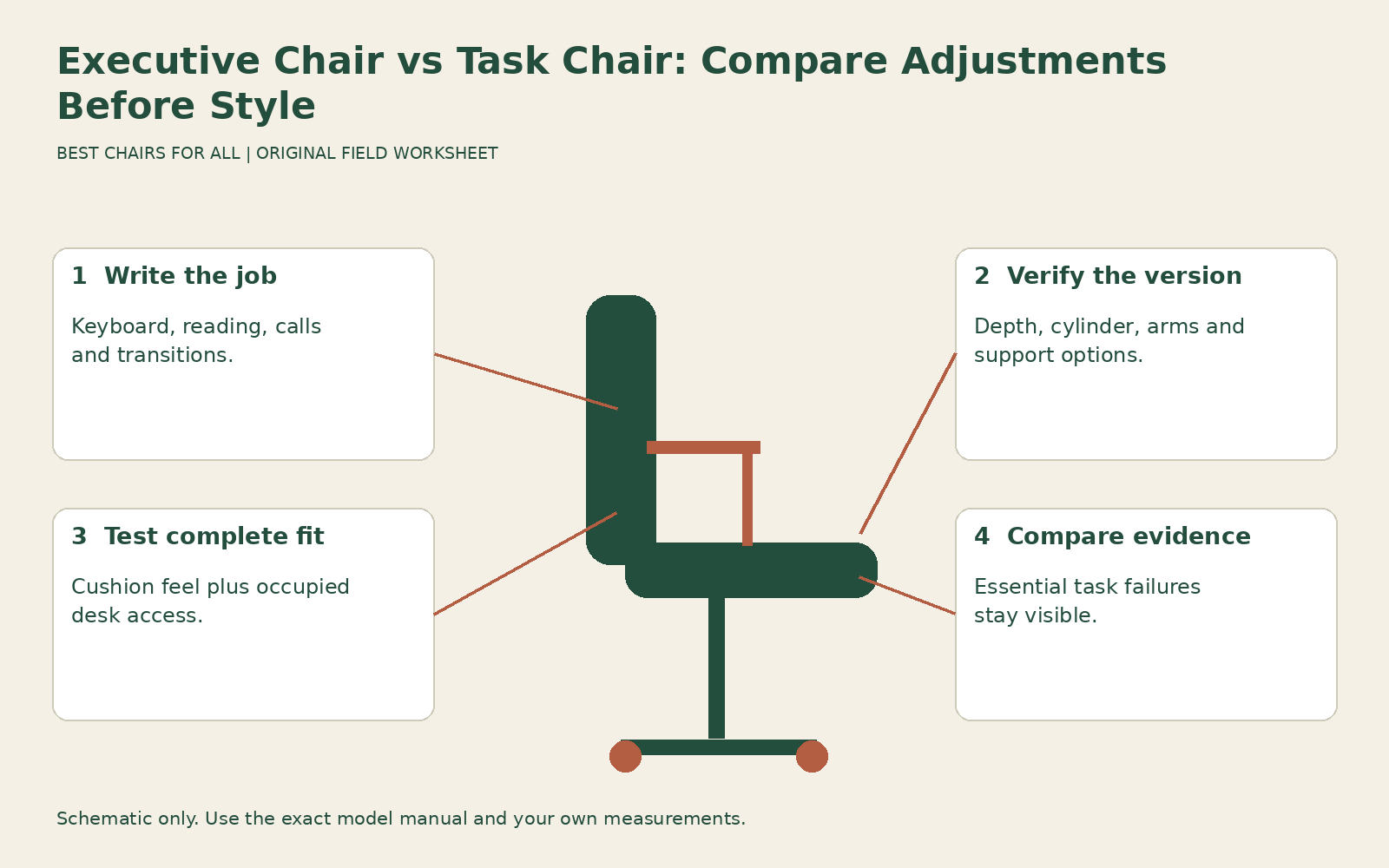
This guide uses a job-specification exercise: describe a normal work session, identify the chair functions that session needs, then compare two actual configurations against those requirements. It avoids assuming that an executive chair is automatically unsuitable for computer work or that a task chair automatically includes every useful adjustment. A clearly documented fixed dimension can fit you; an advertised adjustable feature can still have insufficient range.
Translate the labels into observable features
When a listing says executive, look for the actual seat height range, usable depth, arm geometry, back contours, and recline controls. Deep cushions, leather-like surfaces, and a high back may influence feel or appearance, but they do not tell you whether the seat can shorten or the arms can move inward. The descriptive label should lead you to specifications rather than replace them.
For a task chair, ask the same questions. Some task models have fixed depths or simple arms, while others offer several independently adjustable functions. Optional features can also differ between listings of the same model. A low headline price may refer to a configuration without the seat slide or adjustable support shown in a promotional photograph. Save the order specification, not just the family name.
A clear manufacturer example is the Herman Miller Eames Executive Chair product details. Its description identifies adjustable height, a tilt-swivel mechanism, and a five-star base as concrete features. Those are useful facts about that chair, distinct from its executive name and padded appearance. Do not infer a seat slide or independently adjustable arm geometry merely because another office chair offers them.
Write the work session before choosing the chair
List your main activities and the positions they involve. A session might include sustained keyboard use, mouse work, reading reclined, short calls, and signing documents. Another might involve frequent standing, handling samples, and rotating toward a side table. Identify which activities occupy meaningful time and which happen only occasionally. The chair should be evaluated around the important tasks rather than one pleasant resting pose.
Now state the practical requirements. “Keyboard work at a fixed desk with a center drawer” creates a need to verify working height and arm clearance. “Several users across a week” creates a need to check the adjustment range and ease of resetting. “Frequent side access” makes entry, exit, and arm geometry more important. None of these requirements follows automatically from an executive or task label.
Keep appearance as its own requirement if it matters. A home office visible from a living room or a meeting space with a particular design may reasonably need a certain visual character. Write that down without presenting it as a claim about comfort or quality. You can seek a chair that meets both functional and visual requirements, while recognizing where one candidate makes a compromise.
Compare fixed fit with adjustable fit
A fixed seat depth can work when it supports your thighs and lets you use the backrest without knee pressure. An adjustable depth is useful when it reaches the position you need, particularly across multiple users. Adjustment itself is not a guarantee: a long minimum depth can still exclude a shorter person, and a short maximum may not support a taller person’s thighs adequately.
The Herman Miller Lino chair product sheet illustrates configuration detail in a work-chair family. It distinguishes fixed and adjustable seat depth, different arm options, and different cylinder configurations. The relevant lesson is to identify which version you are comparing. A Lino with one set of options should not inherit the features of a fully configured version simply because both are described as task seating.
Use published dimensions to screen and an occupied trial to confirm. Cushion contours and back support projection can change usable sitting room. A heavily padded chair may feel generous while limiting the space between the backrest and front edge. A slim seat may provide more usable depth than its appearance suggests. Measure the relationship you need rather than judging by bulk.
Evaluate cushions without mistaking softness for fit
A deep cushion can make the initial sit feel inviting. Over an actual task, check whether it leaves your feet supported, keeps you at the intended keyboard height, and lets you change position naturally. Cushion compression can alter the occupied height compared with an unloaded specification. Record the position after sitting normally instead of assuming the top of the unoccupied pad is the working reference.
A firmer task seat may feel less plush initially while still providing a useful working surface. That does not make firmness inherently superior either. Notice where pressure occurs, whether you slide, and whether the contour suits your body. Avoid buying a chair on the assumption that discomfort will necessarily disappear after a break-in period unless you have specific evidence and a trial that permits a decision.
Surface material is another independent comparison. Leather, coated fabric, woven upholstery, and mesh have different documented care requirements and can feel different in your room. If the executive candidate is leather and the task candidate is mesh, record that material difference explicitly. Do not attribute every temperature or grip preference to the chair category.
Check support and desk access in the same trial
Sit at a work surface of the relevant height and position the keyboard and mouse normally. Use the armrests if they provide comfortable support, then verify that they do not prevent close approach. Large upholstered arms may be comfortable during a call and obstructive during typing. Shorter adjustable pads may solve that conflict, but test the exact movement and range rather than assuming.
Check the backrest while working upright and during reading. A fixed upper cushion or head contour can meet your shoulders differently from a separate adjustable headrest. A lower task back can provide useful lumbar contact without supporting the head. The deciding question is which support you need during your tasks and whether the contact feels comfortable in the positions you actually use.
CCOHS ergonomic chair selection describes ergonomic suitability as a relationship between the person, workstation, and task. That principle is especially helpful for these categories: a chair with fewer movements can suit one person well, while a highly adjustable chair can still be wrong for another. Neither a formal appearance nor a long feature list substitutes for verifying the occupied arrangement.
Compare movement rather than recline language
Tilt, swivel, lock, limiter, and tension describe different functions. Ask which parts move, whether the seat front rises during recline, and whether a chosen working position can be maintained as intended. A chair advertised as reclining may simply rock the seat and back together. Another may allow a different relationship between them. Use the exact manual to understand the mechanism.
During the trial, move from typing to reading and back. Notice whether your feet stay supported, whether the input equipment remains within useful reach, and whether you need to pull the chair toward the desk repeatedly. Those observations are more actionable than a maximum angle alone. A dramatic recline specification may have little value if your work uses only a modest controlled range.
For a shared chair, ask another intended user to repeat the fitting sequence. A fixed contour may fit one torso and not another, while a complex task mechanism may take longer to reset than expected. The relevant comparison includes both range and usability. Do not assume a chair is suitable for shared desks merely because it swivels and raises.
Build a task-to-feature comparison
| Work requirement | Evidence to collect on either chair type |
|---|---|
| Close keyboard work | Occupied height, usable depth, arm clearance and relaxed reach. |
| Supported reading | Back contact during recline, controlled movement and useful upper support. |
| Frequent transitions | Entry, exit, swivel clearance and stable access to controls. |
| Shared use | Fit range for intended users and a repeatable setup routine. |
| Material preference | Exact upholstery code, care instructions and replacement route. |
Fill each cell with verified, unresolved, or unsuitable, followed by one observation. This is not a universal scoring system; a non-negotiable failure should remain visible rather than being averaged away. If the keyboard requirement fails, excellent upholstery and attractive styling do not erase it. If all essential tasks pass, appearance and preference can reasonably decide between suitable options.
Work through a concrete decision
Imagine a buyer who mainly reviews documents but also types every day at a fixed desk. The executive candidate offers comfortable reclined support but its fixed arms hit the underside. The task candidate has retracting pads and useful depth adjustment but less upper-back contact. The next step is to test whether the executive configuration has an approved access solution and whether the task chair meets the buyer’s actual reading needs.
If the executive access conflict cannot be resolved, it fails an essential task even though the resting experience is appealing. If the task chair’s reading support is comfortable enough in a real trial, it may be the more coherent choice. Another buyer with a different desk and torso could reach the opposite conclusion from the same models. The method explains the decision without declaring a whole category better.
Before ordering, match the quote to the tested configuration and save the manual, material specification, and return terms. Confirm capacity and intended usage separately; a large executive silhouette does not establish either. During the trial, repeat the work session you wrote at the start. Choose the chair whose documented features and actual fit support that session, with a style you like and limitations you understand.
Something unclear or out of date? Send a correction with this article’s title and the detail to check.
Sources, research & corrections policy ↗