A drafting chair, often sold as a task stool, is intended to provide a higher seated position than an ordinary office chair. The higher range needs suitable foot support and enough access to the work surface. Choose it when your workstation genuinely requires that elevated position, rather than assuming it is an ordinary chair with extra useful height. Its minimum seat height, depth configuration, entry requirements, and footring may make it a poor match for a standard desk.
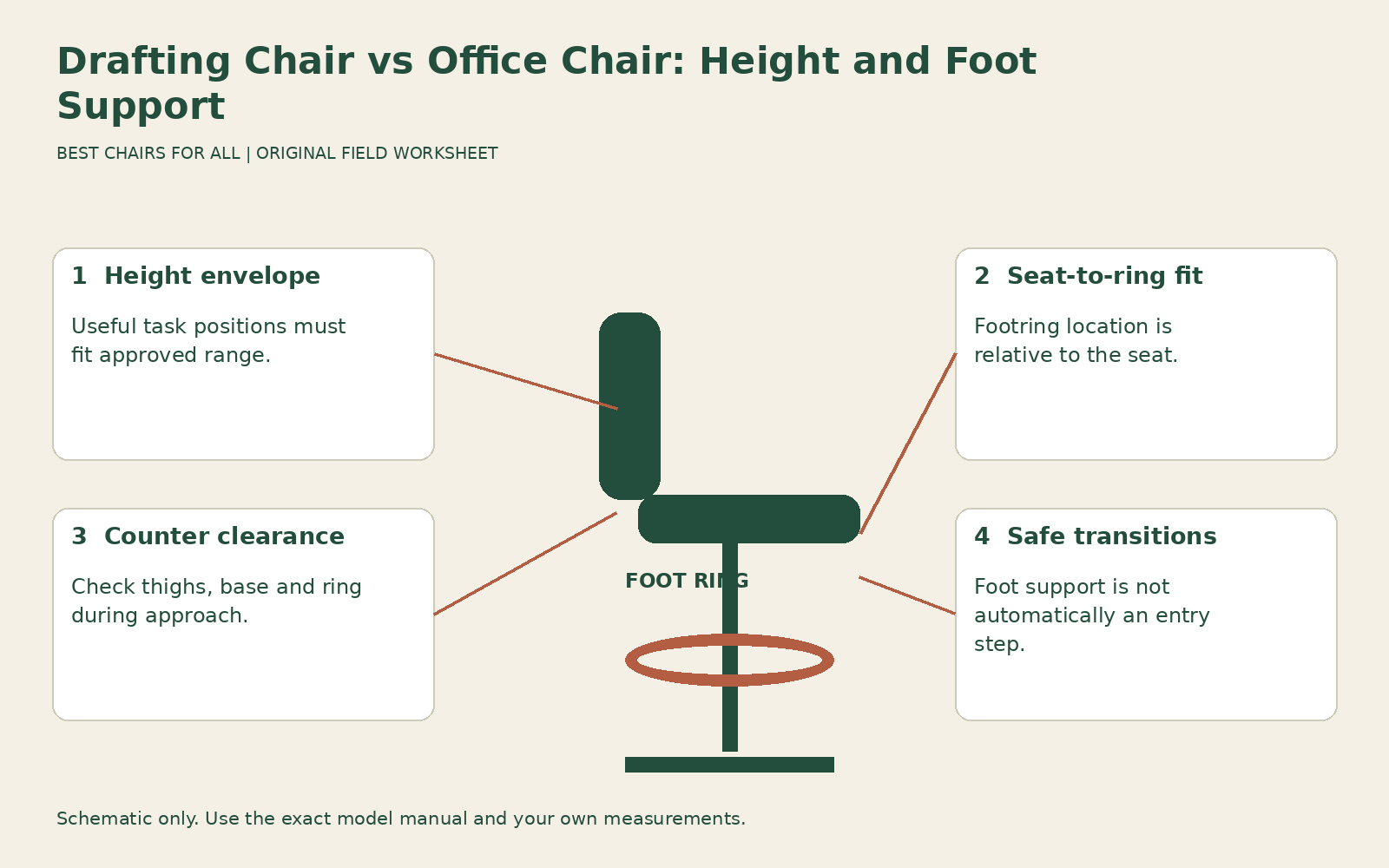
This guide uses a height-envelope worksheet: compare the working seat position you need with each product’s range, then check the foot-support relationship and underside space at that position. It is useful for fixed counters, high workbenches, and sit-stand desks where you want an elevated seated option. It does not recommend converting a standard chair with a generic taller cylinder.
Define the workstation before choosing the cylinder
Measure the height of the actual input or work surface, including a keyboard tray if that is where your hands operate. Record the lowest underside obstruction across the occupied area. Also note the work type: keyboard use, drawing, inspection, or occasional counter interaction. A high tabletop does not automatically require your hands to work on its top; an adjustable input surface may provide another option.
Ask whether the desk can lower to a suitable ordinary seated position. If it can, a conventional chair may already meet the main need, while elevated seating becomes an optional alternative. If the surface is fixed high, you need a coordinated seat-and-foot-support arrangement. Buying a taller seat before establishing that relationship risks leaving the feet unsupported or the arms reaching awkwardly.
The useful height is the occupied working position, not simply a number inferred from standing height. Two users at the same counter can need different seat heights and footring settings because torso and lower-leg proportions differ. Keep your own fitting observations separate from general product ranges and ask for a trial at a similar surface when possible.
Compare a real chair family to see what changes
The Herman Miller Lino work-chair and stool product sheet distinguishes Lino work chairs and stools. Its stool has a listed seat-height range of 23.25 to 33 inches and a fixed seat depth of 15.75 inches. Adjustable seat depth is identified for the work chair only. This is a useful warning against assuming that every adjustment offered in a chair family carries over to the taller version.
Those figures describe that published configuration, not every drafting chair. Other products may offer different cylinders, depth controls, arms, or foot supports. Record the exact product and region, and confirm the specification on the actual quote. A retailer’s copied work-chair description can otherwise create the impression that the stool includes a feature it does not provide.
Compare the minimum as carefully as the maximum. A stool can reach your elevated work surface and still be too high for the ordinary seated desk position you also want. If one chair must serve both tasks, both useful occupied settings need to fall within its approved range, with usable foot support at each. A large maximum does not guarantee a suitably low minimum.
Build the height envelope
Write the lowest and highest seat positions you genuinely need across tasks, based on an occupied fitting or appropriate workstation assessment. Put the candidate’s published range alongside them and note any uncertainty about cushion compression or measurement reference. You are screening for overlap, not assuming that the unloaded catalog endpoints exactly equal your occupied working measurements.
For an illustrative comparison, imagine a user who needs an ordinary seated setup around eighteen inches and an elevated setup around twenty-seven inches. A stool starting at 23.25 inches could cover the elevated position but cannot cover the eighteen-inch position. That does not make it unsuitable for the counter; it means it cannot replace both arrangements. The numbers are hypothetical except for the cited stool specification.
Now check each intended task rather than a single endpoint. If the elevated position works only at the product’s absolute maximum, ask whether the correct cylinder option provides a useful range around that point. Do not exceed the approved setting, alter the lift, or add unstable layers to the seat. An apparent specification match needs an ordinary occupied trial with the real work surface.
Treat foot support as an adjustable relationship
At an elevated seat height, many users cannot rest their feet on the floor. A footring can provide a support location, but its presence does not prove that its height, diameter, width, or location suits you. Check whether both feet can rest comfortably and whether you can change position without hooking toes awkwardly beneath the seat. Notice where the support contacts your footwear.
Compare seat-to-footring distance, not footring height alone. If the ring and seat move together, their relative distance may stay constant; if the ring adjusts independently, it may provide another fitting variable. Identify what the actual model does. A photograph of a circular ring around a cylinder cannot tell you its movement range or whether adjustment requires unloading it.
Herman Miller Lino user adjustment and footring guide supplies a specific footring adjustment procedure for the Lino stool, involving the base, ring, and locking collar. Follow that only for the matching model and instructions; do not assume every ring loosens in the same way. Once adjusted, verify it is secured as specified before resting your feet on it. A slipping ring is a service or setup problem, not an acceptable moving footrest.
Keep the footring separate from an entry step
A foot support is not automatically rated as a step used to climb onto the stool. Check the manufacturer instructions for sitting down and standing up. Do not stand on the ring, pull hard on the backrest, or use a nearby rolling item to reach the seat unless the product specifically supports the required method. If entry is difficult, the configuration may not be suitable for the user.
Assess access in the actual layout. The elevated seat, base, and ring can require room to position the feet and turn. A pedestal or counter brace may meet the ring before the chair reaches the useful working distance. Measure the first obstruction while occupied and leave a clear route to stand and move away. Storage fit under a counter does not prove working access.
For a person with a transfer, mobility, or balance requirement, obtain appropriate product-specific and individual guidance. A higher capacity rating does not establish that the stool provides the necessary support for a particular transition. Do not use a brief demonstration by another person as evidence that the same entry method is suitable for you.
Check thighs, knees and arms at working height
Bring the correctly fitted stool toward the surface and inspect the underside clearance. Raising the seat raises the occupied leg position too. A high counter can still have a low drawer or crossbar that blocks the thighs. Lowering the stool until it fits beneath the obstruction may leave the hands working too high; that indicates a workstation conflict rather than a completed adjustment.
OSHA computer workstation chairs coordinates chair support with the rest of the computer workstation. For an elevated station, apply those same fit questions without assuming an ordinary desk measurement transfers unchanged. Can you access the backrest, keep useful clearance behind the knees, and place the input equipment within reach? Can the arm pads support relaxed arms without colliding with the surface?
Test the seat depth independently. Some stools retain the same depth as a related work chair; others use a different fixed seat. Long thighs, short thighs, and backrest projection still influence usable support. A high cylinder changes vertical position, not the distance from your pelvis to the seat front. Do not accept a depth mismatch merely because the stool reaches the counter.
Record a complete elevated-station worksheet
Use seven rows: required task heights; published seat range; occupied seat position; seat-to-foot-support relationship; usable depth; underside and approach clearance; and entry or exit. Add the exact model, cylinder option, and footring type above the rows. Mark each result verified, unresolved, or unsuitable, with one concrete observation.
An illustrative record might say: “High inspection counter: seat reaches useful height; both feet supported after approved ring adjustment; front desk brace meets ring before comfortable reach; alternate station layout required.” Another might say: “Elevated typing works; standard seated desk setting below stool minimum; retain separate work chair.” These results tell you what the purchase can and cannot accomplish.
If you compare a conventional chair with an elevated model, use their actual configurations rather than assuming a conversion is possible. Cylinder, base, control actuation, casters, and stability belong to the complete design. Ask the manufacturer about approved versions and service parts. A generic extension advertised for several chairs does not establish that the altered assembly retains the original specifications.
Decide whether the extra height earns its place
A drafting chair is a strong candidate when the elevated task, fit range, foot support, and access all work together. An ordinary office chair is the more straightforward option when the work surface can provide a suitable seated arrangement and you have no need for the higher position. A sit-stand desk may use either depending on your preferred tasks, but the desk’s maximum height does not create a requirement to sit near it.
Before ordering, match the exact stool version to the tested configuration and confirm return and service arrangements. Keep the height-envelope sheet with the order so a substituted cylinder or different footring is visible. During the trial, repeat transitions and task changes as well as the still seated position. The successful choice provides usable height with usable support, rather than a large adjustment range that solves only half the workstation.
Something unclear or out of date? Send a correction with this article’s title and the detail to check.
Sources, research & corrections policy ↗