A saddle chair changes the sitting arrangement enough that it should be evaluated with the workstation, not as a simple replacement dropped in front of an unchanged desk. Depending on the model and your fit, you may sit higher, place the feet differently, need more sideways space, and require a higher keyboard and screen position. A conventional office chair generally offers a familiar seat-and-backrest arrangement with a different adjustment strategy.
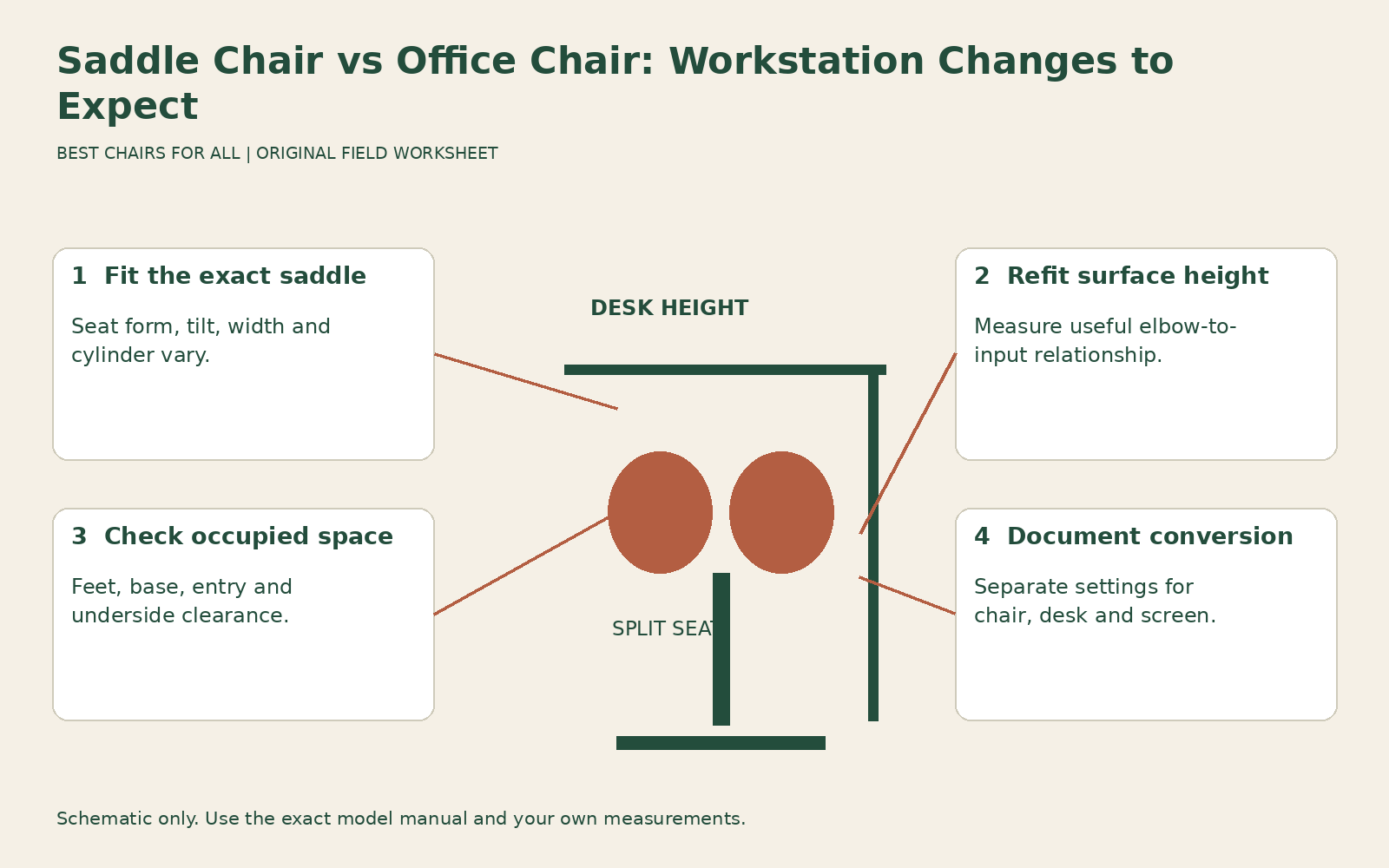
This guide uses a workstation conversion worksheet: record the useful setup for the ordinary chair, then identify every surface or access relationship that changes with the saddle candidate. It does not claim that saddle seating treats pain, improves circulation, or suits every user. A manufacturer can explain its product’s intended setup; that is separate from proving health outcomes for you.
Identify the saddle construction and controls
Saddle chairs can have one-piece or split seats, fixed or moving surfaces, different tilt controls, several cylinder heights, and optional support accessories. Record the exact model and configuration before using general advice. A small salon stool, a specialist dental saddle, and an office-oriented split-seat model may have substantially different ranges and intended tasks despite sharing a saddle appearance.
Salli manufacturer instructions for saddle-chair use provides a useful example of model-specific setup guidance. It explains that its saddle arrangement uses a higher working position than a traditional chair and recommends coordinating table height with relaxed elbow position. It also provides a particular method for getting onto the chair. These instructions belong to the manufacturer’s system; they should not be copied mechanically to another saddle design with different controls or entry guidance.
Ask which adjustments are user operated and whether they require the seat to be unloaded. If width, tilt, or motion resistance changes, identify the locking method in the manual. Do not assume every split seat permits width adjustment or that visible moving parts should be pushed by hand. A clear demonstration is part of establishing whether the product is practical for your work.
Record the conventional-chair baseline
Before moving anything, note your useful occupied seat height, keyboard height, monitor arrangement, foot support, and clear space under the desk. Include the underside obstructions: drawers, braces, modesty panels, storage boxes, and computer holders. Record any current unresolved problem separately so you do not credit the new chair for a change that simply comes from finally moving the keyboard closer.
Describe the main tasks and access pattern. A person working at a centered keyboard may need a different arrangement from someone moving around a treatment table or handling objects at several surfaces. Do not assume a saddle chair used in one profession will transfer directly to another. The comparison must include the actual surface heights, reaches, and movements involved.
Keep the baseline chair available if possible. Testing an unfamiliar seating geometry is easier to interpret when you can return to a known suitable arrangement. This also prevents a purchase from becoming a forced adaptation exercise. You are looking for a useful option with acceptable tradeoffs, not proving that you can work indefinitely without the support you previously used.
Establish the saddle fit according to its instructions
Use the exact model’s method for sitting, adjusting height, positioning the feet, and setting tilt or width. Ask a qualified supplier to help if the instructions are unclear. The seat should not create localized painful pressure or require a position you cannot comfortably enter and leave. Stop if pain, numbness, or instability develops rather than interpreting it as a necessary stage of improvement.
Avoid chasing a universal angle from an online illustration. A manufacturer may show a characteristic hip or knee position for its system, but product geometry and individual proportions differ. Record your resulting support and access instead of treating a photographed angle as a clinical prescription. If a health or mobility concern affects the trial, obtain appropriate individual advice.
Look at clothing and footwear as practical variables. A straddling position can be incompatible with restrictive clothing or a uniform that works well on a conventional seat. The foot placement may also require more floor room than you expect. Test the chair in the clothing you actually use for the task, while retaining a private and comfortable demonstration environment.
Refit the work surface after the seat
Once the saddle is fitted, find the useful keyboard or task-surface height. Do not lower the chair into an unsuitable position merely to meet a desk that cannot rise. Salli’s own guidance highlights the need for a higher table in its intended arrangement; your actual required difference should come from an occupied fitting, not a universal number copied from another user’s setup.
OSHA workstation desks discusses leg space, access, and work-surface relationships. Apply those questions to the new geometry: can the thighs and feet occupy the intended positions beneath the surface, and can the hands reach without leaning toward a low tabletop? A desk with ample center clearance for a conventional chair may still restrict a wider foot stance or an elevated thigh position.
If the desk adjusts, save a separate useful height for the saddle setup. If it is fixed, ask whether an approved workstation change can provide the needed range. Do not improvise unstable furniture risers or place equipment on loose stacks to complete the trial. The chair is not a practical purchase until the supporting workstation arrangement is concrete and usable.
Reposition screen and input equipment
A higher seated torso position can make a previously suitable monitor too low. Adjust the screen for the actual working position and task rather than stretching your neck to preserve the old arrangement. If you use a laptop, an external keyboard and pointing device may be needed to adjust input and screen separately. Evaluate the complete setup before attributing every sensation to the saddle seat.
Check mouse reach across the full useful movement area. A wide work surface can encourage spreading equipment far apart, particularly when a saddle chair makes movement feel easy. Keep frequently used items in a useful reach zone and avoid relying on rolling to retrieve every small object. Mobility can be a feature, but the work arrangement should remain deliberate.
For paper or close manual work, record the surface height separately if it differs from keyboard use. Switching tasks may require a desk adjustment or a different equipment position. A chair that fits one high work surface but requires repeated bending at another offers a limited role. Write that limitation down instead of calling the entire workstation converted after one successful task.
Audit feet, base and room access
Test entry and exit by the manufacturer’s intended method in the actual workspace. Check the chair base, nearby pedestal, cables, and the path your legs need. A saddle seat can look compact above the cylinder while its occupied foot position and caster base need substantial room. Measure the movement area rather than just the seat width.
Check the approved casters and flooring combination. Do not assume easy rolling is desirable for every task or that generic locking wheels are a compatible solution when movement is unwanted. Ask the manufacturer about the intended configuration. Never use a loose wedge or a desk edge to keep an unstable arrangement in place during a fit test.
If standing or transferring requires specific support, assess that requirement separately with appropriate guidance. An armless saddle chair does not provide the same contact options as a conventional chair with arms, and a moving base can affect the sequence. Do not infer suitability from the product’s use in another workplace or from a high weight-capacity number.
Use a conversion worksheet with two columns
Create columns for conventional chair and saddle candidate. Use rows for occupied seat setup, keyboard surface, screen position, foot placement, usable underside space, entry and exit, and task changes. Enter the actual setting or observation in each column. Add a final row for what must change permanently and who is responsible for making that change.
An illustrative record might read: “Conventional chair works at existing keyboard height; saddle requires a higher input surface within the desk’s approved range. Monitor arm reaches new position. Right pedestal limits intended foot space. Moving pedestal resolves space without blocking exit.” This describes a concrete conversion. It does not claim a health benefit or establish that the same arrangement will fit another person.
A different result might be: “Saddle fits the person, but the fixed desk remains too low and cannot be suitably altered.” That is a workstation incompatibility, not evidence the saddle is universally poor. Conversely, a desk that rises high enough does not establish seat comfort or safe access. Every row needs its own answer before you make the purchase decision.
Compare the support you gain and lose
A conventional chair may offer adjustable back support, a useful recline, and arm pads for rests between tasks. A saddle candidate may emphasize a different supported sitting surface and movement pattern. Check whether it actually provides the functions you want; some models have accessories, but their presence and fit must be verified. Do not assume an active-looking chair supplies the same rest options.
CCOHS ergonomic chair selection reminds buyers that no chair suits every activity and that fit involves the individual and workstation. Use that principle to assign the saddle a role. It might suit a specific elevated task, work as an alternate seat, or fail to offer a useful advantage at your desk. Any of those is a legitimate outcome of a careful trial.
Before committing, confirm the exact cylinder, seat configuration, intended usage, return arrangement, and any approved accessories. Repeat the worksheet with your normal equipment and task changes. Keep the new arrangement only if the workstation conversion is practical and the occupied experience remains acceptable. The useful comparison is between two complete ways of working, with every changed relationship visible.
Something unclear or out of date? Send a correction with this article’s title and the detail to check.
Sources, research & corrections policy ↗