A kneeling chair changes how the seat and lower-leg supports share contact with your body. A conventional office chair usually provides a more familiar arrangement of seat, backrest, feet on the floor or footrest, and optional arms. Choose between them by checking the tasks, entry and exit, desk relationship, and usable position changes. A different sitting geometry does not by itself establish a medical benefit or a suitable all-day replacement.
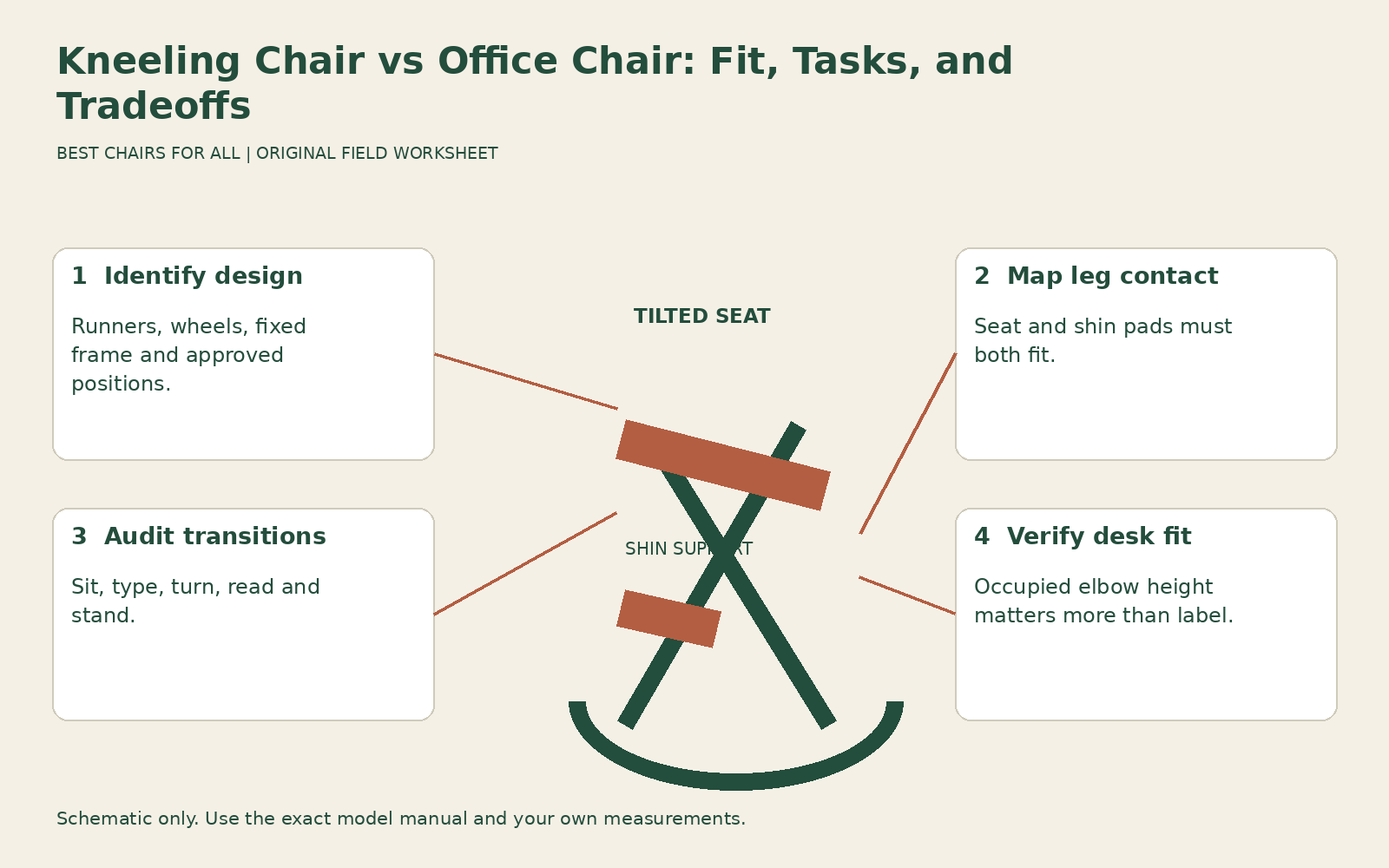
This comparison uses a transition audit: test what happens when you sit down, work, change position, and stand up. It is especially useful if a kneeling chair feels appealing during a short demonstration but you have not tried it with your own desk. Keep a suitable conventional chair available while assessing a new arrangement; there is no need to discard a working option to conduct a fitting trial.
Identify which kneeling design you mean
Kneeling chairs differ substantially. Some have curved runners and allow rocking, some have a wheeled base, and others use a fixed frame. Seat height, seat angle, lower-leg pad spacing, backrest availability, and adjustment ranges vary. A photograph of one design cannot establish how another model moves or where its pads contact. Record the exact model and read its current fitting and assembly instructions.
The Varier Variable official dimensions and sitting guidance offers a concrete example: Variable uses curved runners, a tilted seat, and two lower cushions. The manufacturer describes several positions, including use with one or both feet on the floor, rather than requiring continuous kneeling. Its listed seat height is 50 centimeters, and its suggested tabletop range is approximately 71 to 76 centimeters. Those are model-specific screening figures, not universal kneeling-chair dimensions or a guarantee of fit.
A height-adjustable wheeled kneeling chair needs its own documentation. Do not assume its lowest setting, pad angle, stability, or approved positions match Variable. Likewise, a version with a backrest may provide a different experience from a backless model. Use the product’s actual construction to build your test plan instead of buying a category and learning its limitations afterward.
Compare contact arrangements, not idealized posture pictures
In a conventional office chair, the seat supports the sitting area and thighs, the backrest can provide rear support, and the feet rest on an appropriate surface. A kneeling arrangement introduces contact at the shins or lower legs as the specific design intends. The seat and pads must both fit; a comfortable seat does not resolve uncomfortable pressure from the lower support.
Check where the pads meet your legs without forcing your body into a promotional photograph’s position. Notice whether clothing bunches, whether an edge produces a localized pressure point, and whether you can change leg position within the approved options. Do not invent a target percentage of body weight for the pads. If a manufacturer specifies a fitting method, follow it; if the instruction is unclear, ask for a demonstration.
CCOHS ergonomic chair selection frames ergonomic suitability around the individual, task, and workstation. That applies to both categories. A conventional chair is not automatically well fitted, and a kneeling chair is not automatically corrective. You need useful support, access to the work, and freedom to change position. A more open-looking hip position alone cannot prove that an arrangement will remain comfortable during your tasks.
Audit sitting down and standing up
Place the chair on the surface and in the space its instructions require. Sit down and get up by the model’s recommended method. Check whether the frame, pads, runners, or casters obstruct your feet or demand a movement that is difficult for you. The entry sequence matters in a real office where you may repeat it many times between calls or short tasks.
Leave enough space around the chair to make that sequence practical. A compact-looking kneeling seat can need clearance behind or beside it to move the legs. Do not measure only the floor footprint and assume it represents the occupied movement area. Sketch the path your feet take during entry and exit and compare it with drawers, neighboring furniture, cables, and the chair’s own frame.
If you have an access requirement, balance concern, or existing knee or hip condition, get appropriate individual advice before relying on the new arrangement. Do not interpret the product name as a diagnosis of which joint carries which force, or a seller’s reassurance as a clinical assessment. Stop a trial that causes pain, numbness, or instability rather than practicing through it.
Check the desk relationship while occupied
A published seat height does not tell you where your elbows will sit in a tilted or kneeling arrangement. Sit as the model intends, then bring the keyboard and mouse into useful reach. Check whether the desk is too high, too low, or blocked by the frame and lower-leg pads. If the desk adjusts, record the useful height separately for each chair.
A fixed desk creates a particularly important comparison. You may be able to lower or raise a conventional chair and add foot support, while a fixed-height kneeling design has fewer ways to change the relationship. Conversely, a particular kneeling chair may fit your existing surface well. The manufacturer’s suggested desk range is a screening aid; your occupied arm and reach relationship remains the deciding test.
OSHA computer workstation chairs discusses coordinating a chair with the desk and computer equipment. Use that principle to test the whole arrangement, including screen position. A change in seated torso height may require a different monitor height even when the keyboard remains usable. Do not bend toward a screen simply to preserve a setup made for the previous chair.
Repeat three real task segments
Choose a short typing segment, a pointing or writing segment, and a reading segment that reflect your work. Repeat them on both chairs with equivalent equipment placement. Keep notes about leg contact, reach, and the ability to change position. There is no universal trial duration in this guide; use a manageable comparison and stop whenever discomfort or instability appears.
During typing, notice whether you remain comfortably positioned or repeatedly push against the pads or desk. During mouse or paper work, check whether the lower supports restrict the leg movements you normally use to reposition. During reading, note whether the available rear support suits you or whether you miss a backrest. Do not assume the chair is inadequate simply because it feels unfamiliar, but require a clear practical benefit before changing the whole workstation around it.
Repeat a transition between segments. For example, type, turn toward a notebook, then stand to retrieve an ordinary item. A seat that feels good while motionless can still be inconvenient for this sequence. Record the inconvenience itself, such as a foot catching the frame or a pad preventing an easy turn, rather than assigning a vague low comfort score.
Build a transition audit sheet
Use five rows: entry; typing; pointing or paper work; reading; and exit. Give each row three fields: contact or movement observed, adjustment available, and result. For the conventional chair, include the current setup rather than an unadjusted reference. For the kneeling chair, include the exact model and only positions the manufacturer supports. This makes the comparison fair and interpretable.
An illustrative entry might read: “Typing, shin-pad edge feels intrusive; pad position adjustable within manual range; improved after normal adjustment, needs real-desk trial.” Another could read: “Exit, frame blocks usual foot path; no useful layout change in narrow space; unsuitable here.” These observations help you decide without claiming that one chair type prevents or treats pain.
Add a separate field for position variation. Record which approved alternatives you can use comfortably and whether they remain compatible with the desk. A chair advertised as encouraging movement is useful only if those movements are available in your actual workspace. A narrow knee opening or a shelf behind the seat can remove the practical variation shown in an open showroom.
Assess the case for changing chairs
Ask what problem the kneeling candidate solves. A worthwhile answer might be a comfortable alternate arrangement for a specific task, a preferred contact pattern, or useful variety at an adjustable workstation. “It is more ergonomic” is too broad to evaluate. Link the claimed improvement to your audit observations and distinguish personal preference from evidence of a clinical outcome.
Also ask what it removes. You may lose familiar reclined support, adjustable arms, easy rolling access, or straightforward entry. Some kneeling models restore one of those features, but none should inherit them by category. If you plan to alternate chairs, account for storage and the time needed to reset the desk and screen. An unused alternative occupying the only clear path is not a successful addition.
Do not equate a short comfortable trial with a full workday verdict. A different contact arrangement can become tiring or inconvenient later, and a traditional chair can also fail after prolonged use. Preserve the return window and record task-specific observations over ordinary work. You are evaluating whether the new chair earns a role, not completing an adaptation challenge at any cost.
Verify the exact purchase and its limits
Before ordering, check the model’s documented user limits, dimensions, approved flooring arrangement, and instructions. Keep capacity separate from fit: a chair within its stated user limit may still have unsuitable pad spacing or entry requirements. Do not test capacity by bouncing or deliberately rocking beyond ordinary movement. Any damaged frame, unstable assembly, or failed adjustment needs service rather than further comparison.
The final decision can be a conventional chair, a kneeling chair, or a deliberately limited alternate seat. Write the role clearly: which tasks, which workstation setup, which positions, and which unresolved limitations. Choose the arrangement you can use, enter, leave, and vary comfortably. The transition audit gives you a reason for that choice without relying on an unfamiliar silhouette or an unsupported promise about posture.
Something unclear or out of date? Send a correction with this article’s title and the detail to check.
Sources, research & corrections policy ↗