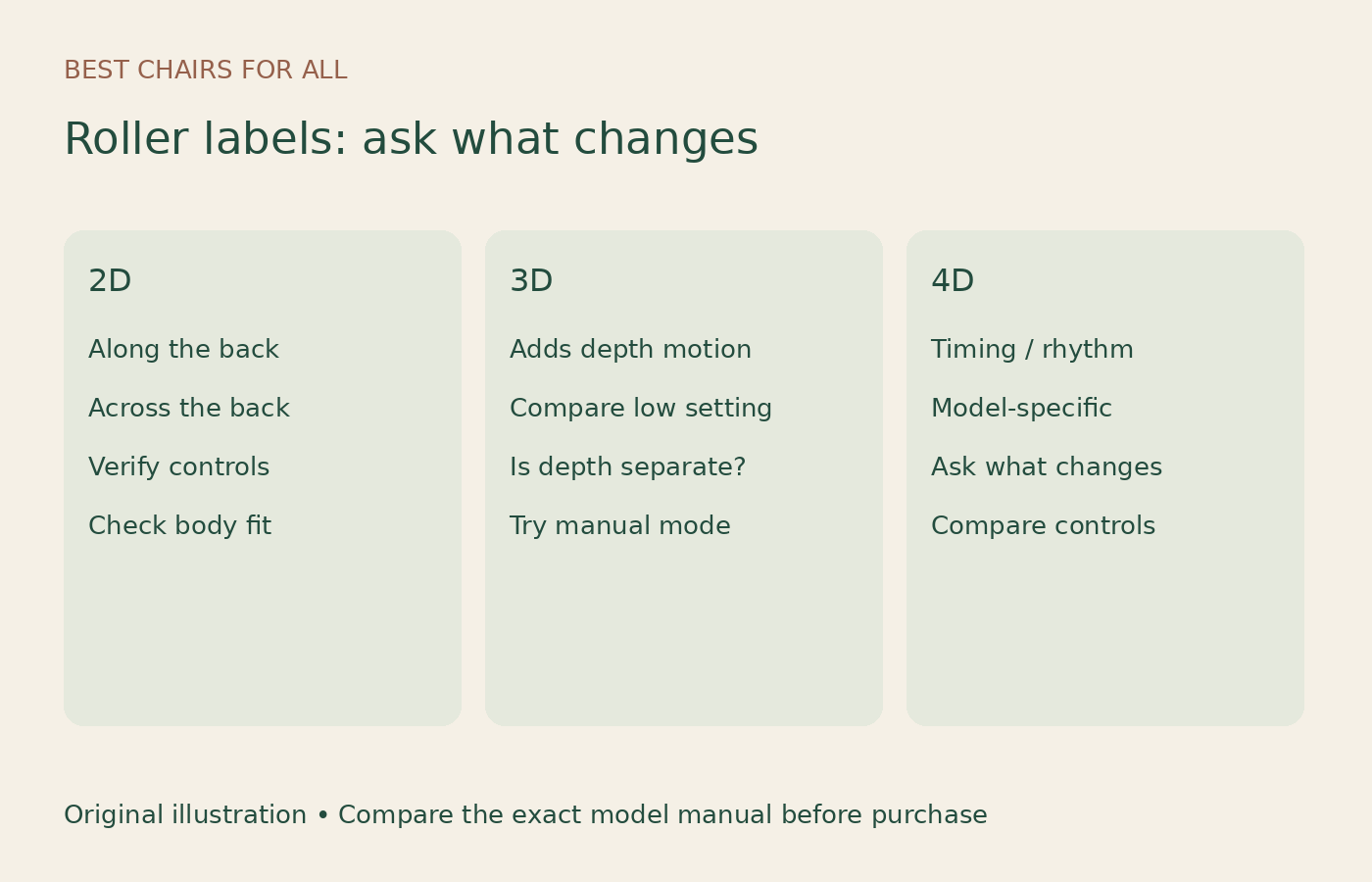
On massage chair listings, 2D usually means rollers travel along and across the back, 3D adds adjustable in-and-out movement, and 4D generally adds changes in timing, speed or rhythm. The number is a description of the mechanism, not a standardized comfort score. You still need to establish what you can control on the exact chair.
The most useful purchase question is therefore: “Which extra adjustment does this model give me, and can I demonstrate it?” This guide helps you translate the labels into a comparison you can repeat in a showroom. It does not claim to have tested the chairs or predict a health outcome.
What each roller label normally describes
Osaki’s buyer guide describes 2D movement in two directions, 3D movement that includes depth, and 4D movement with variable speed and rhythm. Costco’s massage chair guide uses a similar basic distinction. Those descriptions are useful vocabulary, but they do not establish identical adjustment ranges across brands.
| Label | Typical meaning | Demonstration to request |
|---|---|---|
| 2D | Travel along and across the back | Show manual positioning and speed options |
| 3D | Additional in-and-out roller movement | Change depth while keeping the same area selected |
| 4D | Depth control plus timing or rhythm variation | Show what changes beyond the 3D controls |
A label alone cannot tell you the lowest comfortable setting, the quality of the control interface, the reach of the track, or how easily you can stop an unwanted action. Treat those as separate fields in your buying notes.
Depth, pressure and intensity are easy to mix up
Depth describes a mechanical movement. Perceived pressure also depends on your position, the contact area, upholstery and the program. Intensity is often used as a general control label and may refer to different things in different menus.
For a fair comparison, ask the salesperson to identify the actual setting being changed. Are the back rollers moving farther forward? Are airbags tightening around your arms? Is the tapping faster? A large intensity number on a screen is not enough information if you cannot tell which component it controls.
Consider a hypothetical chair with separate back-depth and airbag settings. Turning the airbag setting down may leave the back rollers unchanged. A buyer who thinks one slider controls everything could conclude that the chair has no gentle mode, when the relevant control is somewhere else. Conversely, a single general setting may offer less independent control than you want.
Why 4D is not a fourth direction of travel
The extra D in common 4D terminology generally concerns how movement changes over time. It does not mean the mechanism reaches an additional part of your body. Coverage depends on the track and other mechanisms, so a 4D chair can still miss a location that matters to you.
Do not assume a 2D chair has no speed adjustment, either. The important distinction is how the manufacturer implements the movements and control combinations. Read the manual rather than deciding from the headline alone. The Kyota M888 operating manual, for example, separates controls such as speed, massage width and 4D intensity. It is a concrete example of why the menu deserves its own inspection.
A repeatable demonstration you can request
Bring a notebook and compare a short sequence rather than several unrelated automatic programs. Do not try to tolerate discomfort to complete the comparison. Ask how to stop the program before you start, and follow all model instructions concerning fitting and use.
- Set up the chair for your body. Let the positioning routine finish and correct shoulder position if the manual provides that option.
- Choose a small, consistent area. Manual upper-back or middle-back work is easier to compare than a full sequence that keeps moving.
- Start with low settings. Record the actual names and values, not just your impression of strength.
- Change one control. Keep location and technique constant while testing depth, where possible.
- Return to the starting settings. Then compare speed or rhythm changes separately.
- Check the unwanted features. Find out whether airbags, foot rollers, heat and other actions can be disabled independently.
- Repeat after changing position. A recline change can alter contact; record it as a separate condition.
This is a buying worksheet, not a laboratory test. Its advantage is consistency. You can remember that Chair A allowed you to change depth without changing speed, while Chair B did not, instead of trying to recall which dramatic automatic program felt more impressive.
Make a controls matrix before comparing prices
Create columns for back-roller depth, speed, width, location, airbag level, foot mechanism, heat and saved preferences. Mark whether each control is independent, linked to a program, or unavailable. Add a final column for how many menu steps it takes to reach it.
That last column matters in a shared household. A control that exists but is buried in a confusing interface may not be something you use regularly. Try returning the chair to your preferred settings after another person changes them. If the chair saves settings, check exactly what is saved and what must be selected again.
A practical note might say: “Depth adjustable in manual mode; automatic program overrides it after changing routines.” That is far more useful than “five intensity levels.” The number of levels does not explain when they can be used or whether they address your preference.
Track coverage still needs its own check
A roller mechanism travels on a route. S, L, SL and flexible-track descriptions concern that route or its articulation. The D labels concern the mechanism and its behavior. Do not combine them into a single ranking.
For example, if your priority is an extended under-seat route, a more sophisticated depth adjustment on a back-focused mechanism does not provide that extension. If your priority is fine control at the upper back, extra track length does not establish it. See our track comparison guide for a separate coverage worksheet.
Also ask which sections use airbags instead of rollers. A full-body diagram can show multiple systems at once. The back mechanism’s 4D label tells you very little about how the arm or calf section operates.
Body scanning and AI labels need specific explanations
Ask what the scanner measures, what you can correct, and what happens if the result does not match your preference. A body-positioning routine may be useful without being a medical assessment. Avoid treating a marketing label as evidence that the chair diagnoses a condition or selects an appropriate treatment.
For an AI feature, ask for a concrete input and output. Does it store preferences, select an automatic program, alter roller settings, or simply provide voice commands? Those are different conveniences. A good demonstration should show the relevant behavior on the model you are ordering.
Write the answer in ordinary language. “Remembers my selected program” is clearer than “personalized intelligence.” If the seller cannot explain what changes, leave that feature unresolved in your notes rather than assigning it extra value because the name sounds technical.
What about 5D, 6D and larger numbers?
Do not assume that increasing numbers represent an industry-wide measurement scale. Request the manufacturer’s definition for the exact product. An additional label may refer to extra movement refinement, a second mechanism, programming, or some other model-specific feature.
The Osaki dimensional-mechanics explanation is an example of a brand describing its own terminology. Use such material to identify the promised function, then ask to see that function. A description from one brand should not be used as a technical definition for a competitor’s different label.
If you cannot describe the claimed improvement without saying the number, you probably do not yet have enough information to price it. Ask what you gain compared with a specific lower-priced chair on your shortlist.
Three useful buying priorities
You mainly want a straightforward routine. Prioritize a comfortable low setting, understandable controls and a repeatable program. More adjustable variables are valuable only if they improve the experience you actually want. A simpler interface may be a better fit for someone who dislikes navigating touchscreens.
You like changing individual settings. Give extra attention to independent manual controls. Check whether changing technique resets depth or width, and whether saved preferences survive switching the chair off. Verify each function instead of assuming that a premium model includes it.
Several people will share the chair. Test fitting and control changes for each person. A strong maximum setting says little about the mildest available setting. The household needs a usable range, not only a convincing demonstration at the top of it.
Check ownership details alongside the mechanism
Before paying for a more elaborate system, compare warranty periods for parts, labor and structure. Ask who performs service in your location and whether diagnosis requires photographs, video calls or a visit. These answers do not measure massage quality, but they help you understand the commitment you are making.
Confirm return collection costs and packaging requirements. If you cannot try the exact chair, return logistics become part of the fit decision. Keep the manual, specification sheet and written seller answers with the order receipt, including the precise model suffix.
A useful shortlist has no mysterious “premium technology” row. It states which adjustments you want, which model provides them, and which questions remain open. Choose from that record. The best mechanism label is the one whose actual controls match your preferences, your household and the amount of complexity you want to manage.
A sample manual-control comparison
Imagine comparing two chairs advertised as 4D. On the first, the salesperson demonstrates a separate depth control in manual mode, a speed control and an option to turn off the foot mechanism. On the second, a single automatic routine changes several actions together. Both may be accurately described by their manufacturers, but they offer different kinds of user control.
If you want to select a small back area while leaving your feet alone, the first demonstration answers your actual requirement more directly. If you prefer a single automatic routine and enjoy the whole sequence, the additional manual controls may be less important. Neither conclusion requires pretending that one label gives an objective comfort score.
Before recording a feature as absent, check the manual and ask whether it is available in another mode. Some controls are deliberately unavailable during particular automatic routines. Write “not available in this program” when that is the evidence you have, instead of making a broader claim about the whole chair.
Then repeat the preferred sequence from a fresh start. A configuration that requires assistance every time deserves a different usability note from one you can set independently.
Something unclear or out of date? Send a correction with this article’s title and the detail to check.
Sources, research & corrections policy ↗