A useful office chair showroom test repeats the same tasks and observations on every candidate. Bring your desk measurements, learn the controls, establish a normal setup, then compare typing, mousing, reading, and getting in or out. Record specific fit failures before deciding which chair feels most appealing. A brief showroom visit can screen unsuitable options, but it cannot prove long-term comfort or replace a workable return arrangement.
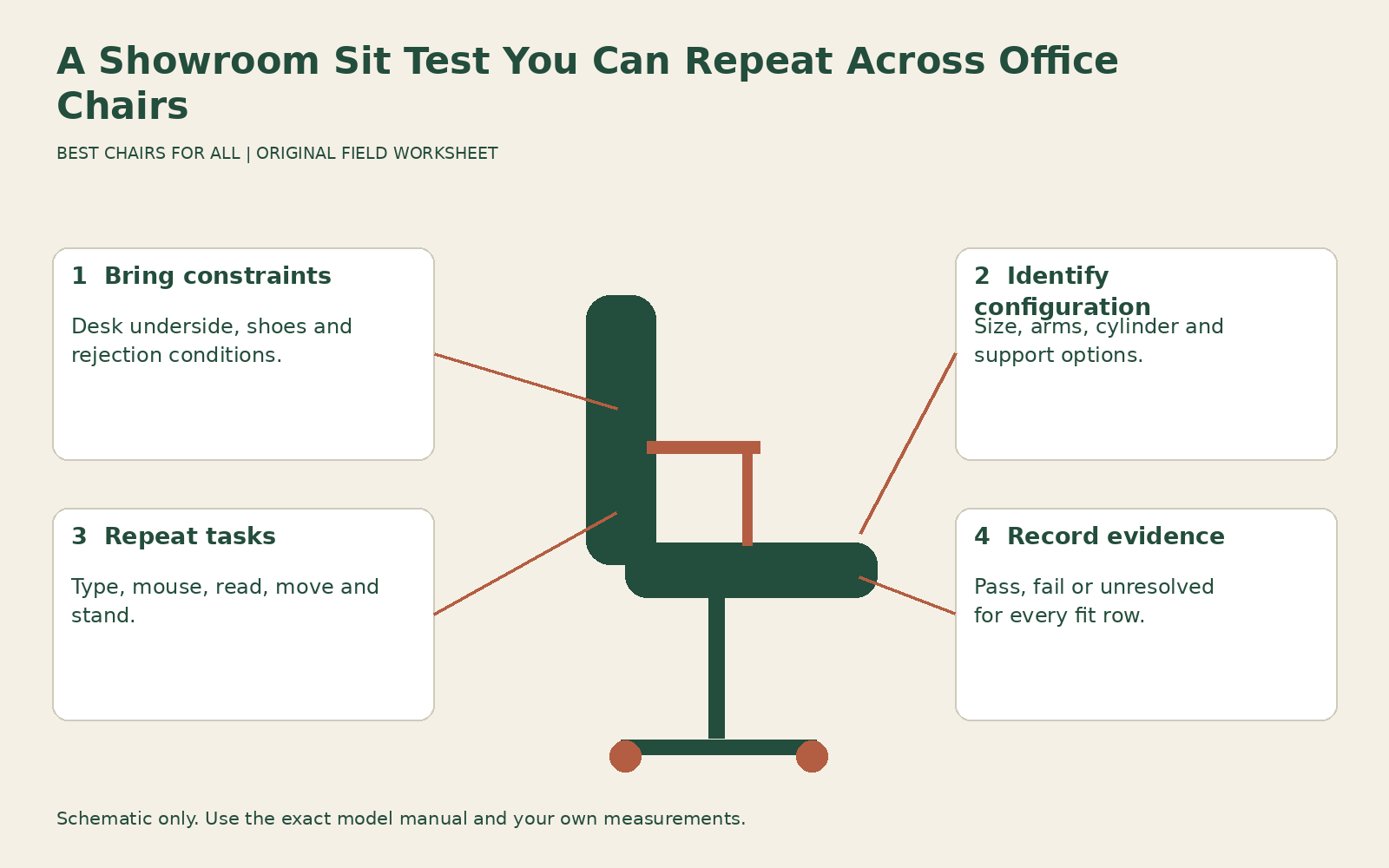
The worksheet in this guide is designed to travel between showrooms. It uses pass, fail, and unresolved findings instead of an overall star rating. That makes it harder for a soft cushion, attractive finish, or persuasive demonstration to hide a seat-depth problem. No hands-on product verdicts are claimed here; this is a method for producing your own useful evidence.
Bring a small measurement kit
Take a tape measure, notebook, your normal working shoes, and the dimensions of the desk you intend to use. Record the lowest underside clearance, usable knee space, keyboard surface height, and any drawer or support that limits approach. If you use a footrest or specific input device, bring it when practical or describe its relevant dimensions. The showroom’s attractive desk may be very different from yours.
Write your three rejection conditions before arriving. Examples include “seat cannot shorten enough,” “arms prevent reaching the desk,” and “head support pushes shoulders forward.” These should come from an actual need or previous problem rather than a list of fashionable features. Keep capacity and intended-use requirements on the sheet too, and verify them in manufacturer documentation rather than testing structural limits yourself.
If you have an accommodation or access requirement, tell the showroom what arrangement you need without disclosing unrelated personal details. Ask whether the demonstration area can provide suitable clearance and a safe opportunity to try the chair. A rushed sit in an aisle surrounded by furniture cannot answer the same questions as a normal work position at an accessible desk.
Identify the exact demonstration chair
Record the model, size, generation, upholstery, arm option, cylinder configuration, and support option. Ask which features are standard and which are optional on the quote. The chair you test may have a seat slide, forward angle, or fully adjustable arms that are absent from the lower priced configuration shown online. A result transfers to the order only when the relevant configuration matches.
Ask the adviser to show you the manual and demonstrate each control before you set the chair yourself. Herman Miller chair adjustment library illustrates why model-specific instructions matter: the library separates different chairs rather than giving one universal knob sequence. You should leave knowing what the controls do, not merely that someone else could make the chair comfortable for you.
If a function remains unclear, mark it unresolved. Do not assign a pass because the adviser says most people prefer that chair. Ask to repeat the adjustment yourself when the instructions permit it. Controls that are difficult to find or operate can matter in daily work, especially if you will share the chair or switch tasks frequently.
Establish your own starting position
Set the height and foot support for the work surface, then depth, back support, and arms. Do not judge the chair at the settings left by the previous visitor. A deep seat and high arm pads may be perfect for someone else and misleading for you. If the seat cannot reach the needed position within its normal range, record the failure immediately.
Use the same fitting order on each candidate so the comparison remains fair. OSHA computer workstation chairs recommends trying chairs and coordinating them with the surrounding workstation. For this test, that means checking back contact and knee clearance together rather than treating a plush first impression as sufficient evidence. A chair that requires you to perch forward should not receive a depth pass simply because the cushion feels soft.
Keep added cushions out of the first comparison unless they are part of your intended arrangement. If an accessory is necessary, repeat the relevant checks with it and record the changed setup. It can alter the occupied height, effective depth, arm relationship, and back contact at once. A chair fitting with an accessory should be quoted and evaluated as that complete arrangement.
Repeat a realistic keyboard task
Place a keyboard or your equivalent input surface at the intended working height and bring the chair close enough to use it. Type a short passage or simulate your ordinary hand movement. Observe whether the arms can stay relaxed, whether the pads support rather than lift, and whether you need to lean away from the backrest to reach. Do not exaggerate an ideal posture that you cannot maintain during normal work.
Then use the mouse or pointer in its ordinary location. Check whether the pad supports the moving arm without a hard edge or an awkward outward reach. A chair can perform well for centered typing but poorly for a frequently used pointing device. If the showroom cannot supply a useful surface, mark the desk-access result unresolved and plan a home trial rather than improvising a conclusion.
Record observations in ordinary language. “Right arm reaches mouse but pad contacts underside when approaching desk” explains a conflict. “Very ergonomic” does not. Avoid comparing a candidate at a correct keyboard height with another at a decorative table that is too high; the table difference can overwhelm the chair difference you intended to assess.
Compare supported reading and movement
Lean back in the controlled manner described by the manual. Test the useful recline range, resistance, and any lock or limiter you expect to use. Notice whether your feet remain supported and whether you can return to work without pulling hard on the desk. A chair should be judged during normal transitions as well as during a still photograph-like pose.
If there is a headrest, test its contact separately while upright and reclined. A tall back does not guarantee useful head support, and a headrest that cannot reach your preferred reclined position may offer little value. Check whether it interferes with shoulder movement or pushes your head forward during typing. Do not assume an accessory will fit later unless compatibility and adjustment are documented.
Turn toward a nearby surface, reach for a notebook within ordinary range, and stand up and sit down normally. Note whether the arms crowd entry or whether a fixed support restricts the movement you need. Do not perform tipping, bouncing, or edge-loading experiments. This is a fit trial within the chair’s intended use, not a home substitute for mechanical testing.
Use a comparison sheet with evidence
Give each candidate eight rows: seat height and foot support; usable depth; usable width and entry; lumbar contact; arm reach; desk access; movement; and control access. Each row gets a result and one observation. A pass means you actually checked the relationship yourself under the recorded showroom conditions. An unresolved item needs a measurement, demonstration, or home trial. A fail means the candidate cannot meet a requirement within its approved adjustments.
Add a configuration field and a desk field above the rows. Add separate fields below for quoted price, delivery configuration, return conditions, and service access. These commercial facts should not be mixed into the fit score. A favorable price does not turn a failed depth into a pass, and a well-fitting chair may still have an unacceptable return arrangement.
An illustrative entry might read: “Candidate B, fabric seat, adjustable depth, short arms. Depth passes after moving pan to shortest setting; desk access unresolved because showroom surface has no drawer. Control access passes after one demonstration.” That is a clear reason to continue investigating B while reserving a specific question for home use. You do not need a numerical rating to make the next decision.
Revisit the strongest candidates
If practical, compare your two best candidates again after trying the others. Novelty and a very soft initial feel can influence the first impression, so ask whether the earlier observations still hold. Repeat the same short task sequence with the same settings and desk assumptions. You are looking for consistency in the useful relationships, not trying to force an immediate winner.
CCOHS purchasing ergonomic office furniture recommends giving staff an opportunity to test furniture before a final purchasing decision. For an individual buyer, the equivalent is obtaining a useful trial where possible and preserving the option to reject an unsuitable result. A showroom visit offers valuable screening, while a real workday introduces your equipment, clothing, task mix, and normal movement.
If the visit produces no suitable chair, keep the failed rows. They narrow the next search more effectively than another broad list of popular models. You may need a shorter depth, higher arm reach, different back contour, or a workstation change. Buying the least uncomfortable option on the day is not the only available result.
Transfer the result to a reviewable order
Before paying, compare the quote with your recorded demonstration configuration. Confirm the exact size, arms, support, seat material, casters, and any height option. Save the relevant specifications and ask about returns in writing, including costs and condition requirements. For the detailed policy review, use our returns and warranty checklist rather than relying on an informal showroom assurance.
During the return period, repeat the unresolved rows at your own desk and check whether the positive showroom findings survive ordinary work. Report a defective control promptly and distinguish it from a fit preference. The successful sit test ends with a documented suitable configuration or a clear reason to reject it. That gives you a decision you can explain and repeat, with practical limits that a brief showroom visit cannot settle.
Something unclear or out of date? Send a correction with this article’s title and the detail to check.
Sources, research & corrections policy ↗