An office chair headrest fits when it can meet your head in the position you intend to use without pushing you into a different one. That sounds simple, but a comfortable pad attached to the wrong part of a backrest can fail this test. Height adjustment alone cannot solve every mismatch: the pad may also need to move away from you, change angle, or clear your shoulders.
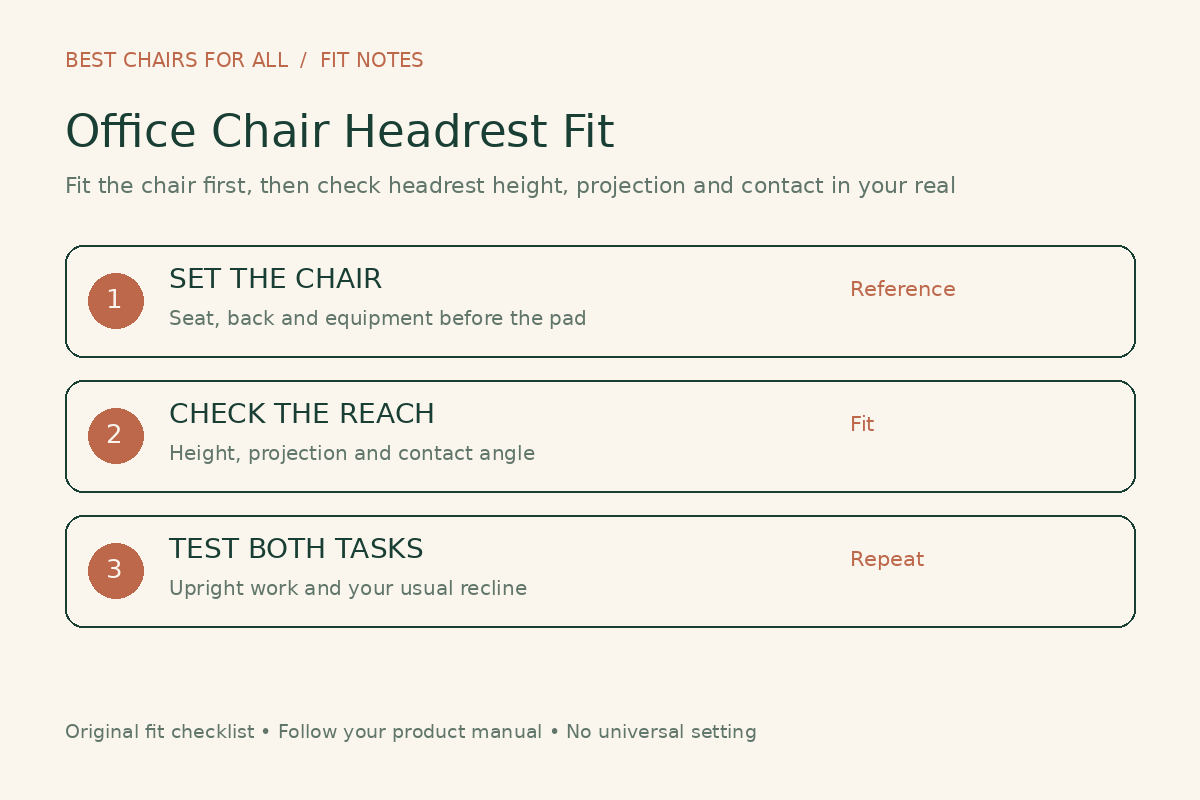
Before buying a headrest or a chair that includes one, decide whether you want support during reclined reading, occasional breaks, controller gaming, or desk work. Those tasks create different fitting questions. This guide offers a repeatable check for choosing and setting a headrest. It does not diagnose neck pain or establish that adding a headrest improves a medical condition.
What a headrest should add to your existing chair
Start with a chair you can sit in comfortably without relying on the headrest. Your seat and backrest should work with your workstation before an extra pad enters the picture. CCOHS explains that chair fit depends on the individual, the task, and the workstation; an ergonomic label does not guarantee that a particular chair fits a particular person.
Use that principle to separate a missing feature from an underlying mismatch. If you slide forward because the seat is too deep, a headrest is not a seat-depth adjustment. If you crane toward a distant screen, the pad does not bring the screen closer. Write down the problem you are actually trying to solve before choosing an accessory.
A useful sentence is: “I want to rest my head while I read in a modest recline, and I want the pad out of my way while typing.” That is much easier to test than a broad promise of better posture. It also gives you a reason to reject a headrest that is comfortable in one pose but intrusive during your main task.
Check three movements, not just the advertised height range
| Movement | Question to answer | Potential mismatch |
|---|---|---|
| Vertical movement | Can the useful part of the pad reach your intended contact area? | The top setting still touches the shoulders or lower neck. |
| Forward and backward reach | Can it reach you when wanted and retreat when unwanted? | It always nudges the head forward or never reaches during recline. |
| Pad angle | Can the contact surface meet you without an edge pressing first? | The pad’s upper or lower edge concentrates contact. |
These movements are not interchangeable. Turning a curved pad can change how far it projects forward as well as the surface angle. Raising a stalk may also move the pad backward along a sloping backrest. Ask for a manual or demonstration showing the actual travel path rather than interpreting a “three-way” or “3D” label as a standardized mechanism.
For a concrete example, Steelcase describes vertical, tilt, and rotational movement for Gesture’s integrated headrest. That describes that mechanism, not every adjustable headrest. Compare the movement with your intended task rather than treating a larger movement count as a comfort score.
Set the chair before setting the headrest
Move a manually adjustable headrest away from your usual head position if its instructions permit, then establish your regular seat height, seat depth, back support, and arm position. Use your normal keyboard and mouse. Check that the screen is where you can read it without deliberately stretching your neck. The aim is to create a reference position you can return to after each change.
OSHA’s workstation guidance describes the head as level, forward facing, and generally aligned with the torso. It also encourages changing position rather than staying still. This is a useful observation cue, not an instruction to freeze your head against a pad all day.
Take a side-view photograph only if that is convenient and you are comfortable doing so. Use it to compare your own before-and-after settings, not to calculate a diagnosis from a single picture. A headrest that makes you lift your chin or jut your face toward the screen deserves another adjustment or reconsideration, regardless of how symmetrical the setup looks from the front.
A practical fitting sequence
- Choose the task. Sit as you would for typing, reading, or controller use, with the equipment in place.
- Find the vertical position. Move the pad through the permitted range and notice where contact occurs. Do not accept shoulder pressure merely because the stalk has reached its highest mark.
- Set reach or projection. Where adjustment allows, bring the pad toward the intended resting position in small steps. Avoid moving your torso forward to make room for it.
- Adjust the contact angle. Look for broad, comfortable contact instead of a firm edge. Follow the manufacturer’s method for operating each joint.
- Repeat in your other working posture. A useful reclining setting should not force an awkward compromise during your main desk task.
The sequence is an editorial fitting method, not a universal manufacturer’s procedure. A chair with a linked or automatically moving headrest may need a different order. Read the actual instructions before manipulating a mechanism that appears stiff, and distinguish a release control from an adjustment joint that moves by hand.
For example, Herman Miller’s Vantum instructions describe moving the stalk vertically and rotating the pad. They do not tell you to twist a fastener loose to obtain extra travel. If your chair’s movement differs from a video, confirm the model and revision instead of applying more force.
Test upright and reclined use separately
In the upright task test, type a short paragraph, move the pointer around the screen, and look between the documents you ordinarily use. Ask whether the headrest interferes with those natural movements. You do not need to maintain contact simply because a headrest exists. If you prefer it to remain clear during focused typing, test whether that clearance is possible.
For the reclined test, select a supported position within your chair’s intended range. Put reading material or a controller where you actually use it. Check whether the pad reaches without making you slide your pelvis or strain to see the screen. Then return upright and see whether the headrest returns to a useful setting or requires an adjustment you would realistically make each time.
Do not equate maximum recline with the best working setting. This is a fit comparison across your normal tasks. If a pad works only when the screen becomes unreadable or the controls move out of reach, the whole task arrangement needs another look.
Why a headrest can feel as if it pushes you forward
First isolate the change. Move the pad out of contact if allowed and return to your reference chair settings. If the forward pressure disappears, investigate the pad’s reach and angle. If it remains, check the backrest and screen relationship rather than attributing every sensation to the accessory.
A thick cushion can be a problem of available space, not softness. Compressing it with your head is not the same as adjusting it backward. Likewise, a low headrest may meet the upper back or shoulders before its intended surface reaches the head. Record exactly where contact happens; “too far forward at the highest setting” is useful information for a retailer.
Do not keep using a setting that produces pain, tingling, dizziness, or other concerning symptoms while hoping for a break-in period. Stop the provoking setup and seek appropriate professional advice for symptoms. Product fitting checks can identify a mismatch, but they cannot tell you the clinical cause.
Factory headrest or aftermarket accessory?
For a new purchase, compare both versions before assuming that you can add the manufacturer’s headrest later. Some chairs have different back assemblies or attachment arrangements. Steelcase’s Gesture seating specification guide, for example, states that its headrest is not offered separately for installation on existing Gesture chairs. Confirm current compatibility for the exact version you are buying.
For an aftermarket headrest, obtain the supported chair models, backrest revisions, clamp locations, and installation instructions in writing. “Universal” is a claim to verify, not a measurement. Check whether the mount interferes with backrest flex, lumbar controls, coat hooks, or the space behind your desk.
Also compare the warranty responsibilities. The headrest maker may warrant the accessory while the chair maker excludes damage caused by an unapproved attachment. Ask each party a specific question rather than assuming one warranty covers the complete combination. Avoid drilling, improvised mounting plates, or clamping a part of the back that the instructions do not identify as suitable.
A showroom or home-trial scorecard
Record each item as pass, fail, or unanswered. Leave room for notes about the posture and setting; a score without context will not help you recreate the result.
- The pad reaches the intended contact area without contacting my shoulders first.
- I can control projection and angle enough to avoid being nudged forward.
- My main desk task works with the pad present, even when I am not touching it.
- My usual reclined task works without sliding forward or moving equipment out of reach.
- The adjustments stay where intended during normal use and can be operated as the manual describes.
- The exact mount, model revision, return process, and warranty responsibilities are clear.
Try the same sequence on each candidate. Note the settings or photograph the permitted controls so that a second trial is comparable. Do not rank a headrest by the number of adjustment joints before eliminating the candidates that fail your core task.
Questions worth answering before checkout
Do all office chairs need a headrest? This guide does not establish that they do. Buy it for a task you can name and a fit you can demonstrate. A chair without one can still offer the seat, back, and arm adjustments you need.
Should the pad touch my head while I type? That depends on the chair design, your task, and whether contact is comfortable without displacing your head. Ask for the manufacturer’s fitting guidance. Do not force constant contact as a goal in itself.
What if I cannot find a useful setting? Document the failed test and use the return or fitting support process while it remains available. A different shape or a headrest-free configuration may be a better match than more accessories. For the wider chair setup, begin with our office chair guides and compare the underlying seat and back fit before spending again.
Something unclear or out of date? Send a correction with this article’s title and the detail to check.
Sources, research & corrections policy ↗