Affiliate disclosure: As an Amazon Associate, Best Chairs for All earns from qualifying purchases. Read our disclosure. Amazon links below open matching US search listings; check the exact model, seller, configuration, availability, and checkout terms.
The best ergonomic chair for programmers should fit the way your hands and eyes move through a workday. Compare Herman Miller Embody for its adjustable back-and-seat approach, Haworth Fern for flexible back support and configurable arms, and Branch Ergonomic Chair Pro for a broad set of conventional adjustments. Choose against your actual development workflow rather than a promise that a chair improves productivity.
This research guide was checked against manufacturer information and current US product pages on November 6, 2026. We have not tested these chairs during programming work or measured comfort, output, or health outcomes. Software development includes many different tasks; neither a professional title nor an eight-hour marketing label establishes that one seat will fit everyone doing it.
Map the input devices before choosing the arms
A laptop-only setup, a split keyboard with a trackball, and a full-size keyboard with a mouse to the side create different reaching patterns. The chair’s arm pads need to coexist with that layout. A full-size keyboard can push the mouse outward; a split board may require a wider elbow position; a deep laptop screen may encourage you to move the whole chair forward.
Write down the devices you use most and where they sit relative to your relaxed elbows. If you have to raise the shoulders to reach the keys, first check the desk or keyboard height. If the armrests strike the desk and hold the chair back, note the collision point. More arm directions are helpful only if they address the particular obstruction or reach.
What each candidate lets you investigate
| Chair | Programming-specific reason to try | Published depth range | Check carefully |
|---|---|---|---|
| Embody | Typing-to-review posture changes | 15–18 in | Actual arm movement with your devices |
| Fern with 4D arms | Flexible back and varied arm placement | 15.5–18.5 in | Optional lumbar and forward tilt |
| Branch Pro | Conventional fit with several pad directions | 16.7–19.7 in | Standard versus tall cylinder |
The current Embody listing, Fern option table, and Branch specification sheet provide the underlying measurements. Depth is only one fit gate; width, height, arms, and the workstation still need to work together.
1. Herman Miller Embody Chair
Best for: Best premium comparison for changing task postures.
Embody is worth investigating if you alternate concentrated keyboard work with leaning back to review code or think. Its adjustable seat depth and BackFit control let you fit the basic sitting geometry, while its narrow back and segmented supporting structure offer a different feel from a large rigid-backed chair. That is a reason to arrange a trial, not evidence that it improves concentration or makes long sessions harmless.
The current US listing gives a 16–20.5-inch seat-height range and 15–18-inch depth. The manufacturer adjustment guide separately explains arm height and width; it should not be sold to you as having every arm-pad direction available on another chair. For a split keyboard or widely placed pointing device, test the exact forearm positions rather than assuming the premium price solves the reach. Overall width is 29.5 inches, which matters at a narrow coding nook.
Product Details
| Brand | Herman Miller |
|---|---|
| Current US seat height | 16–20.5 inches |
| Current US seat depth | 15–18 inches |
| Overall width | 29.5 inches |
| Capacity | 300 lb |
| Warranty | 12-year limited; eligible purchases |
Pros
- Adjustable depth and BackFit provide specific fitting controls
- Narrow back can be evaluated during movement
- Manufacturer publishes an accessible adjustment guide
Cons
- Arm behavior may not match every peripheral layout
- Broad overall footprint and premium purchase cost
Choose Embody after running your normal input and review tasks in it. The direct US page was orderable and described a twelve-year limited warranty. Confirm its generation, upholstery, casters, and seller terms. The standard and Logitech gaming versions are different configurations, so use the documentation for the chair being ordered.
2. Haworth Fern Office Chair 4D Arms
Best for: Best for testing flexible back support and adjustable arms.
Fern is the shortlist option if a rigid outer backrest edge bothers you during reaching or turning. Haworth describes a stem-and-frond support system without a conventional outer back frame. For programming, the practical question is whether that feel remains comfortable when you move between typing, mouse work, and a reclined review. We have not tested its pressure distribution or verified manufacturer comfort comparisons.
Its current US range includes a 16.5–21.5-inch seat height, 15.5–18.5-inch depth, and 19.9-inch seat width. The 4D arm configuration should be tested against the actual keyboard and mouse positions. Optional lumbar support, forward tilt, headrest, and cover choices change the purchase. An added lumbar component can be useful to one user and intrusive to another, so do not automatically select every available option.
Product Details
| Brand | Haworth |
|---|---|
| Seat height | 16.5–21.5 inches |
| Seat depth | 15.5–18.5 inches |
| Seat width | 19.9 inches |
| Between arms | 15.1–19.8 inches |
| Capacity | 350 lb without forward tilt; 325 lb with it |
| Warranty | 12-year limited; eligible purchases |
Pros
- Flexible back construction offers a distinct movement feel
- Adjustable arms and seat depth
- Published arm-spacing range aids desk planning
Cons
- Seat extension may not support very long thighs enough
- Options and covers need individual selection
Choose Fern if its flexible back and ordered arms help the tasks you identified. The US store offered ordering and twelve-year warranty information. Haworth lists a lower user rating with forward tilt than without it, so verify the complete configuration rather than assuming one rating applies to every Fern.
3. Branch Ergonomic Chair Pro
Best for: Best configurable starting point before paying premium-brand prices.
Branch Pro is the comparison for a programmer who wants several useful adjustments in a conventional padded-seat chair. Branch identifies arm height and width plus pad width, depth, and pivot, alongside height- and depth-adjustable lumbar support. For a keyboard-focused workstation, those directions are worth more than a dramatic backrest silhouette only when their ranges actually place the pads beneath your relaxed forearms.
Its official sheet gives a 16.7–19.7-inch seat-depth range and 17–19.9-inch standard height. A tall cylinder is a separate configuration, so someone moving between a normal desk and a high setup should check both endpoints before ordering. The manufacturer lists a 275-pound capacity and seven-year warranty information. The current US page accepted orders, with material and accessory selection affecting the exact product and total.
Product Details
| Brand | Branch |
|---|---|
| Standard seat height | 17–19.9 inches |
| Seat depth | 16.7–19.7 inches |
| Arm controls | 5D: verify usable ranges |
| Capacity | 275 lb |
| Warranty | 7 years; eligible purchases |
Pros
- Several arm-pad directions to test against peripherals
- Support and seat-depth adjustment
- Manufacturer sheet identifies standard and tall height ranges
Cons
- Standard height range is comparatively limited
- Adjustment names do not establish personal fit
Choose Pro if it fits your seat measurements and lets you align the input devices without elevated shoulders. Treat a headrest as optional for a particular use, not a coding requirement. It cannot fix a desk that is too high or a mouse placed beyond comfortable reach, and it may be irrelevant while you type.
The development-workflow trial matrix
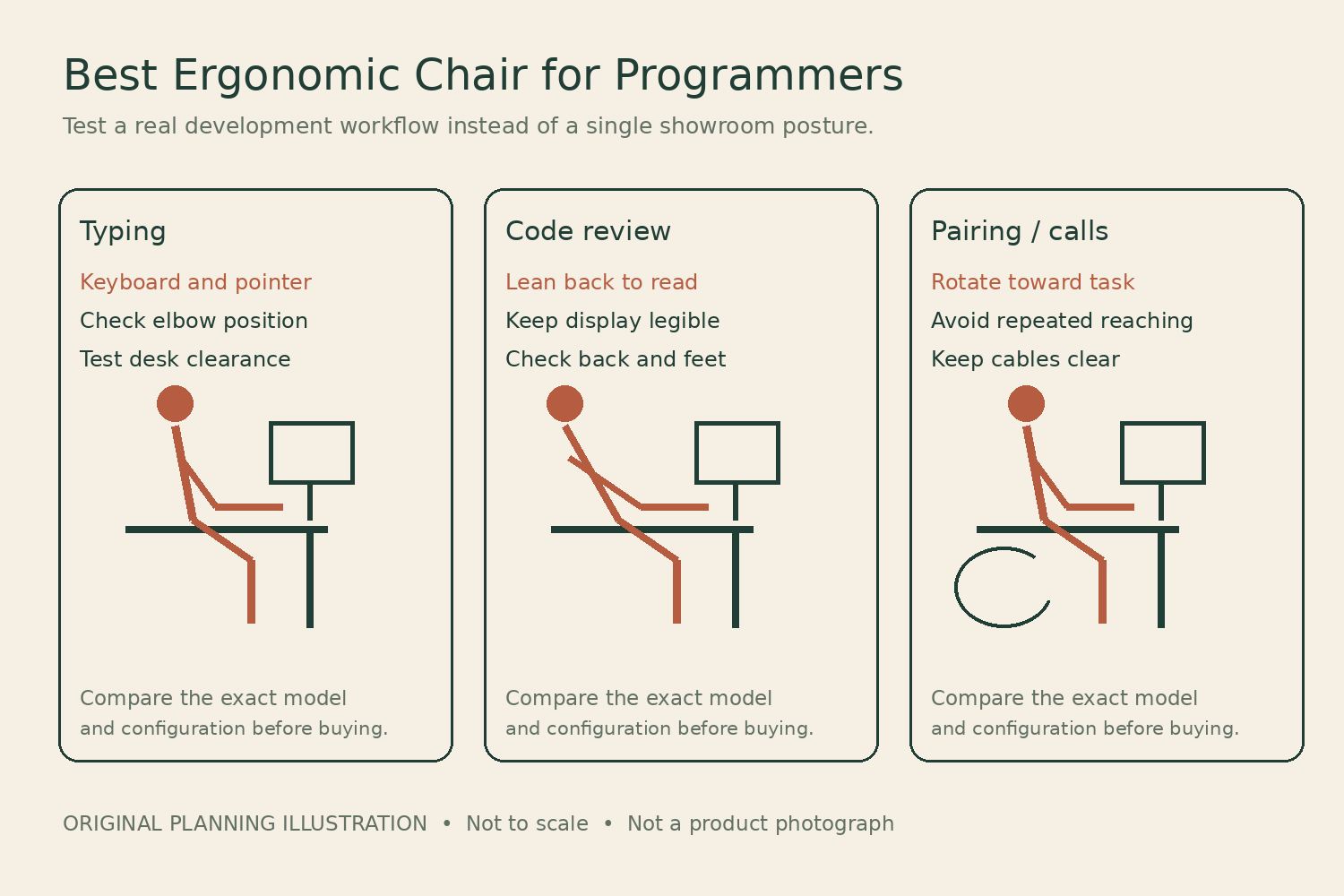
Reproduce a small set of ordinary tasks during a showroom fitting where feasible, or during a return-permitted home trial. Use a work sample that does not expose confidential information. The objective is to identify repeated reaching and support problems, not to conduct a performance benchmark.
| Task | Movement to observe | What to record |
|---|---|---|
| Typing and navigation | Both hands at the main keyboard | Shoulder effort, elbow position, desk collision |
| Debugging | Keyboard-to-pointer transitions | Whether one arm leaves its comfortable support area |
| Code review | Leaning back while reading | Back contact, screen legibility, foot support |
| Pairing or call | Turning toward another screen or person | Whether the chair swivels or the torso repeatedly twists |
| Notes and diagrams | Reaching to paper or a tablet | Arm-pad obstruction and useful surface distance |
For each task, note the adjustment used and the exact place a problem appears. “Right elbow loses support when moving to the mouse” points toward the layout or arm position. “Need more ergonomic support” is too broad to guide a purchase. Repeat the problematic transition after a single adjustment so you can tell whether it improved.
A measurement worksheet for a keyboard-centered desk
- Working height: record the loaded seat height that supports your legs, then the keyboard height at that setting. Do not raise the chair simply to meet a tall desk without also arranging suitable foot support.
- Seat length: compare comfortable usable depth with the published range. Check this while using the backrest, since perching forward hides an excessively long seat.
- Elbow spacing: measure your relaxed working elbow positions for the actual keyboard arrangement. Compare those positions with the arm pads during a trial, not only the chair’s outside width.
- Desk underside: locate the lowest apron, drawer, or cable tray. Check whether the arm pads and thighs clear it at your working height.
- Rotation: record how far you move between screens or a collaborator. Check the chair’s turning path and cable slack with the base in its real position.
A practical example is a programmer whose chair works well at a compact keyboard but feels wrong after switching to a full-size board. The added number pad may have moved the mouse outward while the chair remained unchanged. Before replacing the chair, bring the frequently used pointing device closer or test another layout. If the comfortable forearm position still cannot be supported, that provides a specific arm-adjustment requirement for the shortlist.
Do not make the chair compensate for the screens
Screen placement can change where you sit. A small laptop display placed far back may draw you toward the desk edge; two equal monitors can invite repeated sideways head movement. Arrange the display used most often so you can view it from the supported position you are trying to establish, then evaluate the chair there.
Reclining to read is useful only if the display remains legible and the controls remain reachable when needed. Do not assume a large recline angle is a programming benefit. The key transition is returning to active input without sliding forward or resetting the chair every time. A supported review position and an efficient input position can both be relevant without making either permanent.
Headrests, lumbar options, and long sessions
A headrest is often less relevant during ordinary keyboard input than during leaning back. Try whether it meets the neck where you want it without pushing the head forward. Some buyers prefer no headrest because they move frequently. Its presence is not an objective measure of a more ergonomic chair.
The same applies to additional lumbar components. Establish the seat and desk relationship first, then test the support at modest settings. A chair that lets you vary position comfortably is more useful than one you tolerate only by holding a rigid pose. OSHA’s workstation guidance emphasizes fitting the chair together with the desk, input devices, and display rather than treating the chair as a complete workstation solution.
Do not buy a chair as permission to remain seated continuously through an entire sprint or on-call period. Adjust the work routine as appropriate and change position. A manufacturer’s all-day description is not an individually validated duration or a guarantee against discomfort.
Configuration and purchase discipline
All three model families had active US direct ordering pages at the research check. Confirm the actual arm package, support option, cylinder, cover, casters, and dispatch estimate. A matching Amazon search may include another model, accessories, or a used unit. Save the selected configuration so you can compare what arrives with what you intended to buy.
Use the return window for the task matrix before discarding packaging. A warranty for defects is different from a fit trial: Embody and Fern describe twelve-year limited terms for eligible purchases, while Branch describes seven years. Verify the actual seller’s coverage and the cost of returning an assembled chair. For shared equipment, record useful settings for each user rather than leaving the next person to start from a random position.
Choose Embody, Fern, or Pro according to the transition that needs improving: review posture, flexible support, or input-device alignment. The strongest evidence is a configuration that works through your actual task sequence, without asking you to reach farther or lose comfortable back contact.
Something unclear or out of date? Send a correction with this article’s title and the detail to check.
Sources, research & corrections policy ↗