As an Amazon Associate, we earn from qualifying purchases. Read our affiliate disclosure. Amazon buttons open searches for matching listings; they do not confirm seller, configuration, price or stock.
For sustained projects, compare support through the transition
For an extended workday, the useful ergonomic question is how the chair behaves as work changes. Does support remain accessible when you switch from typing to reading, turn to a second device or return from a call? Our shortlist is Steelcase Gesture for arm and device transitions, Haworth Fern for a flexible-back alternative, and Steelcase Leap for deliberate lower-back tuning and sliding-seat adjustment.
This comparison uses official product documentation checked November 6, 2026. We have not conducted endurance, pressure-map or clinical tests. Long hours describes the buying context, not a recommendation to remain seated continuously. A chair can support several useful working positions while breaks, changes in activity and the rest of the workstation remain part of the day.
| Repeated transition | Candidate to investigate | Specific evidence |
|---|---|---|
| Keyboard to tablet or calls | Steelcase Gesture | Arm movement, coordinated seat/back, manual back stops |
| Upright input to flexible reading position | Haworth Fern | Flexible Wave Suspension back and sliding seat |
| Change support feel while preserving seat fit | Steelcase Leap | Separate lumbar height and lower-back firmness |
Three chairs for different sustained-work patterns
The recommendations are about controllable support, not simply more cushioning or a promise of limitless sitting comfort. A chair that requires repeated major readjustment whenever you change tasks may be less useful than one with fewer features whose basic geometry suits you. Compare these mechanisms with a task sequence rather than a single showroom pose.
Model specifications and ordering details were checked against Steelcase Gesture US headrest and adjustment options, Steelcase Gesture US manual recline and adjustment description, Haworth Fern US dimensions and options, Haworth Fern Wave Suspension and configuration details, Steelcase Leap US adjustment features, Steelcase Leap and Leap Plus dimensions. These manufacturer documents support the configuration notes in this comparison; retrieved November 6, 2026.
1. Steelcase Gesture with factory headrest
Best for: frequent changes between input devices and calls.
Gesture is the first comparison when the arms are the part of the chair that must change during work. Steelcase's US store describes manual recline, multiple back-stop settings and seat-height and depth adjustment, alongside its broad arm-position approach.
Try whether the pads can move between your actual devices while keeping a good seat and keyboard relationship. The model's optional factory headrest is a separate decision. We have not tested whether its movement or upholstery stays comfortable through a whole day, so the recommendation is to investigate this specific transition behavior.
Product Details
| Brand | Steelcase |
|---|---|
| Headrest | Vertical, tilt and rotation adjustments |
| Arms | 360-degree arm movement design |
| Seat | Depth adjustment |
| Headrest installation | Order factory-equipped configuration |
Pros
- Broad arm positioning
- Manual recline and back-stop options
Cons
- Extra arm range can be irrelevant to a simple task
- Exact support preference requires a trial
Choose it when the working problem is repeated arm repositioning rather than an unexplained need for more padding.
2. Haworth Fern
Best for: comparing a flexible back during supported reading.
Fern uses Haworth's Wave Suspension back structure, which is designed to flex with movement. The US store lists 15.5–18.5-inch seat depth, 16.5–21.5-inch height and a 19.9-inch seat width. These give a concrete dimensional screen before evaluating the back.
Back material, optional lumbar and forward tilt need to match the order. Haworth lists 350-pound coverage without forward tilt and 325 pounds with it, so the capacity condition should be checked before selecting options. The flexible-back approach still needs to feel appropriate to the individual user.
Product Details
| Brand | Haworth |
|---|---|
| Seat height | 16.5–21.5 inches |
| Seat depth | 15.5–18.5 inches |
| Seat width | 19.9 inches |
| Capacity | 350 lb without forward tilt; 325 lb with it |
Pros
- Flexible-back alternative
- Sliding seat and material choices
Cons
- Tilt option changes stated capacity coverage
- Optional lumbar can change contact feel
Compare the chosen build through reading and return-to-input tasks, without assuming flexibility guarantees personal comfort.
3. Steelcase Leap
Best for: changing back-support feel without rebuilding the seat setup.
Leap's separate lower-back firmness dial and height-adjustable lumbar support give a deliberate way to compare contact while preserving a suitable seat setting. Its published functional depth range is 15.75–18.75 inches for the cited chair build.
This is valuable when a support mismatch is clearly identified, but repeatedly changing controls without a reason can complicate the trial. Establish the seat and work surface first, then compare the needed support variable during the same tasks. Neither the control count nor a premium price establishes a therapeutic effect.
Product Details
| Brand | Steelcase |
|---|---|
| Seat height | 15.5–20.5 inches, brochure configuration |
| Functional seat depth | 15.75–18.75 inches |
| Seat width | 19.25 inches |
| Lumbar | Height and lower-back firmness adjustment |
Pros
- Independent back-support variables
- Sliding seat to establish basic fit
Cons
- Manual settings require understanding
- Upholstery and contour remain personal
Investigate it when finer support tuning addresses the actual repeated-work problem.
Separate settings you establish once from settings you use during work
Seat height and usable depth are often setup settings. They establish the relationship between the person, keyboard and floor, and should not need constant change for a single user at one desk. If you keep altering them to make different tasks possible, inspect whether the equipment layout is forcing incompatible positions. A chair cannot bring a distant document or off-center display into reach.
Recline resistance, back-stop choice and arm-pad position are more likely to change with a task. A reader might prefer a limited recline while typing and more movement during review. A pen-display task may need different pad placement from a keyboard task. The controls should make these changes understandable without disturbing a workable seat fit.
Support contours add another layer. Leap lets lower-back firmness change separately from lumbar height. Fern provides a flexible back structure, with lumbar and other options depending on the build. Gesture combines coordinated movement with manual recline settings. These designs deserve distinct trials rather than an assumption that every adjustment serves the same purpose.
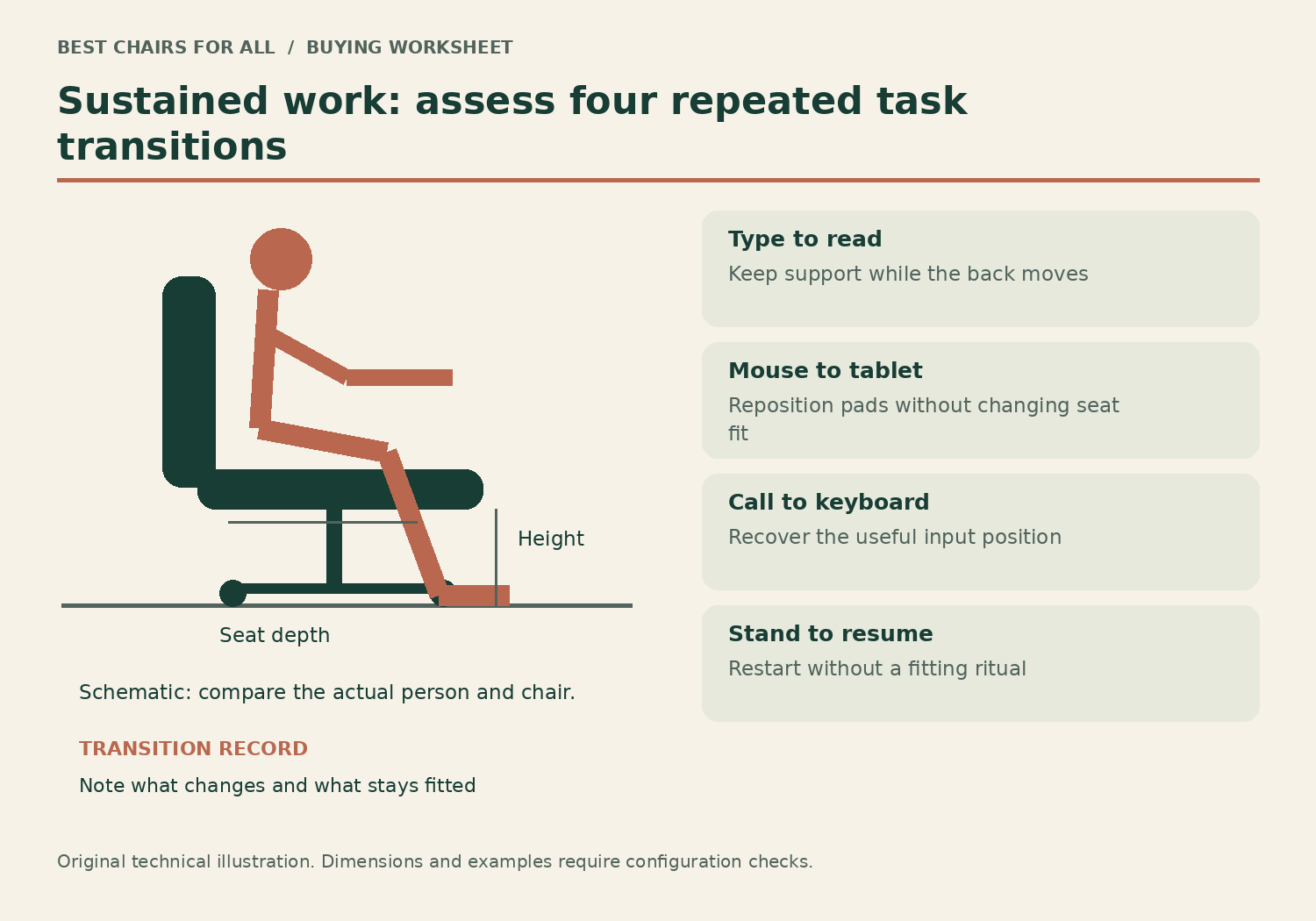
The four-transition trial
Use ordinary tasks already in your day. Do not create a long sitting session to prove that a chair is comfortable. Establish a suitable starting seat height and depth, place the input devices properly and then run through the following transitions. Record what needs changing and whether that change disrupts another useful position.
| Transition | Record this observation | A useful result |
|---|---|---|
| Type, then read | Back contact, foot support, screen visibility | Recline remains usable without sliding away |
| Mouse, then tablet | Pad location and wrist approach | Arms reposition without blocking the desk |
| Call, then keyboard | Return path to normal input | Preferred input position is easy to recover |
| Stand, then resume | Control and equipment consistency | You can restart without a fitting ritual |
A worked example: the chair works, but the arm pad does not
Imagine a designer whose chair is comfortable during keyboard input but whose right arm pad remains too high and forward for a pen display. They lower the whole seat to avoid it, which makes the keyboard too high when they return. The chair now seems uncomfortable late in the project, yet the immediate mechanical problem is the pad’s task relationship rather than the seat cushion.
A broader arm-positioning range could address that specific issue. Gesture is a relevant comparison because its arm system is designed around varied device postures. The real trial is whether the pad can clear the pen task and return to a useful input position while seat height stays appropriate. A dramatic arm animation is less informative than that one repeated transition.
Fern or Leap may also work if their particular arm packages meet the task. The shortlist does not imply that only Gesture can support multiple devices. It means the first comparison should target the identified bottleneck. If the pen display itself is poorly positioned or too high, changing the chair alone may preserve the same difficulty.
A second example: movement feels restrictive
Another reader uses a conventional mouse and keyboard but frequently leans back to review text. Their current chair has a fixed back that meets them comfortably only when upright. They then slide forward to read, separating the body from the intended support. A flexible or reclining back is a more relevant feature than additional arm rotation for this person.
Fern’s Wave Suspension design offers a specific flexible-back approach to investigate. The official US store lists 15.5–18.5 inches of seat depth and 16.5–21.5 inches of height, making seat fit a separate check. Try the chosen back material and lumbar option, because adding a pad or changing upholstery can alter the feel even under the same model name.
Leap offers a different manual support comparison. Its lower-back firmness control changes a variable that a simple recline lock does not. Try that setting without moving the seat each time, and note whether supported reading remains easy. Neither mechanism proves better health outcomes; the useful result is a workable position change that does not require abandoning the backrest.
Screen reach can undo a good recline mechanism
A well-controlled recline may still be unusable if the text becomes difficult to see. Check ordinary text size, screen position and lighting before concluding that the chair needs a steeper upright posture. Do not crane forward from a reclined back solely to reach a small laptop display. The equipment should support the activity you intend to do.
The OSHA desk guidance connects equipment placement and clearance with awkward reaching. The OSHA chair guidance likewise describes adjusting the chair alongside the rest of the workstation. These principles are especially useful for a project involving several devices rather than one static input surface.
Place frequently used objects within a practical working area and distinguish reach tasks from supported tasks. A chair may allow turning, but constantly reaching behind for files is a layout issue. An arm pad may move widely, but that does not make a remote keyboard position sensible. Evaluate the chair inside the full workflow rather than treating every reach as a test of its flexibility.
Long-day comfort claims need careful interpretation
A published weight rating is a product-use limit, not a comfort score. A long component warranty is a coverage promise under stated terms, not a statement that the cushion will suit every person for the same duration. A claim that a chair moves with the user describes an intended mechanism; it does not establish that all users prefer that movement.
Material choice also remains personal. Fern offers different back materials and optional support equipment; Gesture and Leap have upholstery and component choices. We have not measured thermal comfort or cushion compression. If surface feel is critical, use swatches where useful and try an actual chair with the intended material rather than relying only on a photograph.
Shared long-day use requires additional confirmation. Ask the seller about the specific schedule, component coverage and correct model. The Fern US store lists different weight coverage with and without forward tilt: 350 pounds without that option and 325 pounds with it. This is a concrete example of why an option can change more than comfort or price.
Decide from the repeated transitions that matter most
After trying two plausible candidates, review the observations rather than inventing a grand score. Which chair preserves the useful input position? Which lets the needed pad move without a major reset? Which back remains available during reading? A small inconvenience repeated many times can matter more than an extra feature used once a month.
Save the complete build and return terms before ordering. For Gesture, a headrest must be ordered in its factory configuration if essential. For Fern, confirm lumbar, arm and tilt choices and their applicable capacity. For Leap, identify the actual chair and cylinder rather than transferring stool or Plus figures. Accurate configuration is part of the ergonomic decision.
Start with Gesture for device and arm transitions, Fern for a flexible-back comparison or Leap for independent back-support tuning. Choose the one that handles your most common transitions with a suitable seat and workable desk setup. A longer workday makes those repeated practical details more important; it does not make one brand a universal answer.
Something unclear or out of date? Send a correction with this article’s title and the detail to check.
Sources, research & corrections policy ↗