Affiliate disclosure: As an Amazon Associate, Best Chairs for All earns from qualifying purchases. Read our disclosure. Amazon links below open matching US search listings; check the exact model, seller, configuration, availability, and checkout terms.
The best office chair for lumbar support is the one whose contact you can place and moderate comfortably. Start with Branch Ergonomic Chair Pro for a padded support adjustable in height and depth, Haworth Zody for separate left and right adjustment, or Aeron with PostureFit SL for its dual-pad support arrangement. Choose the mechanism that addresses your actual fitting problem.
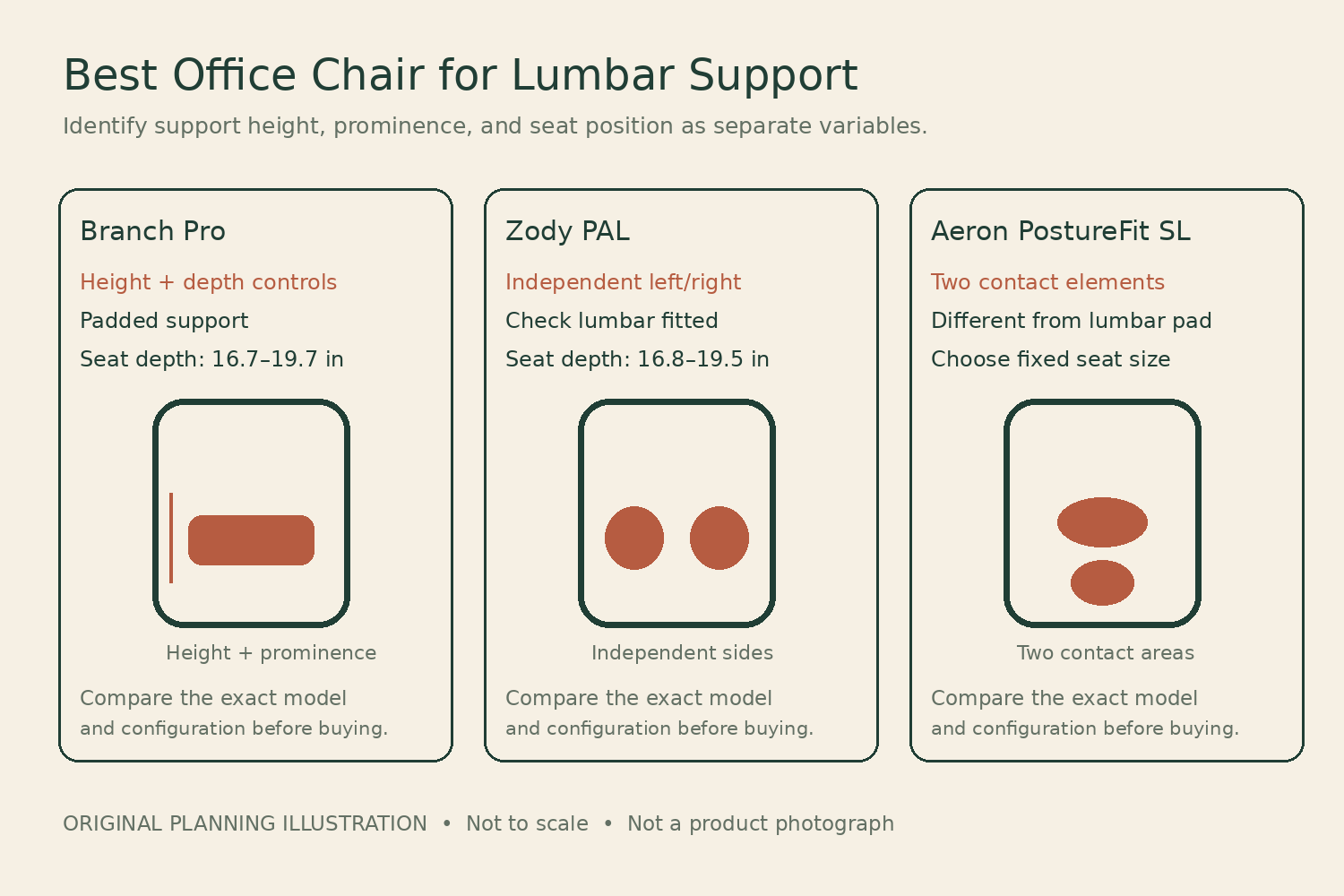
This guide also covers the search for the best ergonomic chair with lumbar support; both describe the same practical purchase decision. It is an online research comparison checked November 6, 2026, not a hands-on comfort trial or a medical treatment recommendation. We have not measured spinal loads, pain outcomes, or posture changes. More prominent support and a larger adjustment count are not evidence of better results for your body.
Separate four variables that advertising often combines
Support height determines where a component meets the back. Depth or prominence determines how far it projects. Tension affects the force required to move against it or the backrest. The seat-to-back relationship determines whether you can use the support while your thighs and feet remain comfortable. A chair can offer one of these adjustments while leaving the others fixed.
Before shopping, identify the failure in your current arrangement. A pad that presses beneath the ribs suggests a different problem from one that feels acceptable upright but pushes you forward during typing. If the seat is too deep, you may never sit against the back at all. Adding a stronger lumbar shape to that chair can worsen the mismatch rather than resolve it.
Compare mechanisms rather than support scores
| Chair and option | Useful distinction | Seat fit that still matters |
|---|---|---|
| Branch Ergonomic Chair Pro | Padded support with height and depth controls | 16.7–19.7-in seat depth |
| Zody with PAL, Standard Posture | Separate left/right adjustment | 16.8–19.5-in depth with lumbar |
| Aeron Size B with PostureFit SL | Coordinated lower and upper contact elements | Correct fixed seat size |
These mechanisms are described in the Branch product details, Haworth PAL description, and Herman Miller support-option guide. The comparison is about adjustment behavior. We have not awarded a clinical support rating to any chair.
1. Branch Ergonomic Chair Pro
Best for: Best for comparing support height and prominence separately.
Ergonomic Chair Pro is the clearest first comparison when you know you want to move a padded lumbar support both vertically and inward or outward. Branch identifies height and depth adjustment and says the lumbar component is removable. These are useful controls for a buyer who has found that a fixed cushion lands too high or projects too far, although the available range still needs a personal trial.
The official sheet gives a standard seat-height range of 17–19.9 inches and depth of 16.7–19.7 inches. Those measurements matter because changing seat depth changes where you sit relative to the back. Fit the seat first, then evaluate the lumbar control. The current US product page offered ordering; a tall cylinder, headrest, and upholstery selection change the configuration and can affect the total. The published capacity is 275 pounds, with seven-year warranty information.
Product Details
| Brand | Branch |
|---|---|
| Lumbar adjustment | Padded; height and depth adjustable; removable |
| Standard seat height | 17–19.9 inches |
| Seat depth | 16.7–19.7 inches |
| Capacity | 275 lb |
| Warranty | 7 years; eligible purchases |
Pros
- Height and prominence can be explored separately
- Padded contact rather than a bare mesh panel
- Manufacturer explicitly identifies removable lumbar component
Cons
- Support travel may still miss an individual target
- Standard height range must fit before lumbar adjustments matter
Choose Pro if you want a straightforward adjustable-pad approach and can try the low-pressure end of its range. Do not remove a component by improvisation; follow Branch's approved instructions if removal is part of your evaluation. A chair that works only after an unapproved modification is a poor basis for the purchase.
2. Haworth Zody Office Chair PAL Lumbar Standard Posture
Best for: Best for independently adjustable left and right support.
Zody's distinguishing feature for this task is its PAL system: Haworth describes pelvic support and independently adjustable support on either side of the lumbar region. That makes it worth trying if a single centered pad never gives the contact you prefer. This is a comfort-adjustment choice, not a recommendation to diagnose or correct an asymmetry yourself. Both sides should be evaluated gently rather than maximized because they can move independently.
Haworth publishes different usable depth ranges with and without lumbar support. In the lumbar configuration it is 16.8–19.5 inches, versus 17.5–20.2 without. Standard Posture height is 16–21 inches; Dual Posture is a different option. Those distinctions are central to a fitting because the support component changes the effective relationship between seat and back. The current US store was orderable and described twelve-year warranty coverage, subject to terms.
Product Details
| Brand | Haworth |
|---|---|
| Lumbar approach | Pelvic and Asymmetrical Lumbar system |
| Standard seat height | 16–21 inches |
| Depth with lumbar | 16.8–19.5 inches |
| Seat width | 19.5 inches |
| Capacity | 350 lb without forward tilt; 325 lb with it |
| Warranty | 12-year limited; eligible purchases |
Pros
- Independent support adjustment on either side
- Manufacturer documents depth with lumbar fitted
- Padded-seat and mesh-back configuration available
Cons
- More controls do not guarantee more comfortable pressure
- Options change height, depth, and rating
Choose Zody if the separate adjustments deliver useful comfort during a trial. Capacity is configuration-specific: Haworth lists 350 pounds without forward tilt and 325 with it. Verify the ordered lumbar system and posture option; a used or older Zody can differ from the current US configuration used here.
3. Herman Miller Aeron Chair Size B PostureFit SL
Best for: Best for trying coordinated pelvic and lower-back contact.
Aeron with PostureFit SL should be considered when you want to try a dual-pad arrangement with the chair's suspension back. Herman Miller distinguishes this support from its separate adjustable lumbar-pad option. The lower and upper elements address different contact areas, so the correct comparison is the actual support package, not simply whether a listing says Aeron with lumbar.
Size B in the current US listing has a 16–20.5-inch seat-height range and a listed 16.75-inch depth. The seat is size-specific rather than sliding, which means support fit cannot be separated from selecting the correct overall size. During a trial, compare the support backed off and gradually engaged while keeping your body in a comfortable supported position. Do not transfer the vertical adjustment description of the separate lumbar pad onto PostureFit SL.
Product Details
| Brand | Herman Miller |
|---|---|
| Support approach | PostureFit SL dual-pad system; verify option |
| Current Size B seat height | 16–20.5 inches |
| Current Size B listed depth | 16.75 inches |
| Current Size B capacity | 350 lb |
| Warranty | 12-year limited; eligible purchases |
Pros
- Distinct dual-contact support option
- Manufacturer explains the different Aeron back-support packages
- Suspension seating provides a different feel from padded chairs
Cons
- Fixed-size seat must fit first
- Listings frequently blur lumbar-pad and PostureFit options
Choose this configuration only if you prefer its particular contact pattern. The current direct US listing accepted orders with a lead time and a twelve-year limited warranty description. Confirm the model generation, size, exact support hardware, and seller eligibility. A prestigious chair with the wrong support package is still the wrong order.
A support trial that changes one variable at a time
Use this worksheet during a fitting or a permitted home trial. It is a structured observation exercise, not a prescription for a particular spinal position. If you have a diagnosed condition or persistent symptoms, obtain individual guidance rather than using this comparison to choose a treatment.
- Establish the seat: set a comfortable height and usable depth first. Make sure the feet have support and you can sit back without crowding the knees.
- Find a baseline: follow the manual to start with modest support engagement. Record where you feel contact and whether it pushes you away from the backrest.
- Adjust height where available: move only the intended height control, then return to ordinary typing. Note whether the contact area moves to a more comfortable position.
- Adjust prominence where available: change the pressure or projection gradually. Keep the other settings steady so you know which change produced the result.
- Check another task: lean back to read, return to the keyboard, and reach for a nearby item. Record whether contact remains acceptable through those movements.
- Restore and compare: return to the baseline and repeat the most promising setting. A reproducible improvement is more useful than a brief favorable impression immediately after changing several controls.
Use four columns: setting, contact location, pressure description, and task. For instance, “middle height, low depth: comfortable contact during typing; upper edge noticeable when reading reclined” tells the fitter what needs attention. “Maximum support feels corrective” does not establish comfort and can hide a setting you would avoid during normal work.
Why seat depth can masquerade as a lumbar problem
A person with short thighs may slide forward to avoid the front edge. Their lower back then moves away from the support, even if the support is adjustable. A deeper pad may reach them, but the resulting sitting position can remain awkward. First determine whether the seat is the right length, rather than using the lumbar mechanism to compensate for a pan that is too deep.
Haworth’s published Zody measurements illustrate the issue directly: fitting the lumbar component changes the stated depth range. A buyer comparing 20.2 inches from a no-lumbar listing with a chair that has lumbar installed would be using the wrong relationship. Configuration drawings and the actual trial are particularly useful when the difference is small.
The reverse can also occur. If the seat is too short for the support you want beneath the thighs, pushing it forward may change how the pelvis meets the back. Check the full adjustment sequence rather than treating the lower-back part as an independent accessory. The chair is a connected set of surfaces.
Independent support is not a diagnosis
Zody’s independent sides can offer a useful preference adjustment, but they do not tell you why one side feels different. Avoid prescribing an unequal setting to yourself based on a posture photograph. Start gently, observe comfort, and seek appropriate professional advice if symptoms or an established condition are driving the purchase.
Likewise, a dual-pad support system is not the same as two independent height controls. Read the actual adjustment guide. Aeron lists multiple support options, and descriptions of a movable lumbar strap can appear beside PostureFit information. Ask the seller to identify the fitted hardware and demonstrate that hardware’s controls before buying a chair sight unseen.
Put the chair into the workstation
OSHA’s chair guidance treats the backrest, seat, arms, and workstation together and advises trying chairs before purchase. That is the useful boundary here: a lower-back feature cannot rescue a keyboard positioned beyond reach or a monitor that requires constant forward leaning.
Check whether you can bring the hands to the work with shoulders relaxed and elbows near the body. If the armrests stop at a desk apron, you may sit farther forward and lose back contact. Move or adjust the workstation where possible, then repeat the support trial. The relevant setting is the one that works while doing your job, not while sitting in an empty room.
Buying a support option you can actually evaluate
All three compared model families had active US purchasing pages at the research check, but their support packages and dispatch times vary. On a matching Amazon search, verify Pro rather than the standard Branch Ergonomic Chair, PAL-equipped current Zody rather than a different used configuration, and PostureFit SL rather than a generic Aeron lumbar description.
Request written model and option details, and confirm that the return policy permits the fitting trial you need. A defect warranty does not promise comfort. Branch publishes seven-year coverage, while Haworth and Herman Miller describe twelve-year limited coverage for eligible purchases. Check the actual seller and component terms, including whether a used or refurbished example follows a separate service arrangement.
Choose the adjustable padded approach, independent-sided support, or dual-pad arrangement only after establishing a workable seat. The purchase succeeds when support can be placed comfortably during your real tasks and movement. It does not need to be the most forceful or most elaborate mechanism on the page.
Something unclear or out of date? Send a correction with this article’s title and the detail to check.
Sources, research & corrections policy ↗