As an Amazon Associate, we earn from qualifying purchases. Read our affiliate disclosure. Amazon buttons open searches for matching listings; they do not confirm seller, configuration, price or stock.
The best armless chair still needs a good place for your arms
Choose an armless office chair when chair arms obstruct the desk, restrict a normal task or prevent the chair from parking where it needs to go. Our shortlist is HON Volt H5701.GA10.T for a documented factory armless build, IKEA FLINTAN 904.890.29 for a simple mesh-back and washable-seat option, and Branch Ergonomic Chair for a chair whose manufacturer explicitly describes its arms as removable.
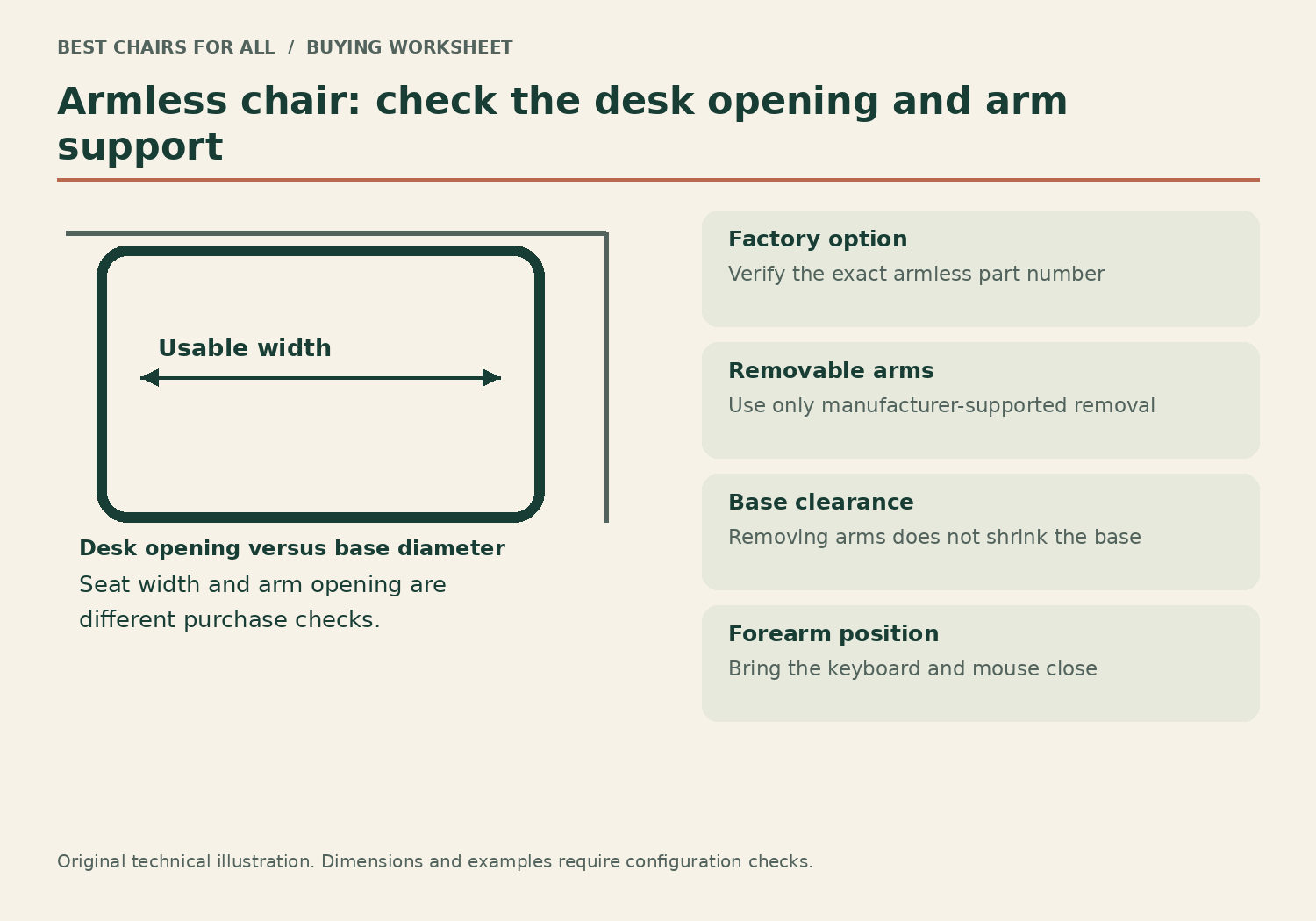
Removing armrests does not solve every workstation problem. Your desk must still let the shoulders relax and keep the keyboard and mouse close. A narrower silhouette also does not guarantee a smaller base. This is a research-based comparison of official sources checked November 6, 2026, without hands-on trials. We distinguish factory armless configurations from approved removable arms and do not recommend cutting off or modifying structural components.
| Use case | Candidate | Main limit |
|---|---|---|
| Permanent armless task setup | HON Volt H5701.GA10.T | 18-inch minimum height and fixed depth |
| Simple desk with washable seat cover | IKEA FLINTAN 904.890.29 | 19.25-inch fixed depth |
| Want to retain arms for possible future use | Branch Ergonomic Chair | Follow manufacturer removal instructions; base remains broad |
Three credible armless options
A product photograph without visible arms is not sufficient proof of what is included. Check the exact model or configuration and the manufacturer’s documentation. If you choose a removable-arm chair, save all parts and instructions in case you restore the original arrangement later. The support and warranty implications of unapproved modifications are outside this recommendation.
Model specifications and ordering details were checked against HON Volt H5701.GA10.T official specifications, IKEA FLINTAN 904.890.29 US specifications, Branch Ergonomic Chair specifications. These manufacturer documents support the configuration notes in this comparison; retrieved November 6, 2026.
1. HON Volt H5701.GA10.T
Best for: a permanent factory armless task-chair build.
HON explicitly lists H5701.GA10.T as an armless black-fabric center-tilt Volt chair. Its official specifications give 18–22.25 inches of seat height, 18.75 inches of fixed usable depth and a 275-pound capacity. Those exact identifiers distinguish it from stools and other Volt controls.
Its upholstered seat and back offer a conventional task-chair surface without arm obstructions. The fixed depth and relatively high minimum mean it is not a default recommendation for short users. HON also marks this build as not warranted for twenty-four-hour use; do not transfer an intensive-use claim from another commercial chair.
Product Details
| Brand | HON |
|---|---|
| Arms | Armless configuration |
| Seat depth | 18.75 inches, fixed |
| Seat height | 18–22.25 inches |
| Capacity | 275 lb |
Pros
- Factory armless specification
- Clear model-specific dimensions
Cons
- Fixed depth
- 18-inch minimum seat height
Consider this when the dimensions fit and the permanent armless arrangement is the intended result.
2. IKEA FLINTAN 904.890.29 armless
Best for: a simple armless desk with a washable seat cover.
FLINTAN 904.890.29 is the black armless US article. IKEA lists a removable washable cover and a mesh back, with arms offered separately. The seat is 18.125 inches wide, 19.25 inches deep and 17.75–22.875 inches high.
The open sides help avoid arm-pad collisions, but the deep seat and base still need room. Its automatic tension and upright lock provide a simpler adjustment set than an extensively adjustable commercial chair. Confirm the article number rather than buying the armrest bundle while expecting the same included parts and clearance.
Product Details
| Brand | IKEA |
|---|---|
| Seat height | 17.75–22.875 inches |
| Seat depth | 19.25 inches |
| Seat width | 18.125 inches |
| Tested for | 276 lb |
Pros
- Separate armless article
- Removable washable cover
Cons
- Deep fixed seat
- Limited manual support tuning
Best for someone who fits the seat and values the particular cleaning and clear-side advantages.
3. Branch Ergonomic Chair in manufacturer-supported armless setup
Best for: a chair with documented removable arms and sliding-seat adjustment.
Branch explicitly describes the Ergonomic Chair arms as removable. That gives a supported route to an armless setup while retaining a mesh back, padded seat, sliding seat and height-adjustable lumbar support. Its capacity is 275 pounds.
Follow the exact manufacturer instructions, keep the hardware and do not assume it is intended for repeated daily removal. The base remains 27.6 inches in diameter after the arms are removed. A desk opening narrower than the base will still prevent full parking even if the cushion and back would otherwise fit.
Product Details
| Brand | Branch |
|---|---|
| Seat height | 17–21 inches |
| Seat depth (manufacturer label) | 18–22 inches |
| Capacity | 275 lb |
| Arms | 3D adjustable and removable |
Pros
- Removable arms documented by maker
- More fitting controls than simple fixed-seat options
Cons
- Arm removal does not shrink the base
- Not a quick-change promise
Choose it when flexible initial configuration matters and you have verified both the seated fit and base clearance.
When armless is the right answer
The clearest case is a desk with a low drawer or apron that catches chair arms. Removing that obstruction can let the user approach the keyboard while sitting against the backrest. Before replacing the chair, however, check whether its existing arms can lower or retract enough through their intended adjustments. An adjustable-arm model may already solve the collision without giving up arm support during calls.
Armless seating also gives more room for lateral tasks such as reaching a nearby document or working at a broad surface. This is useful only if the chair remains the right height and depth for the person. A seat that is too deep still encourages perching, and a high keyboard still encourages lifted shoulders. Freedom beside the seat should improve the task rather than disguise another mismatch.
Storage is a third reason. A chair without arms can slide farther under certain desks, reducing the occupied visual space after work. But compare the actual backrest height, base diameter and desk-leg opening. Armless does not mean narrow at floor level, and a high backrest may remain visible or hit shelving even when the cushion fits beneath the top.
The desk-clearance worksheet
Measure the lowest underside point of the desk, including drawers and cable trays. Record the distance between legs at the height of the seat and at floor level. Then measure how far the chair must travel underneath to park. A plan view showing the base is useful because its outer wheels may reach the desk legs before the seat arrives where you expect.
For a worked example, imagine a desk with a 25-inch clear opening and a crossbar near the floor. The 27.6-inch base diameter published for Branch Ergonomic Chair is wider than that opening. Taking its arms off cannot make that base pass through. The chair may still work in front of the desk, but it will not meet the original parking goal without another layout change.
Now imagine a wider opening where the arms alone collide with a 25-inch-high drawer. An armless build can plausibly solve approach clearance if the thighs still fit and the seat height matches the keyboard. Measure that remaining thigh space while sitting normally. Replacing a collision at the arm pad with one at the legs is not a successful improvement.
| Measurement | Record | What it decides |
|---|---|---|
| Under-desk low point | Floor to drawer, tray or apron | Seat and thigh clearance |
| Floor-level opening | Narrowest gap between desk supports | Base can enter or only park outside |
| Required parking depth | Distance to rear crossbar or wall | Back and wheels clear the desk |
| Keyboard relationship | Height and distance with relaxed arms | Armless setup supports actual input |
Plan forearm support without a chair armrest
Bring the keyboard and mouse close enough that elbows can remain near the body. A deep desk can tempt the user to push equipment toward the wall, creating a long reach. Use the available surface intentionally: the absence of chair arms is helpful only if it lets you approach an appropriately positioned input area.
Check the desk edge itself. A sharp or prominent edge beneath the forearms can become a point of contact during typing or mousing. The OSHA desk guidance discusses workstation clearance and contact stress at desk components. Do not solve an armrest collision by leaning heavily on an equally intrusive table edge. An alternative input position or different desk surface may be required.
For calls or reading away from the desk, decide whether you will miss chair-arm support. An armless chair can be a good match for one task and less convenient for another. Branch’s removable arms preserve a route back to the supplied arrangement when followed according to the instructions, while a deliberately factory armless Volt is a clearer permanent choice. Neither approach makes your preferred tasks irrelevant.
Choose a seat, not just an empty space beside it
HON Volt H5701.GA10.T lists an 18.75-inch fixed seat depth and an 18–22.25-inch seat-height range. Those are not especially petite dimensions. A reader who needs a low short seat should not assume the compact appearance makes it suitable. Match the exact numbers and actual cushion behavior to the user before treating it as a space-saving solution.
FLINTAN has a 19.25-inch fixed depth and 17.75-inch minimum height in the US listing. It may be a practical fit for someone who already uses a deeper sitting area comfortably. Its washable cover is a concrete household advantage, but it cannot substitute for the right depth. The 18.125-inch seat width also needs checking if unrestricted hip space is the reason for choosing armless.
Branch Ergonomic Chair adds a sliding seat and height-adjustable lumbar support, giving more fitting variables. Yet its 275-pound capacity and manufacturer-labelled 18–22-inch seat-depth range remain limits to investigate. The arms are not the only dimensions that matter, and a room-friendly appearance should not overrule a failed body-fit check.
Factory armless versus removable arms
Factory armless is the clearest ordering description: the chair is supplied in a configuration intended without arms. HON explicitly identifies H5701.GA10.T as armless, and IKEA sells the identified FLINTAN article separately from its armrest bundle. Save the part number when ordering because a stool or armed variant in the same series may have different heights or included components.
Removable-arm design offers flexibility when the manufacturer expressly supports it. Branch documents removable arms for the Ergonomic Chair, but follow its current assembly and removal instructions for the exact model. Do not infer that every chair arm is optional because bolts are visible. Some arm structures are attached differently or interact with other parts of the seat and back.
If you expect to alternate frequently between armed and armless use, ask whether that is practical. A design that permits removal for setup is not automatically a quick-change mechanism. Repeatedly dismantling a bolted connection may be more effort than choosing arms with adequate retraction or a chair that fits permanently in one arrangement. Let the real switching frequency guide the purchase.
A final task test before keeping the chair
Park the chair, pull it out and sit down using the normal room layout. Type, use the mouse and reach a document. Then take a short call or read in the position you ordinarily use. Check whether the absence of arms improves the main task and whether it creates a new support compromise during the others. Keep the assessment specific to your setup.
The OSHA chair guidance says armrests, if present, should allow relaxed shoulders and elbows close to the body. That principle is useful when deciding whether arms are helping or interfering. It does not mean every user must buy an armless chair or that every chair with arms is too restrictive.
Choose Volt for the exact factory armless task configuration, FLINTAN for a simple deeper seat with a removable cover, or Branch for documented removable arms plus more fitting controls. Confirm the seller’s return process while the chair is still in its packaging window. The winning purchase is the one that clears the desk, supports ordinary work and fits the actual floor plan.
Something unclear or out of date? Send a correction with this article’s title and the detail to check.
Sources, research & corrections policy ↗