An office chair budget works best as a list of problems you can afford to solve. A low price is useful when the chair fits; a long list of adjustments is useful when those adjustments reach the positions you need. Neither a discount nor a premium brand tells you which of those conditions is true. Start with a spending ceiling, measure your current setup, and decide which shortcomings would make you reject a chair.
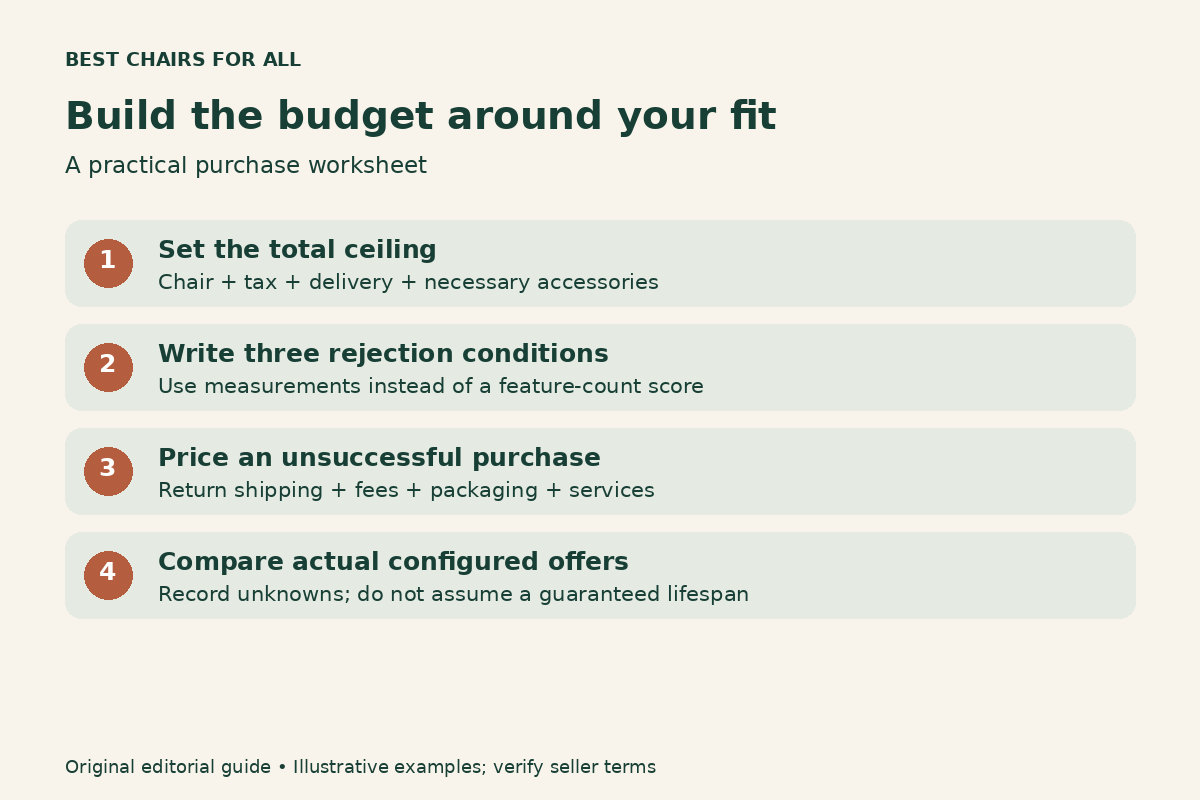
This framework helps you compare new, used, and refurbished chairs without assuming that the most expensive option is best. It includes a worksheet for assigning the budget, hypothetical cost examples, and a buying sequence that leaves room for delivery and returns. It does not rank products or forecast how many years a chair will last.
1. Write the total amount you can spend
Your ceiling should include the delivered chair, tax, necessary accessories, and any known assembly charge. Keep the possible cost of a return visible beside that figure. An advertised price that consumes the entire ceiling can leave you unable to return a poor fit or buy the foot support your desk requires.
Use a simple note: maximum cash available now; delivered price; required extras; money left after purchase. Avoid filling the extras line with every accessory on the product page. Include only an item that addresses a measured need or an explicit installation requirement. A decorative mat and an essential floor protector do not deserve the same priority.
If this is an employer purchase, ask about the available assessment, purchasing process, and reimbursement rules before ordering privately. A chair you choose independently may not fit an organization’s supplier or expense requirements. Confirm the allowed amount and whether delivery, accessories, or ergonomic assessment come from the same budget.
2. Identify your three rejection conditions
Measure the setup you have rather than guessing from a height category. Write down the seat height that lets you work, the seat depth you can use while reaching the backrest, and whether your existing arms prevent you getting close to the keyboard. Photographs from the side can help record the problem, but they do not replace measurements.
OSHA chair fitting guidance emphasizes seat fit, supported feet, back support, and coordinated placement of the chair and workstation. Its guidance favors adjustment that accommodates the user rather than a universal chair shape. Use those principles to write concrete rejection conditions: seat cannot lower enough; arms remain too wide; seat edge contacts the backs of the knees.
Limit the first list to three conditions that materially affect your use. You can add preferences later. A color preference should not quietly outrank the ability to reach your desk. Persistent pain or unusual symptoms call for an appropriate professional assessment; a budget worksheet cannot identify or treat their cause.
3. Separate fit requirements from attractive additions
| Budget category | Question to answer | Evidence to collect |
|---|---|---|
| Essential fit | Can the seat, back, and arms reach my usable positions? | Measured adjustment ranges and a sit test |
| Workstation compatibility | Can I approach the keyboard and support my feet? | Desk clearance and floor-to-seat measurements |
| Ownership support | Can I return it or obtain compatible parts? | Seller terms and model identification |
| Preference | Would I pay for this after the essentials pass? | Material sample, appearance, optional controls |
A headrest, upgraded upholstery, polished base, or additional arm movement may be worthwhile. Give each a specific reason. For example, depth-adjustable arm pads might solve desk access while a polished base changes appearance. Calling both an upgrade hides the difference in their value to your situation.
Ask the seller to confirm the dimensions of the exact configuration. A product family may include several cylinders, arm packages, seat sizes, or upholstery choices. The least expensive configuration in a search result may lack the adjustment you identified as essential. Record the configured price rather than comparing headline starting prices.
4. Check whether the desk is the expensive problem
Buying another chair does not guarantee a workable keyboard height. If the existing desk forces you to raise your shoulders or prevents your thighs fitting underneath, include that constraint in the plan. Try the chair at your actual input height before attributing every problem to the seat.
Penn EHRS office furniture guidance discusses adjustable work surfaces, chair adjustments, and arm interference with some desk layouts. Its furniture guidance is useful here because it considers the workstation as a whole. Treat its approximate dimensions as starting points for assessment rather than a personalized prescription.
Make two hypothetical project plans: chair only, and chair plus the change the desk actually needs. The second plan might include a suitable footrest or a properly fitted keyboard arrangement. If neither plan meets your ceiling, pause the purchase and compare a different workstation approach. Do not spend all the money on a chair that preserves the original mismatch.
5. Compare new, used, and refurbished on equal terms
New chairs can offer a clear configuration history and seller support, but the terms still need checking. Used chairs may offer an opportunity to inspect the actual item locally. Refurbished chairs vary in what was replaced, inspected, cleaned, and guaranteed. The label by itself does not establish a consistent restoration standard.
For any used or refurbished chair, ask for the model, approximate manufacture date, photographs of the label, adjustment operation, replacement-part details, and seller’s written return conditions. Ask who provides any warranty. A seller’s own warranty is a different promise from coverage provided by the original manufacturer.
For comparison, list the cost of bringing each actual chair into usable condition. Missing arms, an unsuitable cylinder, or damaged upholstery may change the apparent saving. Do not assume a replacement fits merely because an online listing says universal. If compatibility cannot be established, leave that repair out of your plan and reject the candidate instead.
6. Put a number on an unsuccessful purchase
Returns are part of the budget because fit is uncertain until you use the chair in your own setup. Calculate the amount you could lose if the chair passes inspection but proves unsuitable. Include nonrefundable outbound delivery, return transport, restocking charges, packaging, and any service fees the seller identifies.
Here is a hypothetical comparison, not current product pricing. Chair A costs $260 delivered and has a $70 return cost. Chair B costs $310 delivered and has a verified zero-cost return under the buyer’s particular conditions. If both are within your ceiling, B leaves less cash initially but exposes less money to an unsuccessful fit. That does not establish which chair will fit better.
Policies depend on the seller and product. For example, Steelcase Store US returns distinguishes eligible ergonomic-chair orders from bulk and custom orders, with geographic conditions. Do not copy a manufacturer’s direct-store policy onto a marketplace purchase. Save the exact terms that apply to your order before paying.
7. Use scenarios instead of guaranteed cost per year
Dividing a price by an assumed lifespan produces an answer that looks more certain than its assumptions. A warranty is not a service-life prediction, and your preferences or workstation may change before the chair fails. Make the unknown visible instead of using it to justify a higher budget.
For illustration, a $300 purchase used for three years is $100 per year before repairs; a $600 purchase used for the same three years is $200. At six years those averages would be $50 and $100. These are arithmetic scenarios, not forecasts. Add realistic known costs, but do not invent failure rates to make one chair win.
If the higher-priced option needs a longer lifespan to become affordable, ask whether you can accept the shorter-use scenario too. A purchase can be reasonable because it fits better today, without claiming that future savings will certainly repay the difference. Keep the amount you can afford now separate from hoped-for resale value.
8. Inspect serviceability before paying for it
Repairability can matter when you intend to keep a chair, but it needs evidence. Find the product label, official parts route, and support contact. Ask whether common wear parts remain available for the exact model and whether replacement requires an authorized technician. A visible screw does not prove a component is safely user-serviceable.
Herman Miller US warranty and service explains a service process involving the original dealer or retailer and product identification. That is a useful example of why keeping the receipt and a clear label photograph has practical value. It does not mean every chair or secondhand purchase qualifies for the same coverage.
Be cautious about buying a faulty chair on the assumption that a cheap component will solve it. A sinking seat, unstable base, or unusual tilt can have several causes. The cost of diagnosis and appropriate service belongs in the comparison; pressurized cylinders and damaged structural parts are not a place to improvise a repair plan.
9. Run a shortlist of three real offers
Three offers are usually enough for a useful comparison if each passes your rejection conditions. Record the exact seller, configured model, delivered total, return cost, and unresolved questions. Give unknown information its own column. Missing data should trigger a question rather than a favorable assumption.
- Eliminate any offer that fails essential measurements or intended-use requirements.
- Ask sellers to resolve missing fit and policy information in writing.
- Compare the remaining delivered totals and unsuccessful-purchase costs.
- Choose the option whose useful features justify its extra cost to you.
- Keep the packaging and schedule an early fit decision while returns remain possible.
Do not add a fourth candidate solely because a sale countdown appears. Add one when it solves a specific gap in the shortlist. A more expensive chair with the same unresolved fit problem is not progress, and a cheaper one with a nonreturnable configuration may be a different kind of risk.
10. Make the spending decision repeatable
Before checkout, read your original three rejection conditions again. Can you show how the chosen chair passes them? Can you pay for the delivered setup without relying on uncertain resale or lifespan claims? Do you know what happens if it arrives damaged or feels unsuitable?
Keep the completed worksheet with the order confirmation. During the first days, test normal tasks using the adjustment guide and record what changes help. If a basic fit requirement remains unsolved, contact the seller promptly rather than buying a growing pile of accessories to rescue the purchase.
A useful budget is a boundary and a record of priorities. It should help you buy the least costly complete solution that meets your documented needs, whether that ends up being a straightforward new chair, a carefully inspected secondhand model, or a smaller chair upgrade paired with a necessary workstation change.
Something unclear or out of date? Send a correction with this article’s title and the detail to check.
Sources, research & corrections policy ↗